Remove Migrated Devices from On-prem Device Manager
After successfully migrating devices to the Live Platform system, permanently remove them from the source Standard Device Manager:
|
1.
|
In On-prem Device Manager, navigate to the Devices Status page and filter the list to display the migrated devices. |
|
2.
|
Select all migrated devices. |
If your On-prem Device Manager version is before 8.4.3500, reset the devices, instead of performing the following steps. For this command to work, the provisioning/method parameter must be set to DYNAMIC in the devices’ configuration file (see Modify the Provisioning Order Configuration).
|
3.
|
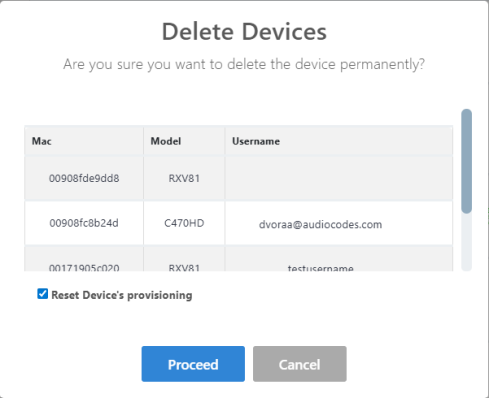
From the Select Rows Action menu, click Delete Device. |
|
4.
|
Select the Reset Device's provisioning checkbox and click Proceed. The devices are deleted. |