Call Forwarding
Call forwarding is a telephony feature that redirects incoming calls to another number or destination.
|
■
|
Automatically forwards calls when the line is busy, unanswered, or out of service. |
|
■
|
Lets employees receive work calls on their mobile phones or home lines when away from the office. |
|
■
|
Routes calls to an on-call staff member or voice mail outside of business hours. |
|
■
|
Directs calls to different departments or team members based on availability or workload. |
|
■
|
Ensures business continuity by forwarding calls to alternate locations during outages or emergencies. |
|
■
|
Forwards unanswered calls to voice mail for later retrieval. |
Hosted Essentials customers are billed for all uploaded numbers including both active and inactive DIDs.
See also Troubleshooting Loading Dial Plans and Customer Operator Prefix Management.
|
1.
|
Do one of the following: |
|
●
|
In the Multitenant portal All Services page, click the SysAdmin link for the relevant Direct Routing service, and then in the Service portal Navigation pane, select Configuration > SIP Connections. |
|
●
|
In the Live Platform portal Services page, select the relevant service, from the Direct Routing drop-down, select Edit Service, and then in the Service portal Navigation pane, select Configuration > SIP Connections.
|
|
2.
|
Select the SIP Connection for which you wish to configure SBC prefixes, and then click Manage SBC Prefixes. |

|
3.
|
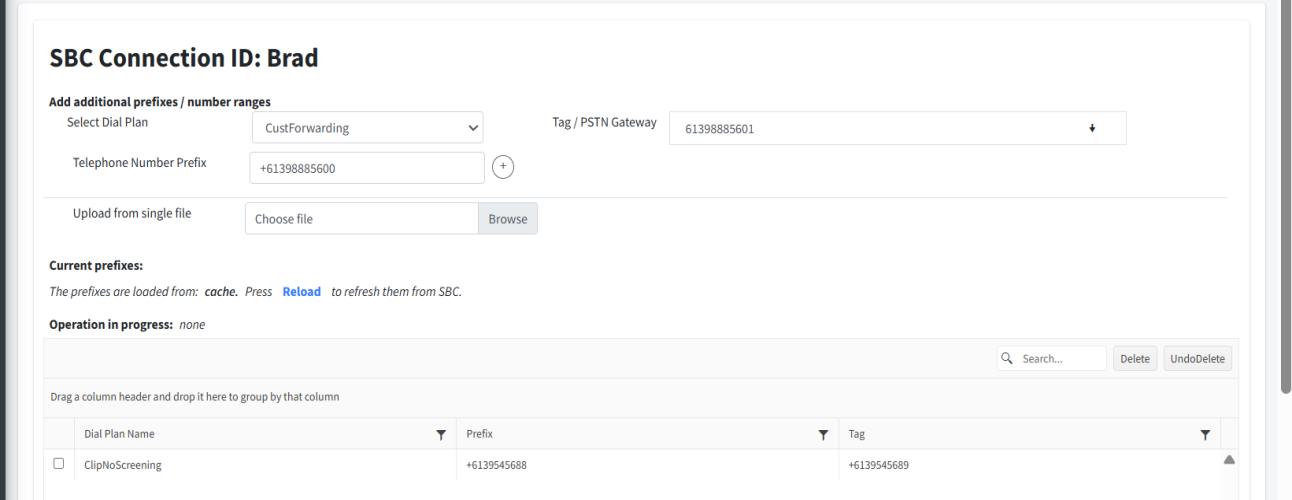
From the Select Dial Plan drop-down, select the CustForwarding dial plan. |
|
4.
|
In the Telephone Number Prefix field, enter the E.164 telephone number whose incoming calls you wish to forward, and then click  . . |
Prefixes should be configured as follows: 9304
All full numbers should be configured in E.164 format with the following validation rules:
|
●
|
Country calling code (international). |
|
●
|
Local telephone number or subscriber number. |
The number has the following structure: [country code][area code][subscriber number].
Example United States Telephone number: +12127881500
|
●
|
Subscriber number: 7881500 |
End customer operators cannot load number ranges and calling prefixes.
|
5.
|
In the Tag/PSTN Gateway field, enter the destination number to forward incoming calls from the number configured in the previous step. |
Numbers should be configured without "+" sign.
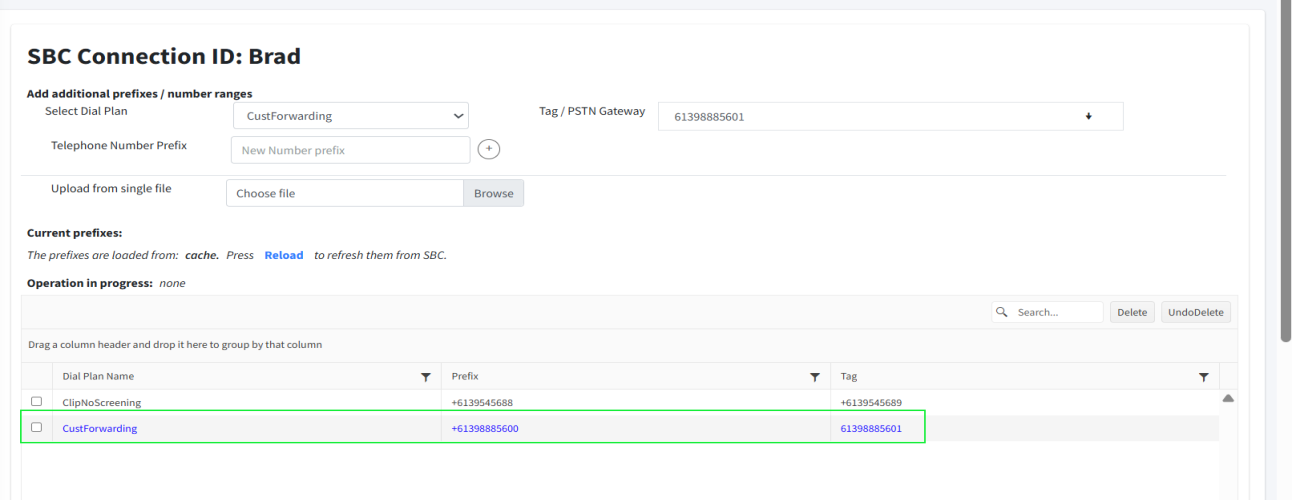
The newly added numbers are displayed in blue in the dial plan table.
|
6.
|
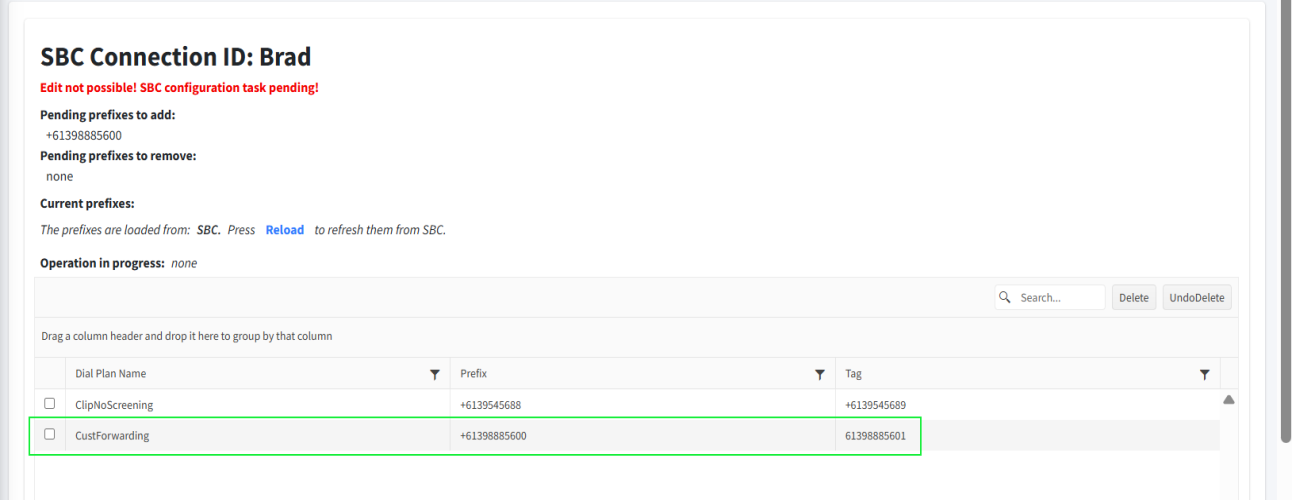
Click Save. The page is closed and the numbers are loaded to the SBC device. When you reopen the page, you see that the numbers that are displayed in blue are pending synchronization with the SBC device. Click Reload to refresh the page to view the numbers in the table after they have been synchronized with the SBC. |