Managing Service Provider Tenant
This section describes the management of the Service Provider Tenant entity.
| ➢ | Do the following: |
| 1. | From the menu, choose Topology > Tenants. |
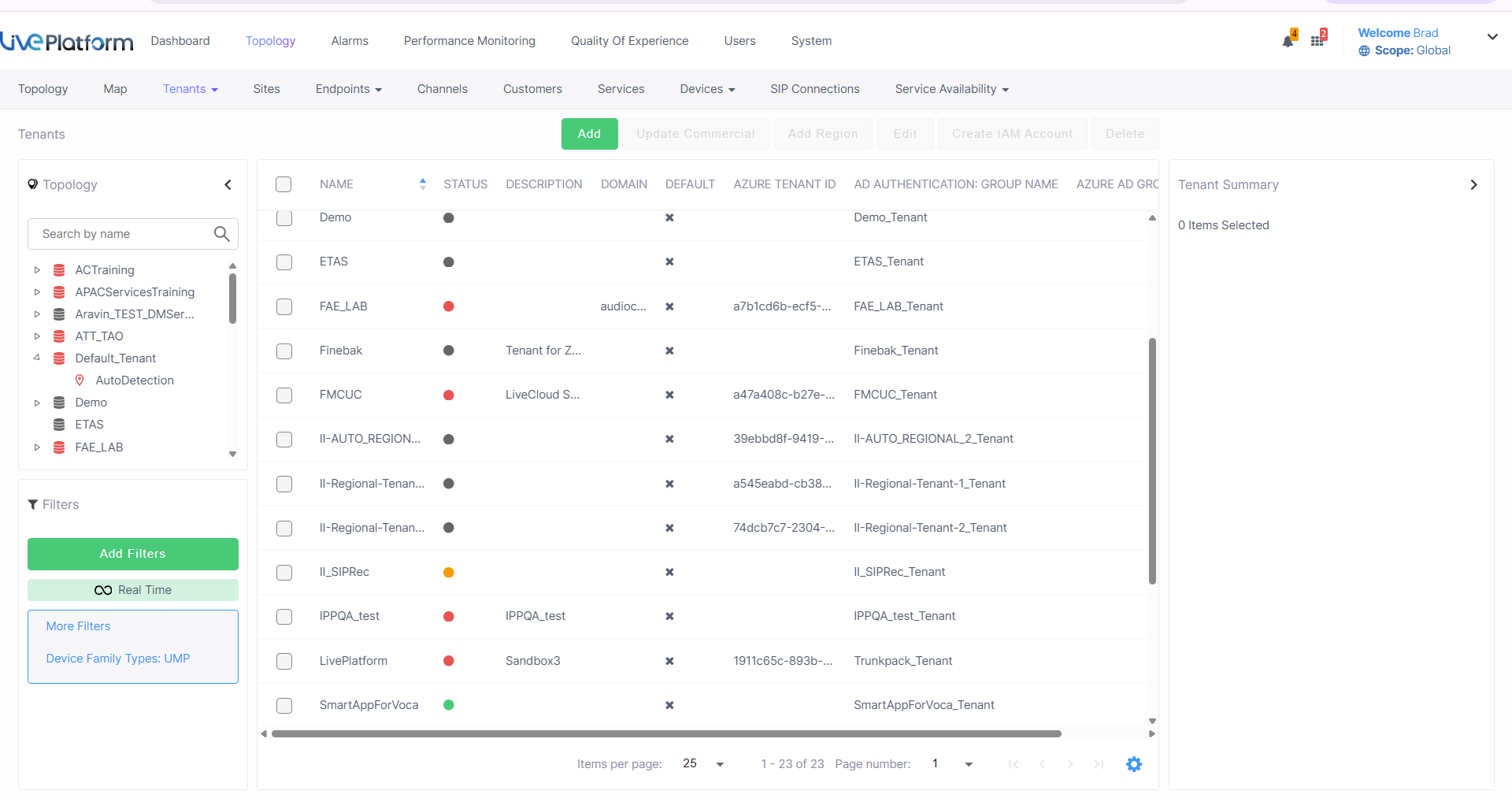
| 2. | Refer to the table below for actions that are available in this page. |
|
Action |
Description |
|---|---|
|
Add |
Opens the Tenant Details (see Adding Service Provider Tenants). |
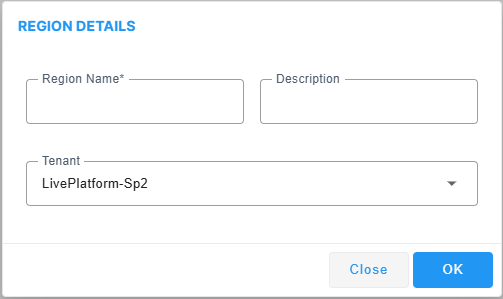
| Add Region |
Enter the Region Name and Description.
|
|
Edit |
Opens the Tenant Details (see Adding Service Provider Tenants). |
|
Delete |
Delete the Service Provider tenant. |
| 3. | Select the tenant to view the Tenant Details and refer to the table below. |
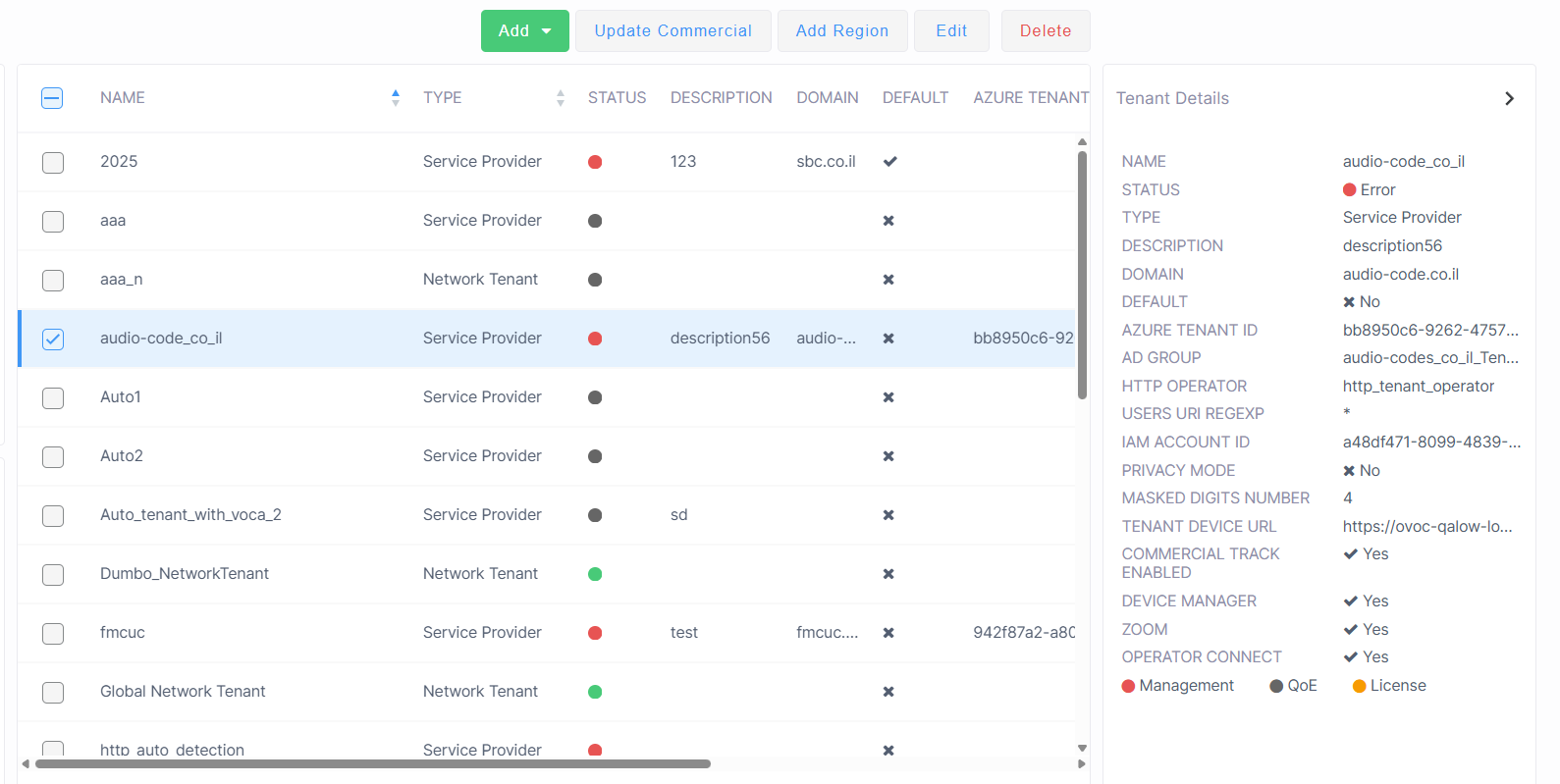
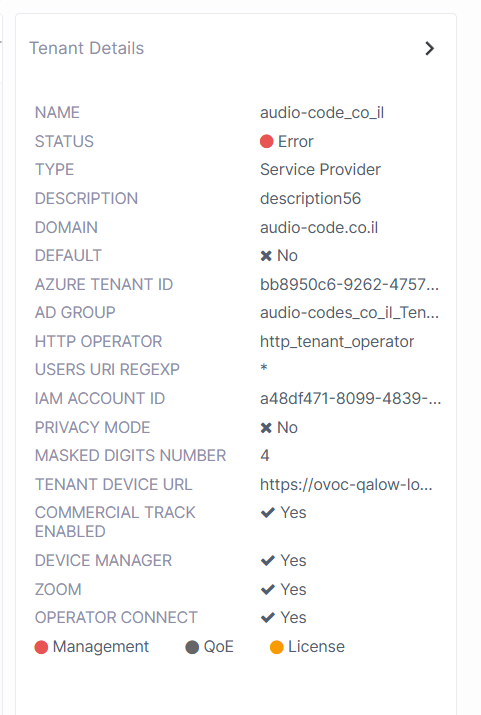
|
Parameter |
Description |
||||||
|---|---|---|---|---|---|---|---|
|
Name |
The name of the Service Provider tenant. | ||||||
|
Status |
Management Status (see Management Statuses). | ||||||
|
Type |
Service Provider |
||||||
|
Description |
Free text description |
||||||
|
Domain |
DNS sub domain of the tenant, for example, "sandbox1.finebak.com". | ||||||
|
Default |
Defines the default tenant. Only one tenant can be configured as the default tenant. The default is used for the devices/endpoints auto-detection feature (see Connecting Devices Automatically). | ||||||
|
Azure Tenant ID |
Tenant ID of the Service Provider Microsoft Entra ID account. |
||||||
|
AD Group |
AD Group Name |
||||||
|
Azure AD Group: Object ID |
Azure AD Group to which the Service Provider tenant is attached. |
||||||
|
Users URI Regexp |
Live Platform saves all calls made over managed devices and IP phones (SIP Publish) and allows statistics to be generated on these calls. This parameter facilitates generating statistics on calls made exclusively from URIs in a specific tenant. Operators can run a regional expression to find the URIs associated with the specific tenant and then generate statistics exclusively on them:
|
||||||
|
IAM Account ID |
ID string of the Identity and Access Management account of the customer tenant generated automatically upon creation of the entity ( for version 8.4.2000 and later). See Configuring Identity and Access Management (IAM) and Setting Up Identity and Access Management (IAM). |
||||||
|
Privacy Mode |
Select this option to allow tenant and system operators whose Security Level is configured as 'Monitor' or 'Operator' to conceal from view call details and user information that is exposed in calls. |
||||||
|
Masked Digits Number |
The number of digits that will be masked from the phone number when in 'Privacy Mode'. The parameter defines the number of digits that will be masked from the phone number for the tenant. By default, Live Platform conceals the last four digits from users' phone numbers. The configuration can be changed on-the-fly if necessary. Masking rules apply to both Calls List page and to the Call Details screen. |
||||||
|
Tenant Device URL |
Unique URL for Service Provider tenant including the DNS sub domain of the Service Provider tenant. |
||||||
|
Commercial Track Enabled |
Indicates whether Commercial Track Enabled feature is enabled. When enabled, a Commercial Information form requesting basic Purchase Order (PO) related information (commercial) opens whenever the customer or channel under this tenant adds a new service (see Enabling Commercial Information for Services). |
||||||
|
Device Manager |
Indicates whether the Device Manager service is supported. |
||||||
|
Zoom |
Indicates whether the Zoom service is supported. |
||||||
|
Operator Connect |
Indicates whether the Operator Connect service is supported. |
||||||
|
White Label FQDN |
The White Label FQDN of the Service Provider. |
||||||
|
Management Statuses |
See Management Statuses. |