Service Provider Quick Glance Summary
You can view a quick glance summary for a specific Service Provider tenant.
| ➢ | Do the following: |
| 1. | Select the check box adjacent to the Service Provider whose details you wish to view. The Service Provider details are displayed in the right pane. |
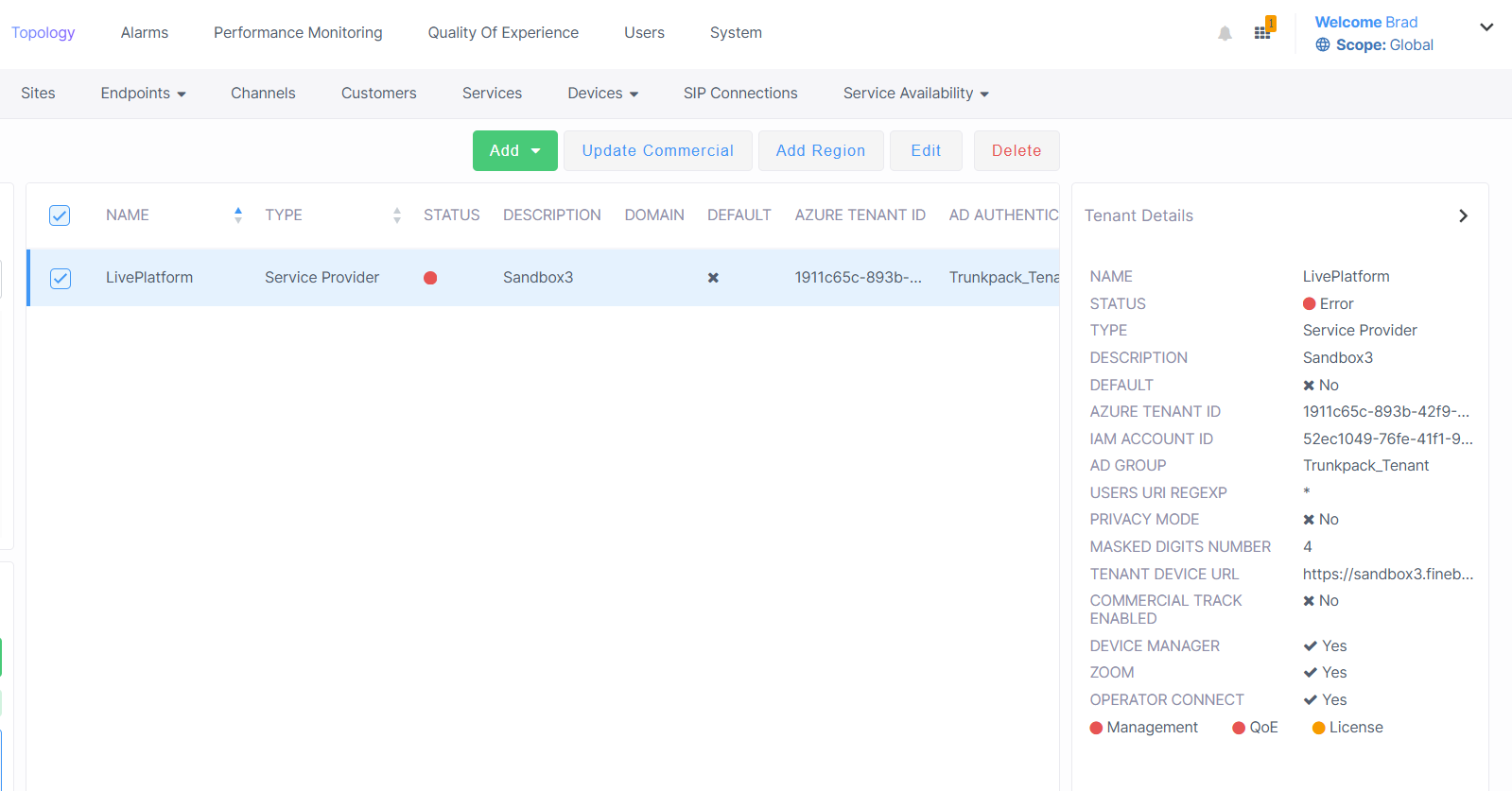
The table below describes the parameters in this screen.
|
Parameter |
Description |
||||||
|---|---|---|---|---|---|---|---|
|
Service Provider Name |
The name of the Service Provider tenant. |
||||||
|
Management Status |
Management status, see Management Statuses. |
||||||
|
Description |
Name of the Live Platform portal instance. |
||||||
|
Default |
Indicates whether the tenant is the default tenant. |
||||||
|
Azure Tenant ID |
Registered Azure Tenant ID of the service provider tenant. |
||||||
|
IAM Account ID |
ID string of the Identity and Access Management account of the Service Provider entity that is generated automatically upon creation of the entity ( for version 8.4.2000 and later). See Configuring Identity and Access Management (IAM) andLogging in with Identity and Access Management (IAM). |
||||||
|
AD Group |
|||||||
|
Users URI Regexp |
This parameter facilitates generating statistics on calls made exclusively from URIs in a specific tenant. Operators can run a regional expression to find the URIs associated with the specific tenant and then generate statistics exclusively on them.
If in a five minute interval there are more than 2000 different URIs,the URI statistics for this five minute interval will not be saved. |
||||||
|
Privacy Mode |
Enables the Privacy Mode for configuring the number of Masked Digits (see below). |
||||||
|
Masked Digits Number |
The number of digits to mask from phone numbers in the Calls details. |
||||||
|
Tenant Device URL |
The URL used to retrieve firmware and configuration files from Live Platform. Used by AudioCodes Redirect server for initial provisioning of phones upon connection to the network. |
||||||
|
Commercial Track Approved |
Indicates whether Commercial Track Enabled feature is enabled. When enabled, a Commercial Information form requesting basic Purchase Order (PO) related information (commercial) opens whenever this channel adds a new service (see Enabling Commercial Information for Services). |
||||||
|
Device Manager |
Indicates whether Device Manager services can be added for the tenant. |
||||||
|
Zoom |
Indicates whether Zoom Provider Exchange services can be added for the tenant. |
||||||
|
Operator Connect |
Indicates whether Operator Connect services can be added for the tenant. |
||||||
|
Management, QoE and License Statuses |
See Management Statuses. |