Script Troubleshooting
The table below summarizes the possible errors regarding Token connection issues.
|
Symptom |
Likely Cause |
|---|---|
|
Token request fails with AADSTS500011 (resource not found) |
The server app service principal was not created in your tenant (setup step 1). |
|
The token has no roles claim, or the API returns 401/403 |
The app role permission was not added, or admin consent was not granted (setup step 2). |
|
The token has no roles claim, or the API returns 401/403 |
The app role permission was not added, or admin consent was not granted (setup step 2). |
|
API returns 401 with a valid token |
ValidIssuers does not contain https://sts.windows.net/<Your AAD Tenant ID>/ , or one of the AzureAdJwt.* values is wrong. |
|
invalid_client on token request |
The client secret is wrong or has expired. Create a new secret. |
|
API returns 401 after about an hour |
The token has expired. Request a new one. |
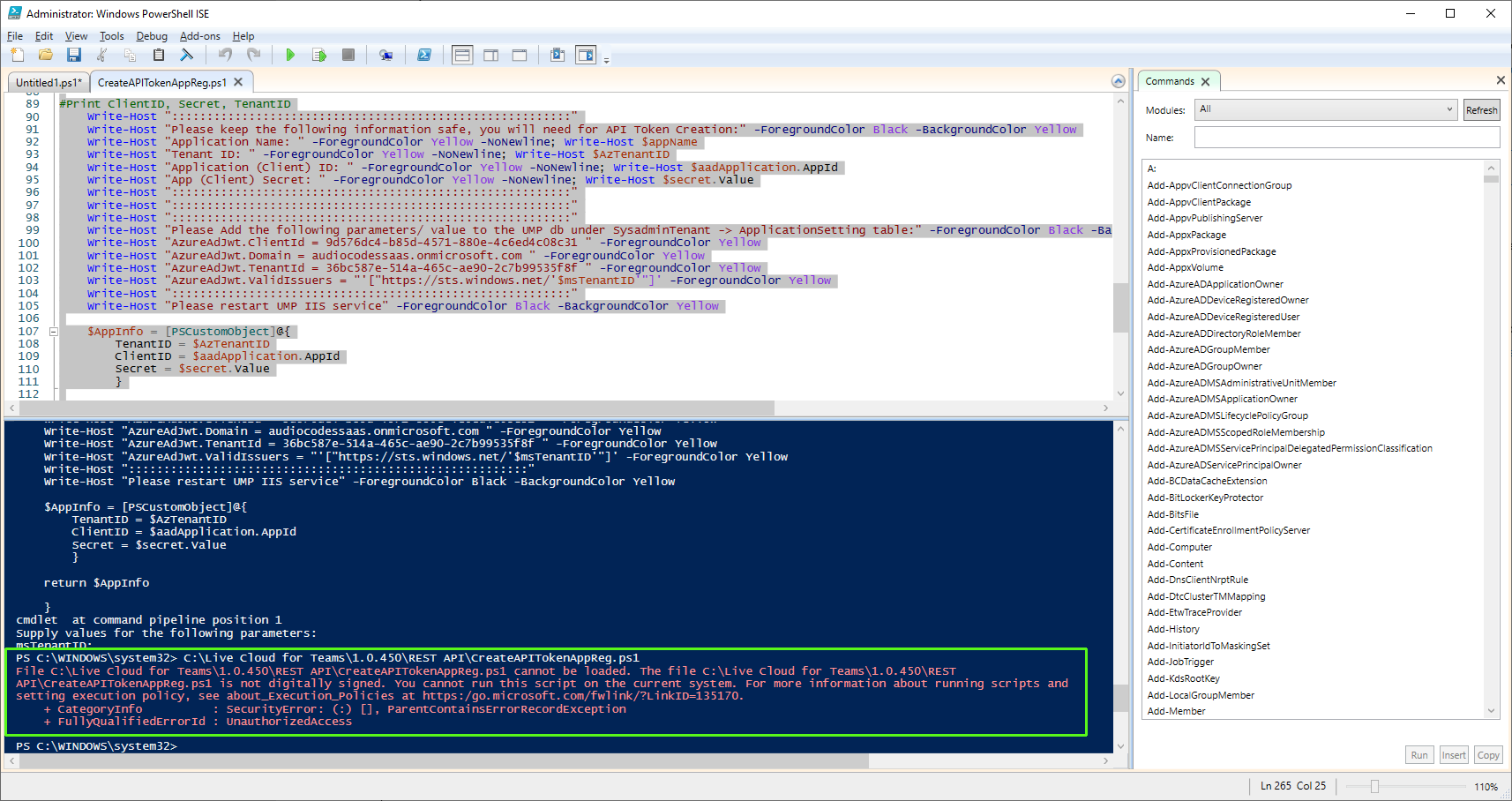
| ■ | Script Security permissions: The following error below may be displayed if there are security permission issues running the script: |
| ➢ | Do the following: |
| 1. | On the Windows server PC where you are running the script, ensure that you have installed all relevant Windows Security updates. |
| 2. | Open the Windows Local Group Policy Editor. |
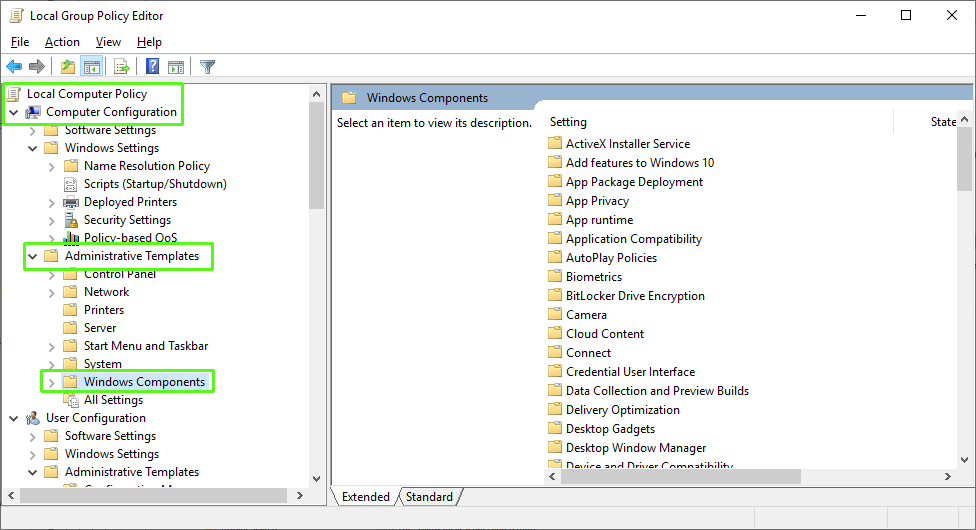
| 3. | Navigate to Local Computer Policy > Computer Configuration > Administrative Templates > Windows Components > Windows PowerShell. |
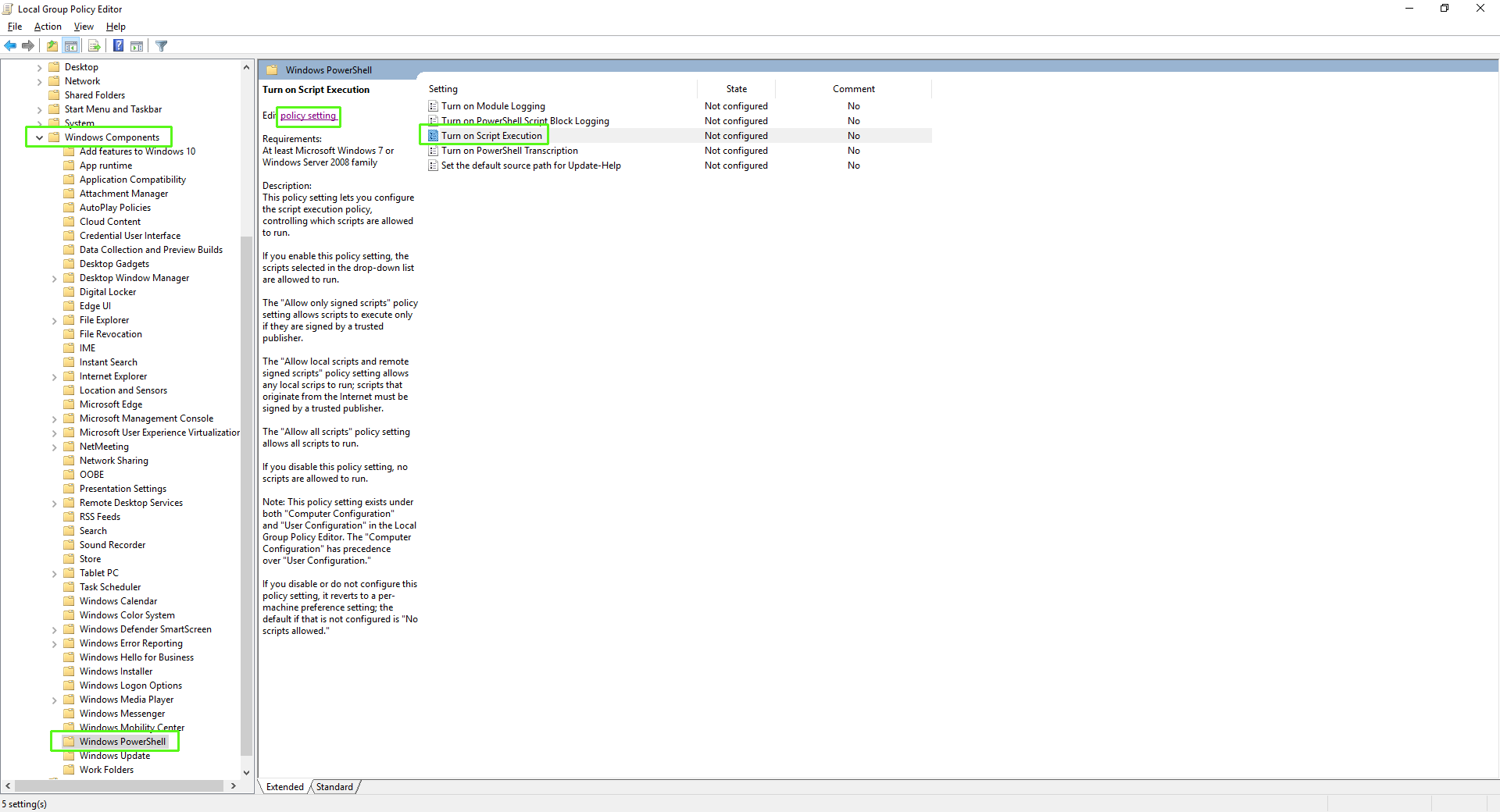
| 4. | Select the Enabled check box to Turn on Script Execution policy. |
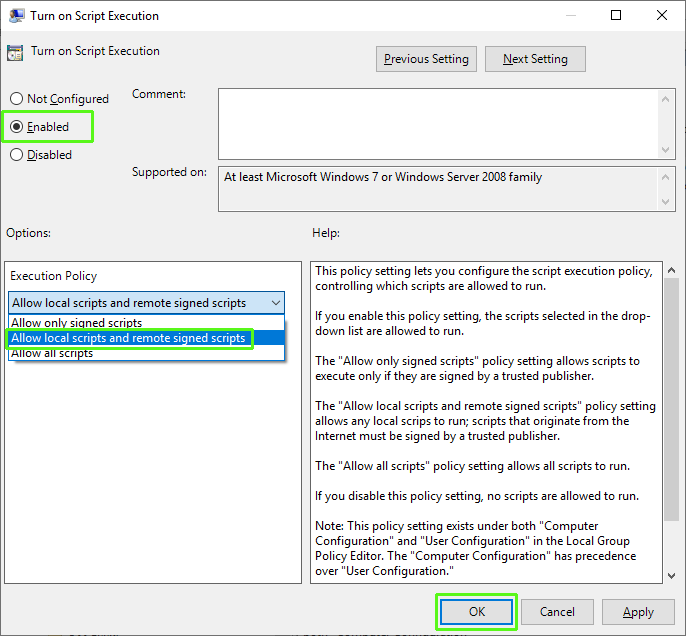
| 5. | From the Execution Policy drop-down list, select Allow local scripts and remote signed scripts. See also Script Execution Issues. |