Connecting Device to IP Network through Ethernet Copper
The device includes eight RJ‑45 Ethernet copper ports for IP network connectivity. Each port automatically supports 1 GbE or 2.5 GbE speeds.
The following table shows the mapping of the port labels on the chassis to the port names used in the device's management interfaces:
|
Port Label on Chassis |
Port Name in Management Interfaces |
|---|---|
|
1 |
GE_1 Note: This is the default port for OAMP management. |
|
2 |
GE_2 |
|
3 |
GE_3 |
|
4 |
GE_4 |
|
5 |
GE_5 |
|
6 |
GE_6 |
|
7 |
GE_7 |
|
8 |
GE_8 |
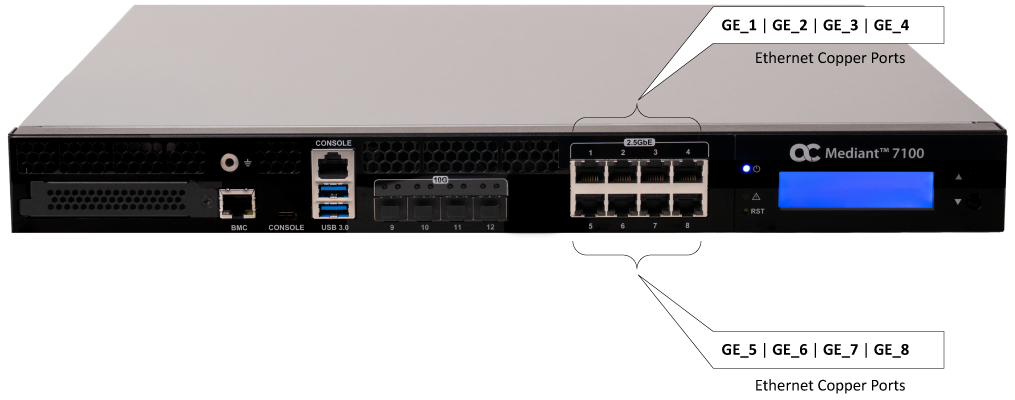
| ➢ | To connect device to the Ethernet copper network: |
| 1. | Connect one end of an Ethernet cable to one of the RJ-45 Ethernet ports (labeled 1 to 8) on the device's front panel. |
| 2. | Connect the other end of the cable to the LAN. |