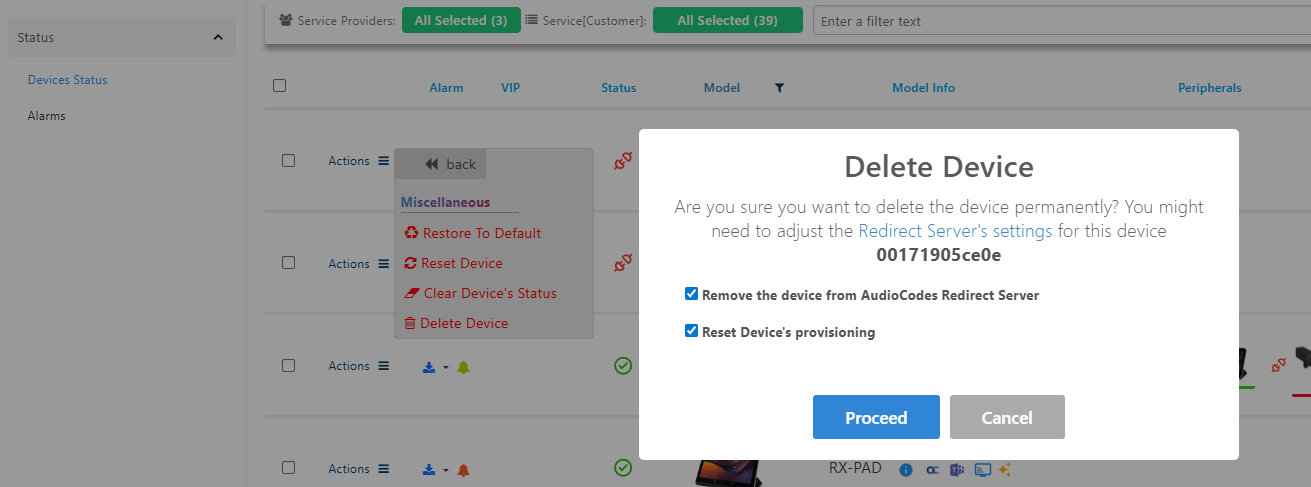
Delete Device Actions
The following changes have been made to the Actions menu on the Device Status page:
|
■
|
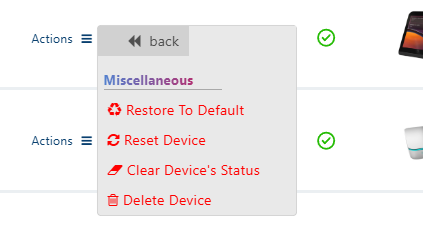
'Delete Devices Status' has been renamed to 'Clear Device's Status'. |
|
■
|
A new option, 'Delete Device', has been added. It: |
|
●
|
Deletes the device from the Device Manager, i.e., removes it from the display, removes it from the relevant user on the Manage Users page, and deletes its configuration file.
If the device is registered and provisioning was not reset, it will automatically reconnect at its next keep-alive. |
|
●
|
Optionally also deletes its MAC address from the Redirect Server. |
|
●
|
Optionally also sends the 'Reset Provisioning' command, enabling the device to re-discover provisioning options. |
The Reset Provisioning option is supported for the following versions: