Manage Users UI Improvements
The following improvements have been made on the Manage Users page:
| ■ | The column with the Action buttons has been moved and is now the first column. |
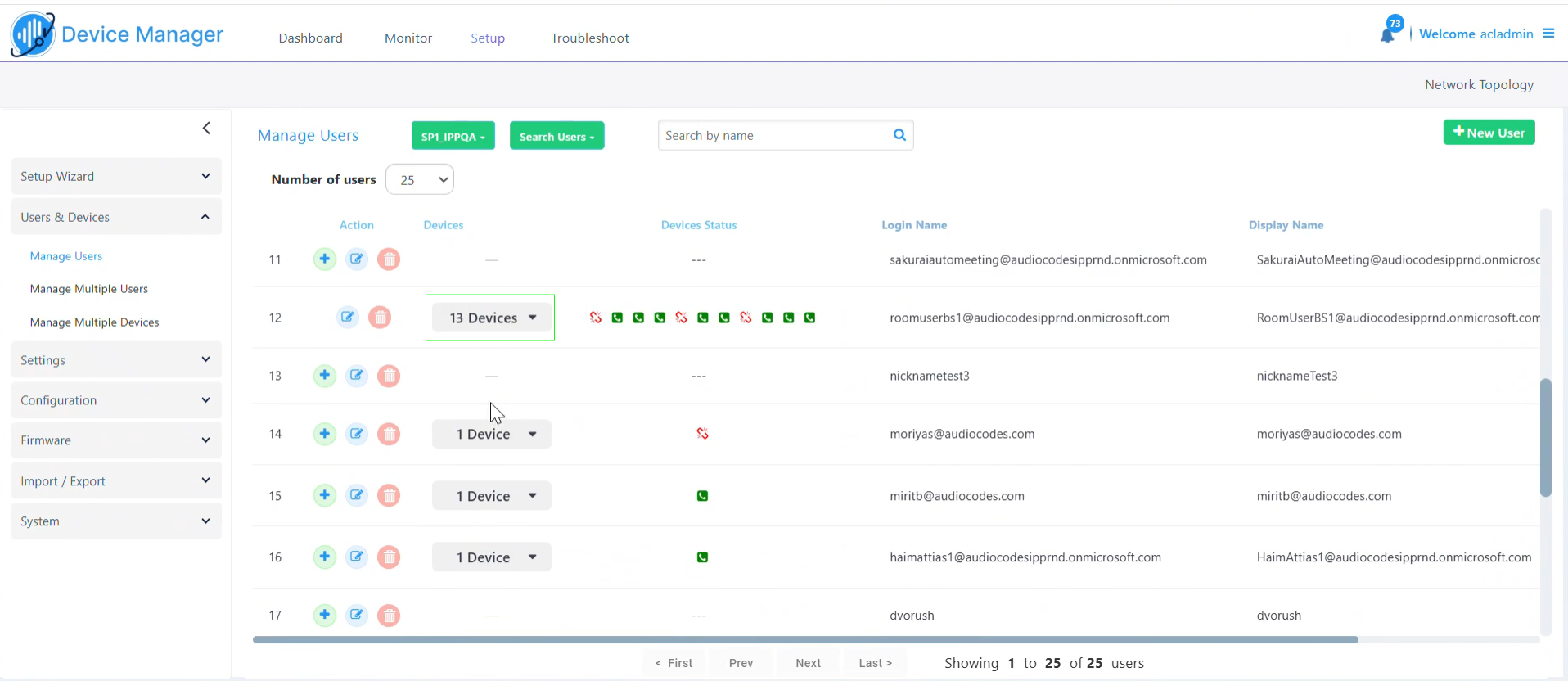
| ■ | Click the Devices link to view the details of each device assigned to the user, including its MAC address, displayed in a user-friendly display. |
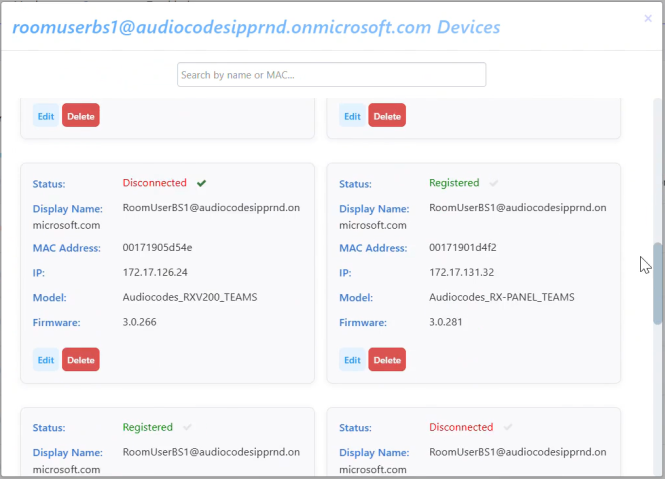
| ■ | When searching for a MAC address in the main search field at the top of the page, the search retrieves the user to whom the device with that MAC is attached (previously the device was retrieved directly). |
When you click the Devices link of the retrieved user, only the device with the searched MAC address is listed, even if the user has additional devices.
| ■ | When trying to delete a user that has devices assigned, a notification prompt is displayed, and the user is not deleted. |