New Service Request Ticket Details
This section describes how to open a new Ticket.
|
1.
|
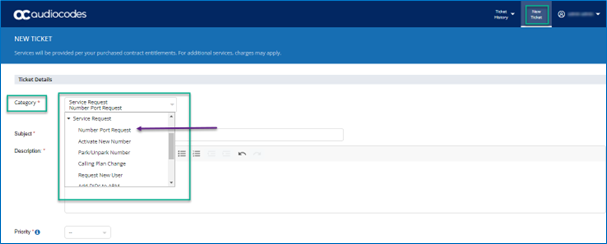
From the Category drop-down list, select Service Request. |
|
2.
|
Enter the relevant sub-level: |
|
●
|
Call Forwarding Request |
|
●
|
Whitelist/Blacklist Number |
|
●
|
Add New Device (MP/SBC/GW) |
|
3.
|
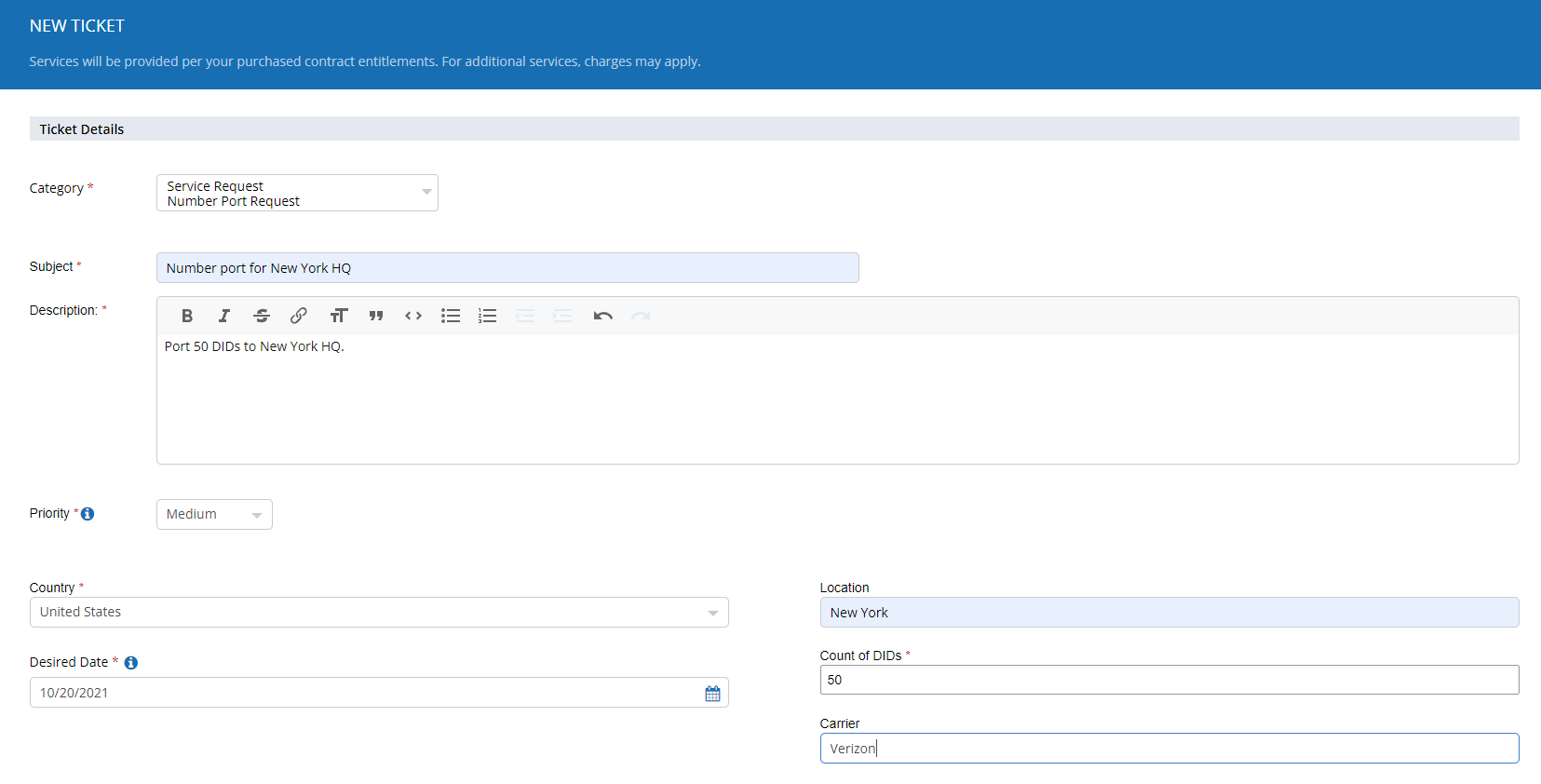
Fill in the ticket details: |
|
●
|
Subject: Short description of the Service being requested. |
|
●
|
Description: Use this field to accurately describe the type of Service Request. |
|
●
|
Priority: Service Request tickets should be submitted with Medium Priority as there is a lead time of 7 Days (minimum) to complete the request. |
|
●
|
Country: Select the Country from the list |
|
●
|
Location: Select the location of the site to which the number porting is requested for. |
|
●
|
Desired Date: Select the desired date for the port. |
|
●
|
Count of DIDs: Enter numeric value for the number of DIDs being requested to port. |
|
●
|
Carrier: Enter the details of the losing carrier |
|
●
|
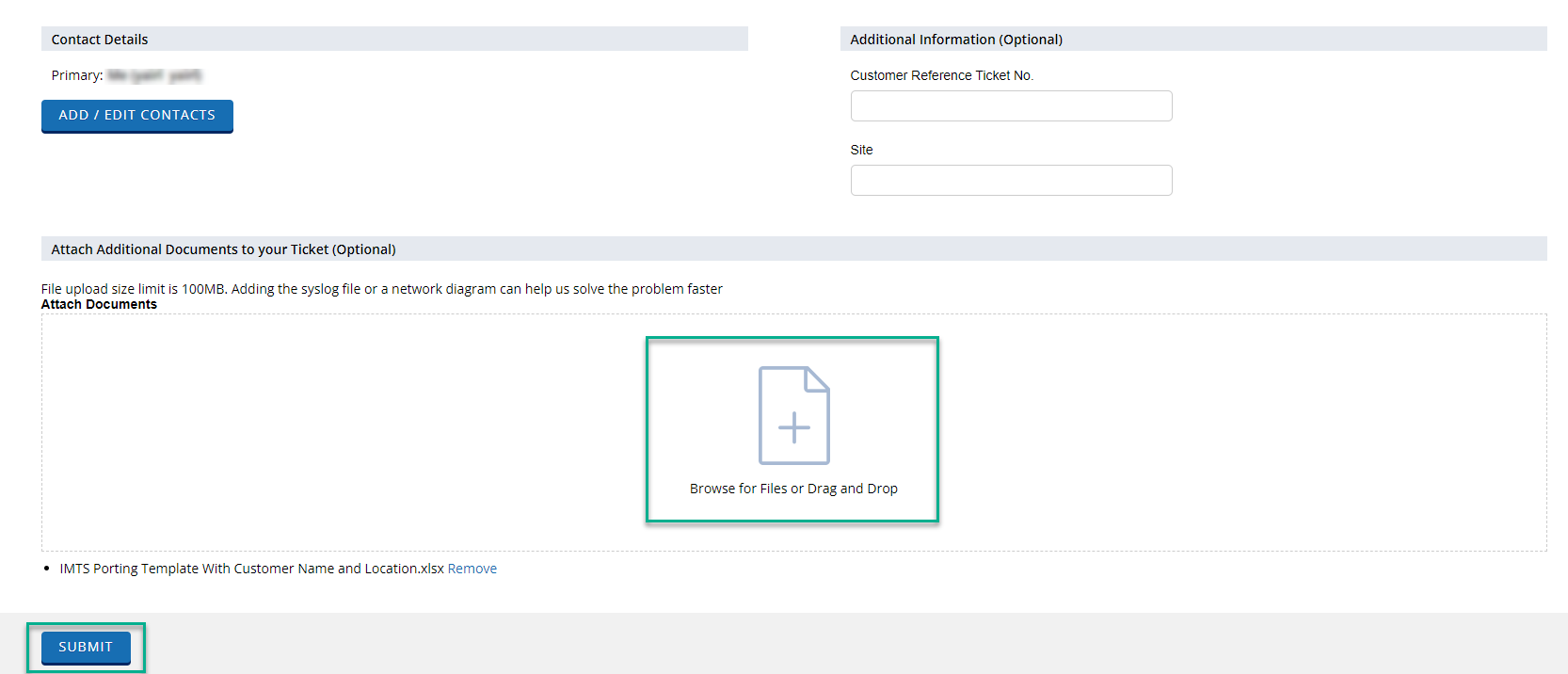
Attachments: Attach the Porting template duly completed along with any other required documents before you hit submit. |