UMP System Settings
This page lets you configure the credentials of Delegated Token Synchronization App registration that is used to configure the Token Invitation link to the Invitation wizard and for configuring the Redirect (OAuth2Callback) URL. In addition, you can also configure the credentials of the UMP-365 Service account used for installing the UMP-365 and for System admin tasks.
| ➢ | To configure UMP Service Settings: |
| 1. | In the Multitenant Navigation pane, open the UMP System Settings page (Configuration > UMP > System Settings). |
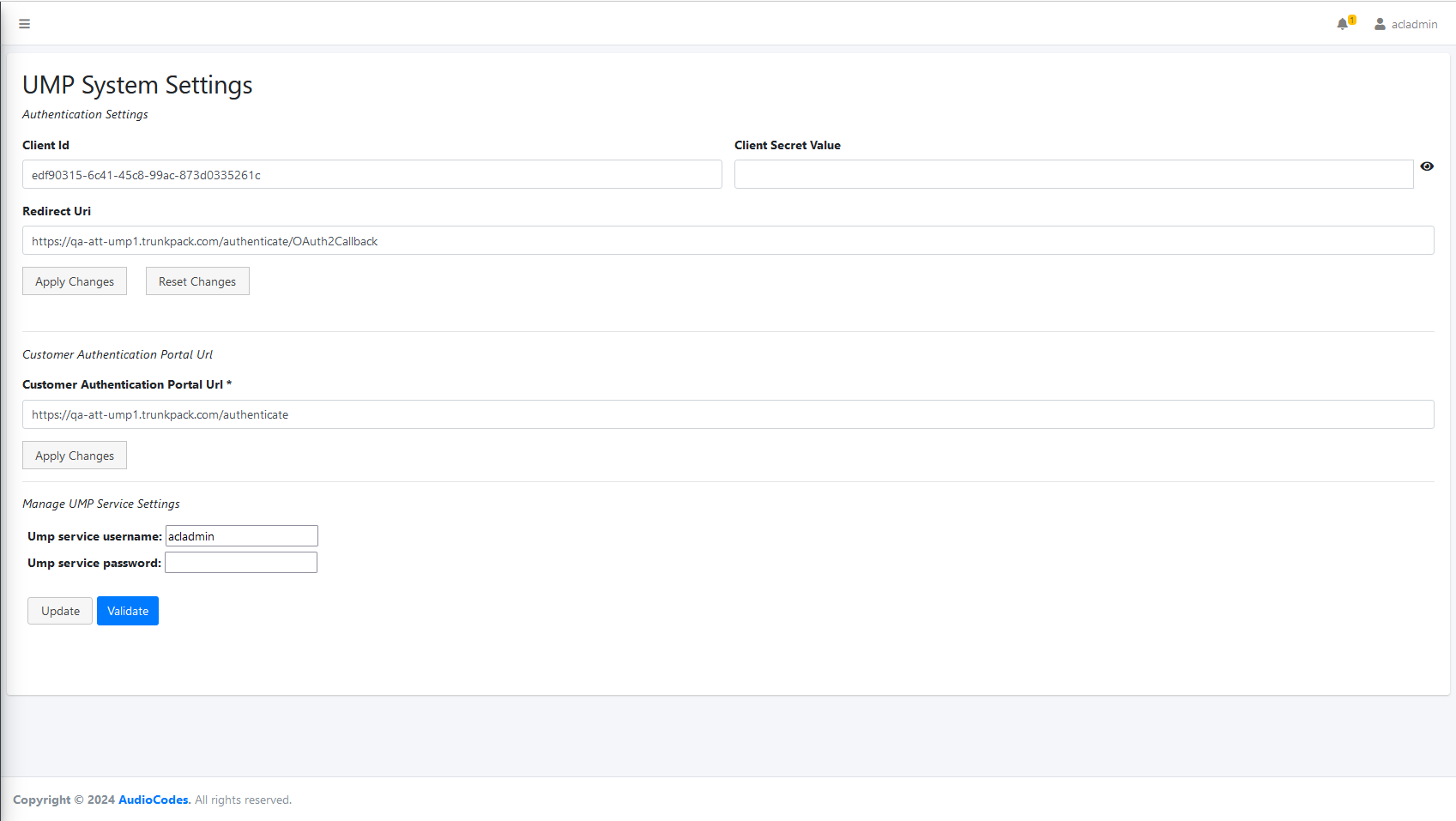
| 2. | Configure parameters according to the table below. |
|
Parameter |
Description |
|---|---|
|
Client Id |
The Application (Client) Id of the Delegated Token Synchronization App registration (see Deploy Sync App on AudioCodes Azure Subscription or Deploy Sync App on Service Provider Azure Subscription). |
|
Client Secret Value |
The Client Secret Value of the Delegated Token Synchronization App registration (see reference link above). |
|
Redirect URI |
The Redirect (OAuth2Callback) URL that is used by Microsoft to redirect back to Live Platform during the creation of a new registration on the M365 customer tenant. For example: https://umptoken.finebak.com/authenticate/OAuth2Callback (see reference link above)
|
|
Customer Authentication Portal URL |
The Token Invitation URL link to the Invitation wizard that is sent to the global admin of the M365 customer tenant at the beginning of the onboarding process. For example: https://umptoken.finebak.com/authenticate (see reference link above) |
|
UMP service user name |
The user name of the UMP-365 service account (see Creating UMP Service Account). |
|
UMP service password |
The password of the UMP-365 service account (see Creating UMP Service Account). |
| 3. | For the Client Id, Client Secret Value and Redirect URI values, click Apply Changes and Reset Changes. |
| 4. | For the Customer Authentication Portal URL, click Update and Validate. |