Enabling Power BI Integration in Meeting Insights
The instructions below describe how to enable Power BI integration in Meeting Insights.
| ➢ | To enable Power BI integration in Meeting Insights: |
| 1. | In the Admin Settings menu pane, expand Integrations, and then click Apps; the Integrations page appears. |
| 2. | Click the Power BI toggle button to turn it on: |
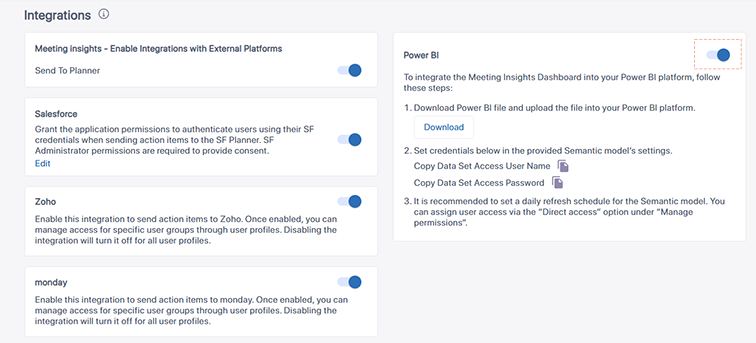
| 3. | Click the Download button to download the Power BI report file (.pbix) to your computer. You will need to upload this file to Power BI in the next section (see Installing and Configuring Power BI Analytics). |
| 4. | Copy the data set access username and password, by clicking the copy-to-clipboard icons. You will need these credentials in Power BI in the next section (see Installing and Configuring Power BI Analytics). |