Change Display Language
You can change the display language of Meeting Insights (user interface / UI). Changing the language also applies to other areas of Meeting Insights, for example, notification emails and activity log files.
|
●
|
Currently, the following languages for the user interface are supported: |
|
●
|
When you sign in, Meeting Insights automatically detects your device's regional language settings (e.g., language of web browser or mobile phone).
If your region uses one of the supported languages and it differs from your current Meeting Insights display language, a prompt is displayed asking if you want to switch languages.
This feature is available in both the Meeting Insights web app and the mobile app. |
|
●
|
Changing the display language affects all Meeting Insights platforms. |
|
➢
|
To change language of user interface: |
|
1.
|
From the Navigation pane, click  Settings; the User Settings pane appears. Settings; the User Settings pane appears. |
|
2.
|
Select the Preferencestab. |
|
3.
|
Under User Interface Language, from the drop-down list, select the language: |
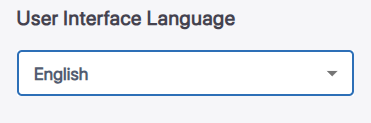
The language of the user interface changes immediately.