Configure Publishing Time of Meeting Recordings
You can define your publishing time preferences for meeting recordings.
Available publishing time options and default publishing time depends on your organization's administrator.
|
➢
|
To configure publishing time: |
|
1.
|
From the Navigation pane, click  Settings; the User Settings pane appears. Settings; the User Settings pane appears. |
|
2.
|
Select the Preferences tab. |
|
3.
|
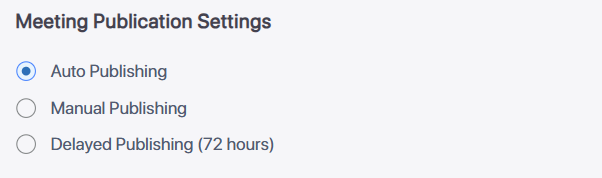
Under Meeting Publication Settings, select one of the following publishing options: |
|
●
|
Auto Publishing: (Default) Meeting Insights automatically publishes your meeting recordings immediately after they end. |
|
●
|
Manual Publishing: To publish a meeting recording, you need to manually publish it, by clicking the meeting recording's Publish button (see Publish a Meeting Recording). |
|
●
|
Delayed Publishing: Meeting Insights automatically publishes your meeting recordings three days (72 hours) after they have ended (if you haven't already published them manually). |
 See Also