Edit SSL Cipher Suites Configuration String
This option allows you to edit the SSL Cipher Suites configuration string.
| ➢ | To edit the SSL cipher suites configuration string: |
| 1. | From the HTTP Security Settings menu, select option Edit SSL Cipher Suites Configuration String, and then press Enter. |
Show SSL Cipher Suites Configuration
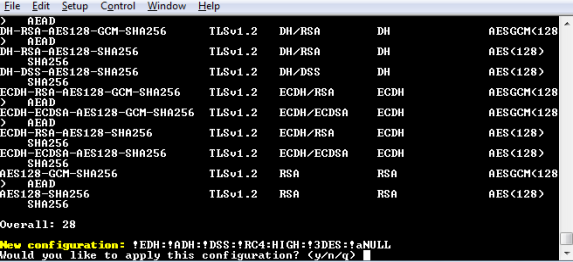
| 2. | Edit the new configuration and select y to apply the changes. |
| 3. | Run the Show Allowed SSL Cipher Suites command to display the new configuration. |