Enable/Disable SSH Password Authentication
This option enables you to disable the username/password authentication method for all network interfaces enabled on the OVOC server.
| ➢ | To disable SSH Password Authentication: |
| 1. | From the SSH menu, choose option 4, and then press Enter. |
Disable Password Authentication
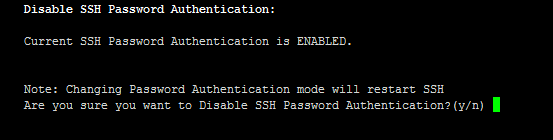
| 2. | Type y to disable SSH password authentication or n to enable, and then press Enter. |
The SSH daemon restarts automatically to update this configuration action.
Once you perform this action, you cannot reconnect to the OVOC server using User/Password authentication. Therefore, before you disable this authentication method, ensure that you provision an alternative SSH connection method. For example, using an RSA keys pair. For detailed instructions on how to perform such an action, see www.junauza.com or search the internet for an alternative method.