Generating a Private Key for a TLS Context
You can use the device to generate a private key for a TLS Context. You can generate a private key for a Certificate Signing Request (CSR) or for a Self-signed Certificate in either RSA or Elliptic Curve Digital Signature Algorithm (ECDSA) encryption algorithm format.
|
●
|
Generating a new private key overwrites the TLS Context's current private key and certificate. |
|
●
|
You can generate a private key for a TLS Context only if ACME-based certificate management is disabled for the TLS Context. |
|
➢
|
To generate a private key for a TLS Context: |
|
2.
|
Select the TLS Context. |
|
3.
|
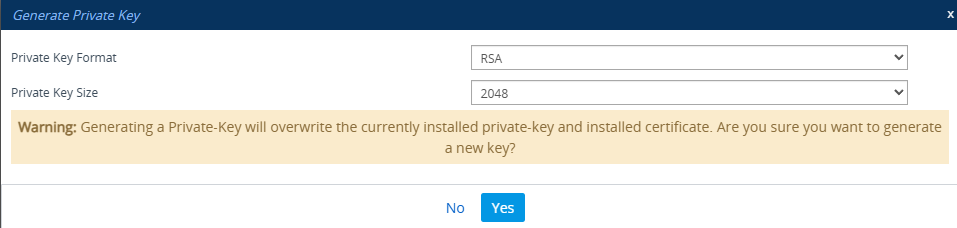
Click Action, and then from the drop-down menu choose Generate Private Key; the following dialog box appears: |
|
4.
|
From the 'Private Key Format' drop-down list, select the encryption algorithm for the private key: |
|
●
|
RSA (Rivest–Shamir–Adleman) |
|
●
|
ECDSA (Elliptic Curve Digital Signature Algorithm) |
|
5.
|
From the 'Private Key Size' drop-down list, select the key size (in bits): |
|
6.
|
Click Yes; the device generates a new private key for the TLS Context. This process may take several minutes. |
|
7.
|
On the toolbar, click Save to save your configuration to flash memory. |