Delete a Recording Profile
You delete a recording profile that is no longer required.
| ➢ | Do the following: |
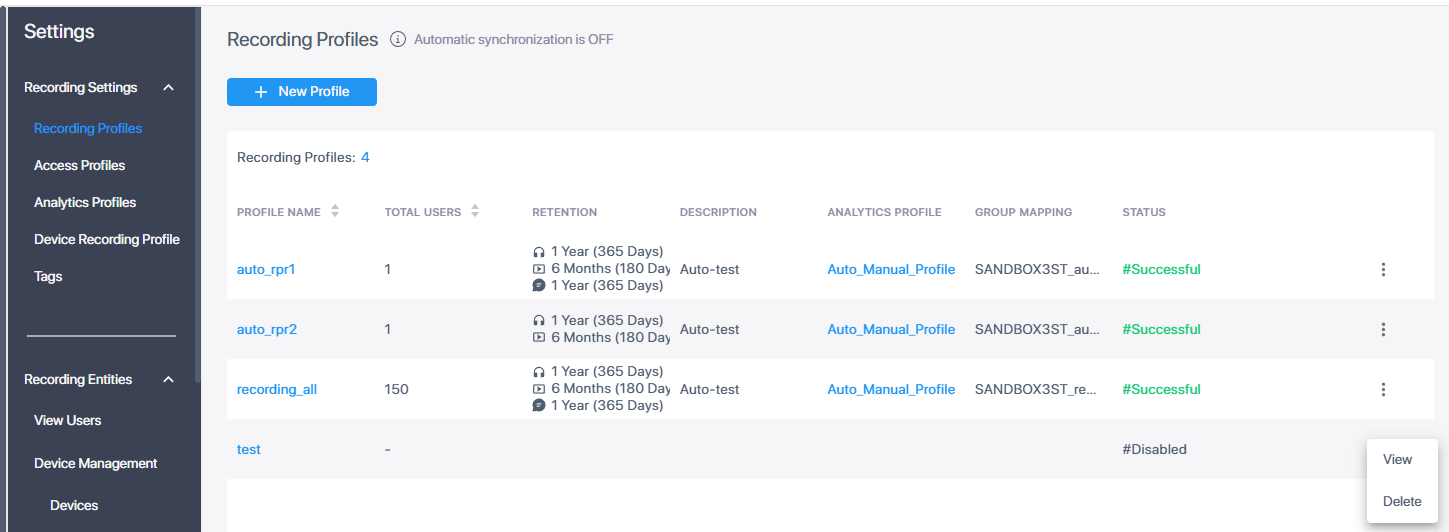
| 1. | In the Icon pane, click  , and then in the Navigation pane, select Recording Settings > Recording Profiles. , and then in the Navigation pane, select Recording Settings > Recording Profiles. |
| 2. | Click the dots adjacent to the profile that you wish to delete, and then click Delete Profile. A confirmation dialog is displayed. |

| 3. | Click Delete. The profile is deleted. |