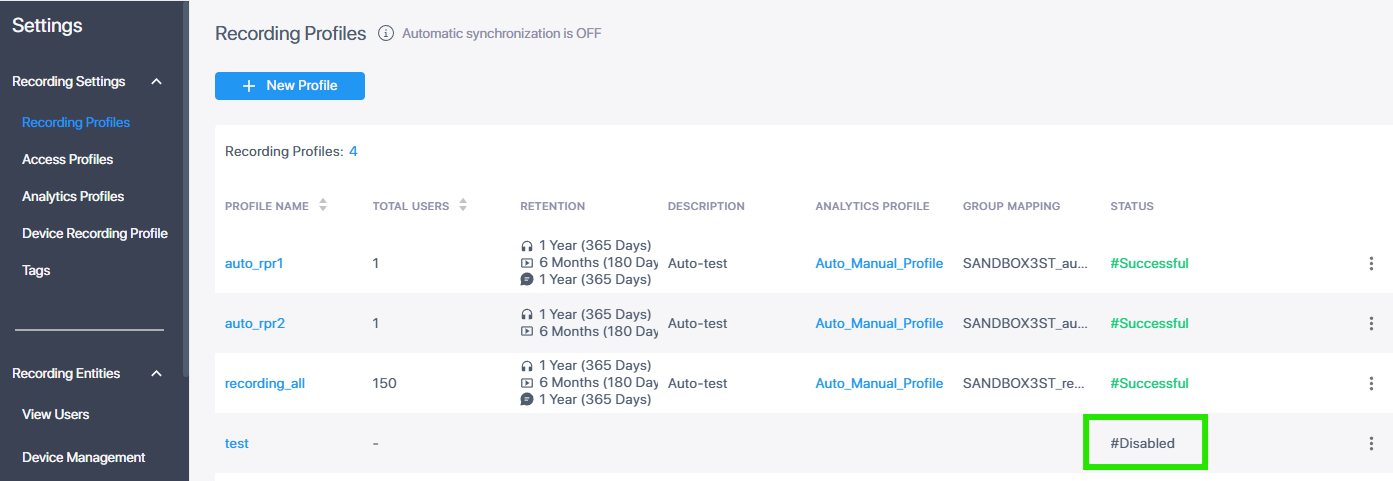
Disable a Recording Profile
You can disable a recording profile. Once disabled, the profile cannot be reenabled.
|
●
|
A profile cannot be deleted if it has associated calls. |
|
●
|
The Call Retention period can be edited upon deletion. |
|
1.
|
In the Icon pane, click  , and then in the Navigation pane, select Recording Settings > Recording Profiles. , and then in the Navigation pane, select Recording Settings > Recording Profiles. |
|
2.
|
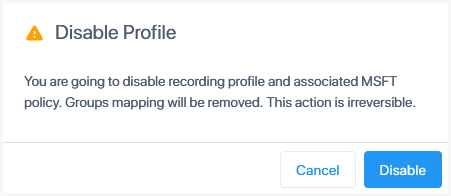
Click the dots adjacent to the profile that you wish to disable, and then click Disable Profile. A confirmation dialog is displayed. |
|
3.
|
Click Disable. The profile is disabled. |