API Activity Log
The API Activity Log allows the administrator to search the history of all API requests made on the tenant. It is searchable but logs cannot be edited or deleted.
API activity logs are kept for a retention period of
| ➢ | To access the API Activity Log: |
| 1. | In the Icon pane, click  , and then in the Navigation pane, select Integration> API Activity Logs. , and then in the Navigation pane, select Integration> API Activity Logs. |
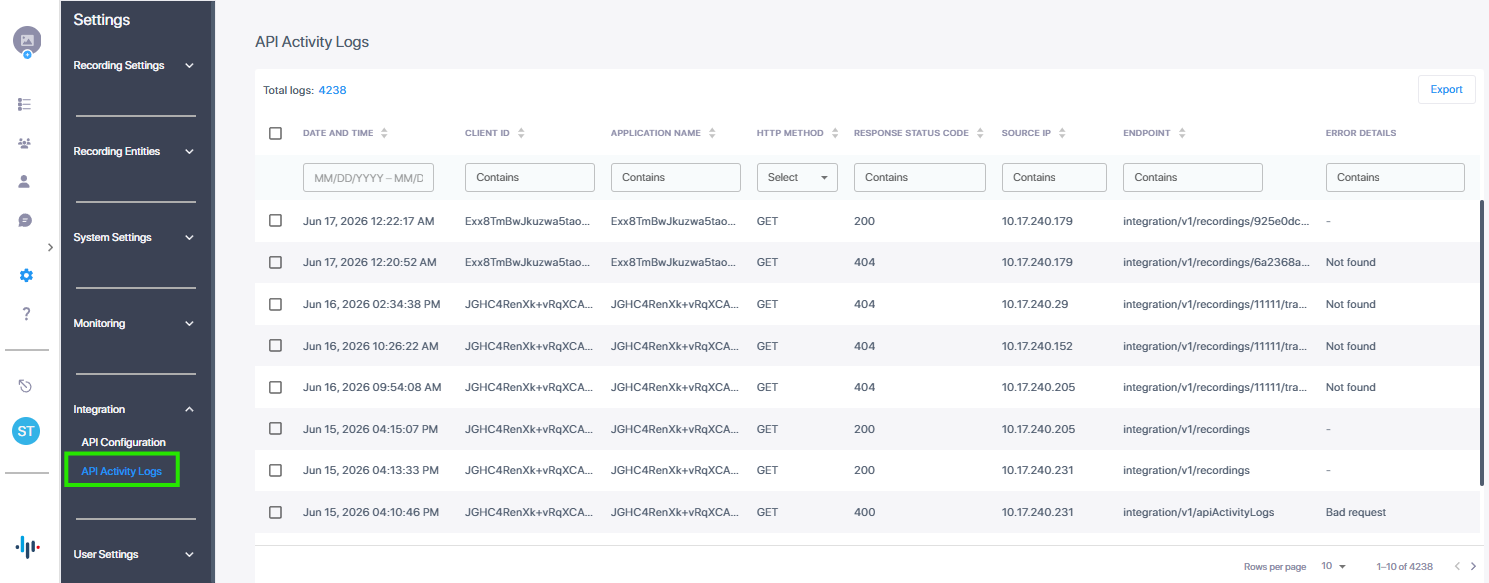
| 2. | Set the search filter criteria according to the table below. |
|
Parameter |
Description |
|---|---|
|
Date and Time |
Select the Date and Time check box, and then from the calendar set the desired date range. |
| Client ID | The client ID of the related application. |
| Application Name | The name of the related application. |
| HTTP Method | The HTTP method used for the API request. |
| Response Status Code | The returned HTTP status code indicating the result of the request. |
|
Source IP |
The originating IP address of the request. |
|
Endpoint |
The full API path that was accessed. |
|
Error Details |
Brief error information for failed requests. |
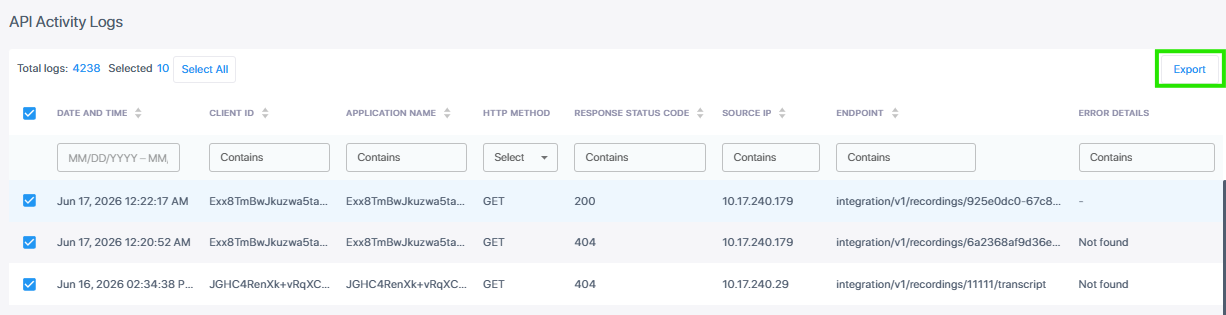
| 3. | To download a CSV file of the API activity log, select the entries that you wish to export or select the check box adjacent to the 'Date and Time' search field, then click Export |