Record Escalated Calls
A call is escalated if it becomes a group call because an additional party joins. Depending on the participant who joins the call, the call type may change. For example, an internal call may become an external or PSTN call.
By default, if the recording profile is not configured to record a specific call type, the recording bot does not join calls of that type. The call will not be recorded, even if it is subsequently escalated and the call type changes.
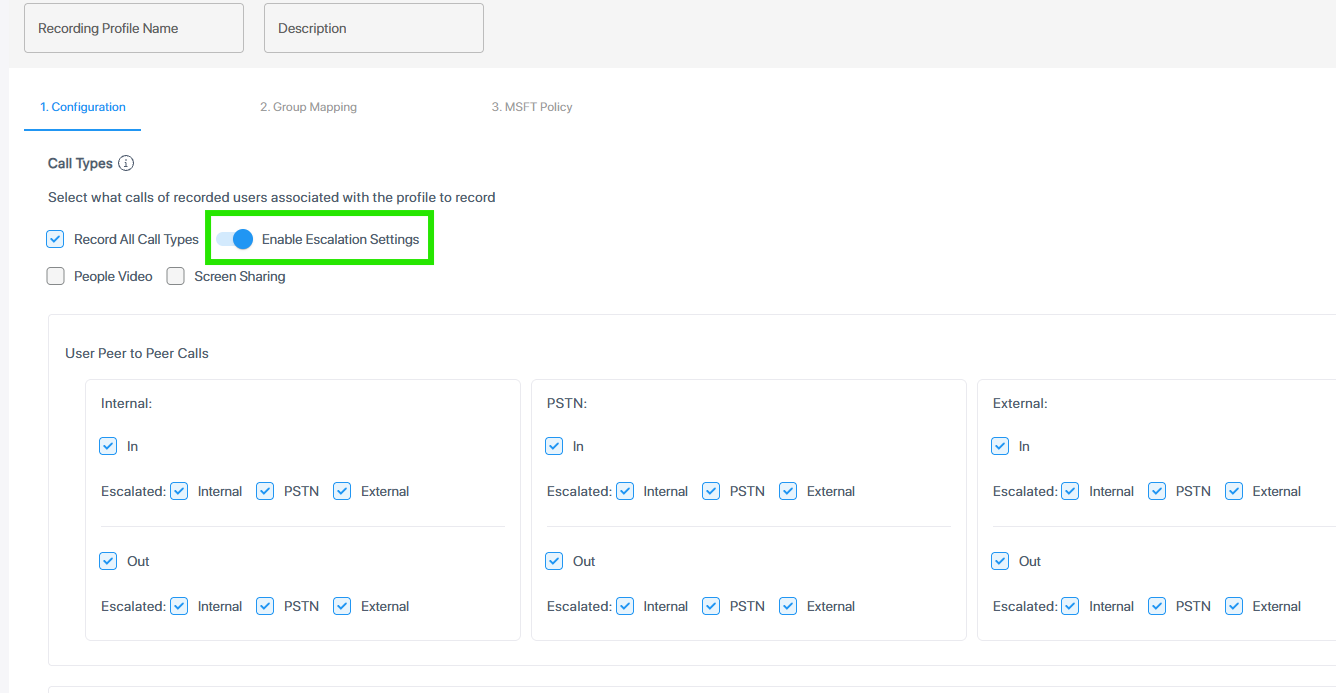
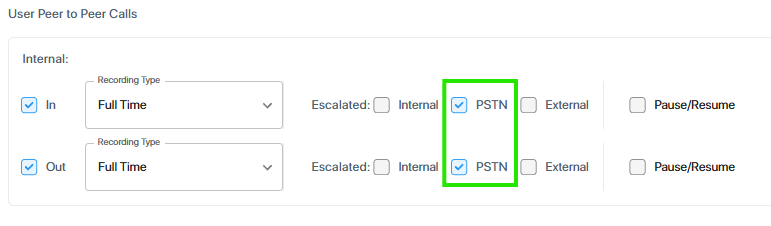
As of this release, it is possible to record calls that have been escalated. In the recording profile, turn on Enable Escalation Settings and select the Escalated checkbox next to the relevant call types. The recording bot joins calls of Escalated call types in stand-by mode and starts recording after the escalation.
If the On Demand feature is enabled on your tenant, turn on Enable On Demand and/or Escalation Settings. Select the relevant Escalated checkboxes within the on-demand fields.
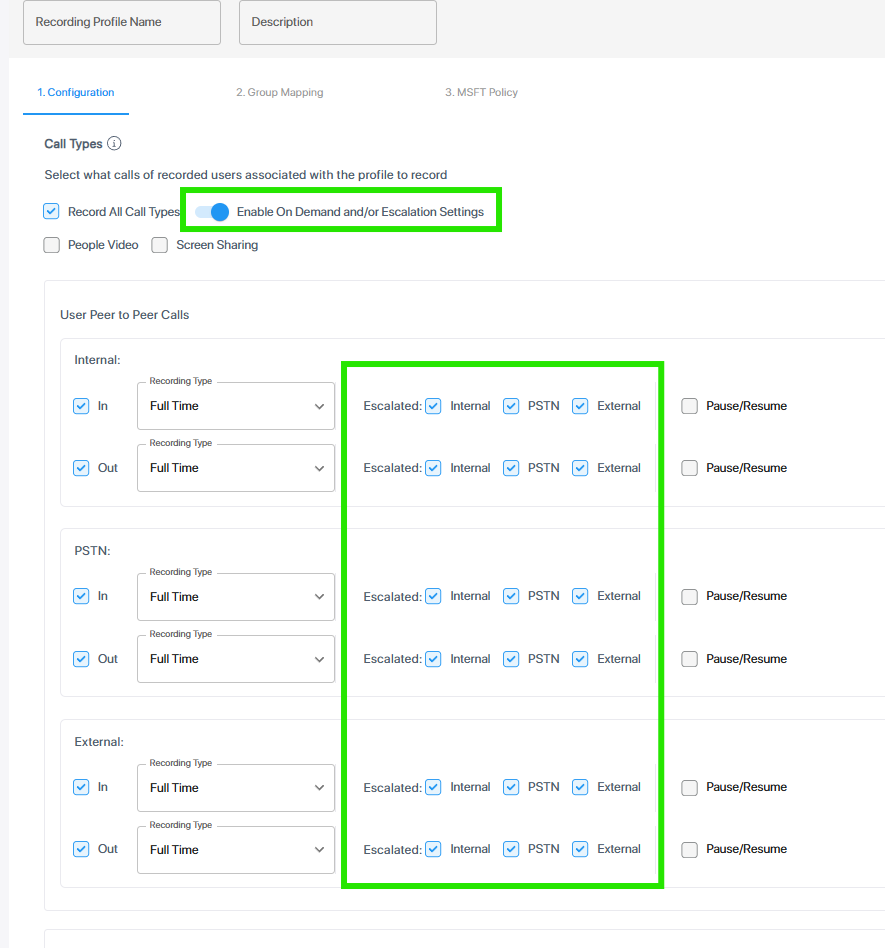
| ● | If you mark a call type as Escalated, the call is recorded after the escalation, even if the recording profile does not require the recording of the new call type or the joined party leaves the call. |
| ● | If the recording profile has been set to record a call type, the bot records the whole call, including any period after escalation. Therefore, if recording is enabled for both directions of the call type, marking for escalation is only relevant for the escalation of queue calls (see below). |
| ● | The way the recording is made depends on the recording type – full time or on-demand recording – and is not influenced by the escalation. |
| ➢ | Queue calls |
Queue calls inherit escalation settings from the call type of the established call.
For example, if an internal user calls the queue, escalation is determined by the escalation settings for internal calls. Thus, if PSTN is marked as escalated for internal calls, the call will be recorded in case a PSTN party joins the queue call.
Except escalation, recording settings of queue calls are defined at the Queue Calls level, not by the established call type. The Queue Calls setting determines whether and how non-escalated queue calls are recorded.
| ➢ | Practical examples |
The following examples illustrate how the escalated call recording logic works:
| Call Type/Scenario | Recording Profile Peer-to-Peer Setup | Start of Recording | ||||||
|---|---|---|---|---|---|---|---|---|
| Incoming internal call (not a queue call) |
or
|
Beginning of conversation; escalation has no effect. | ||||||
| Internal call |
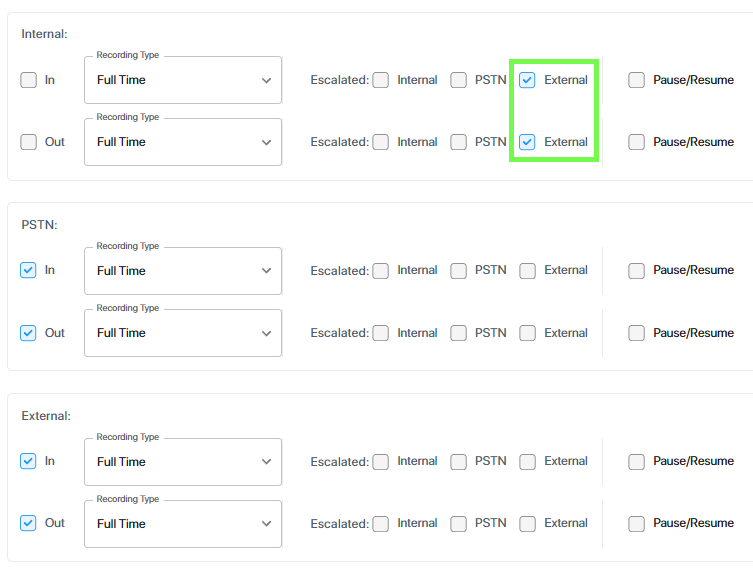
Recording enabled for external and PSTN calls, but not for internal calls. Escalation enabled for external calls.
|
When an external participant is added. Otherwise no recording. |
||||||
| Internal call |
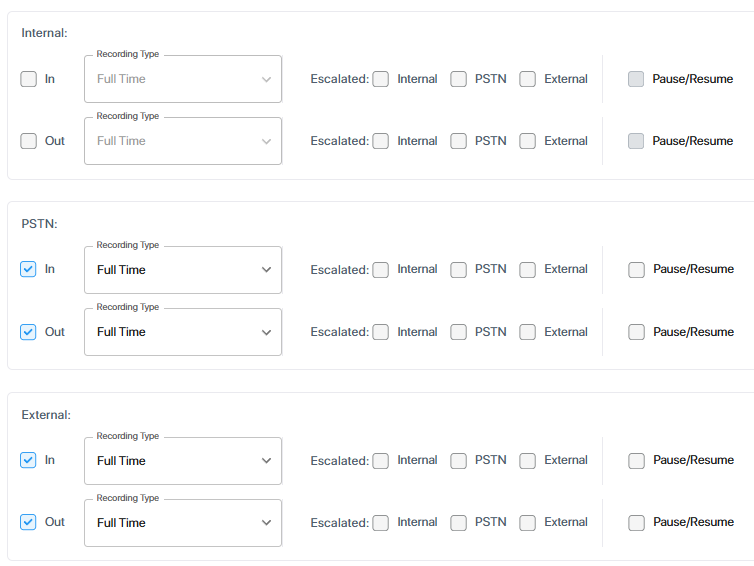
Recording enabled for external and PSTN calls, but not for internal calls. Escalation disabled for all call types.
|
Call not recorded. | ||||||
| Internal user calls queue |
Recording not enabled for queue calls.
For Internal calls, Escalated selected for PSTN.
|
When a PSTN participant is added to the established call. Otherwise no recording.
|



Only one recording session is created for escalation recording.