Configure Languages and Models for AI-powered Insights
You can configure languages and large language models (LLMs) per AI-powered insight (e.g., Summary, Action Items, Outline, etc).
You can add and configure supported languages and their large language models (LLMs) per AI-powered insight (e.g., Summary, Action Items, Outline, etc). You can also customize the disclaimer message that is displayed to users for AI-powered insights per language.
You can edit a language:
|
■
|
Change the language model. |
|
■
|
Apply the language and its settings to all insight types. |
|
■
|
Overwrite the settings of other tenants with this language setting. |
You can also delete a language so that it's no longer available to tenants.
|
➢
|
To add languages for AI-powered insights: |
|
1.
|
Open the Meeting Insights service's Tenant Management portal. |
|
2.
|
In the navigation pane, under AI Settings, select Languages and LLMS; the Advanced AI settings page appears: |
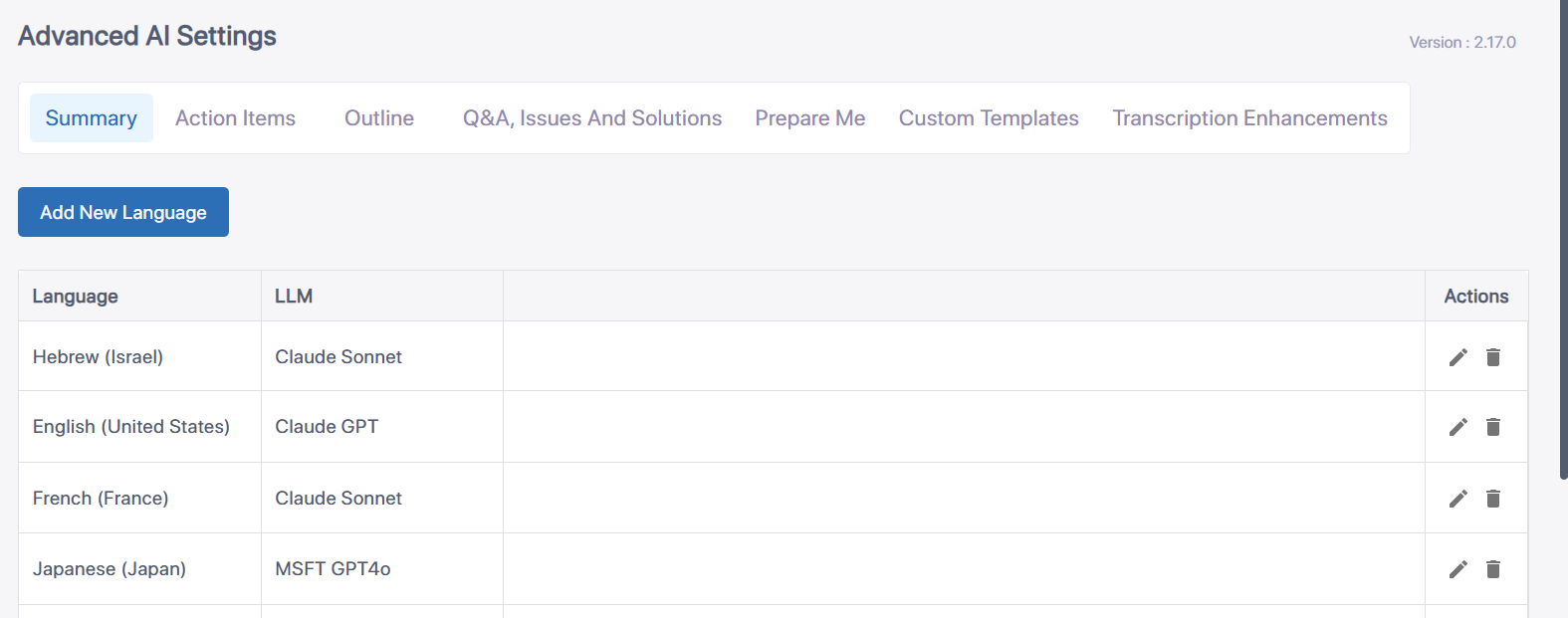
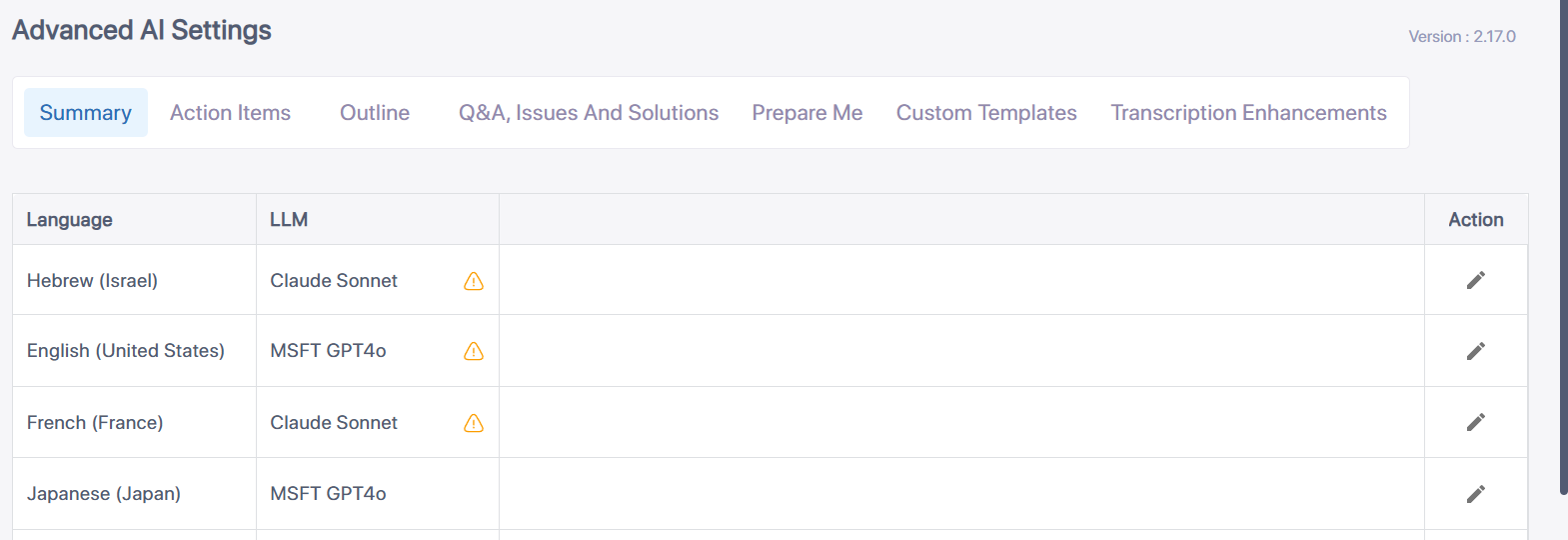
|
3.
|
Select the desired insights tab, and then click Add New Language; the following dialog box appears: |
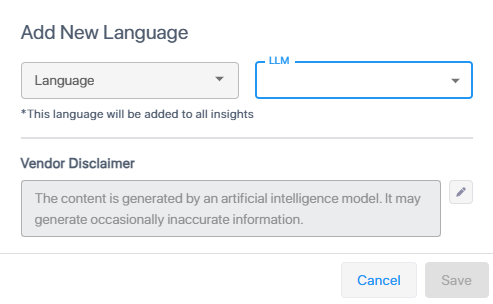
|
4.
|
From the 'Language' drop-down list, select a language. |
|
5.
|
From the 'LLM' drop-down list, select a language model. |
|
6.
|
(Optional) Under Vendor Disclaimer, click the pencil icon, modify the disclaimer text as desired, and then click the icon again to apply. |
|
7.
|
Click Save; the language is added to the list. |
|
8.
|
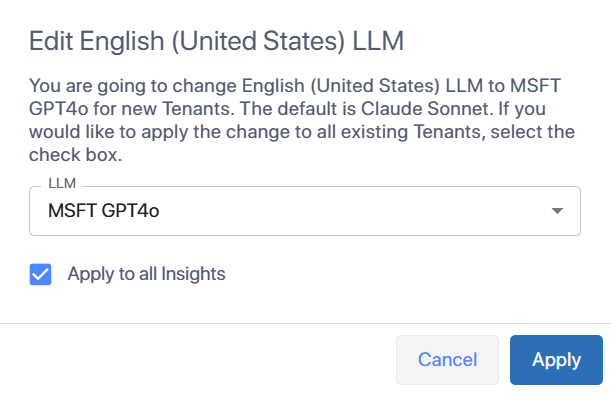
Click the pencil icon under the 'Actions' column of the language that you want to edit; the following dialog box appears: |
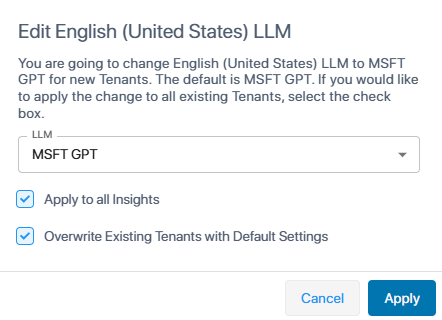
|
a.
|
From the 'LLM' drop-down list, select a language model. |
|
b.
|
To apply the language and its settings to all insights, select the 'Apply to all Insights' check box. |
|
c.
|
To overwrite the language's settings for all tenants, select the 'Overwrite Existing Tenants with Default Settings' check box. |
You can delete a language so that it's no longer available to tenants.
|
1.
|
Click the  delete icon of the language you want to delete; a confirmation message appears. delete icon of the language you want to delete; a confirmation message appears. |
|
2.
|
Click Delete; the language is removed from the list of languages. |