Approve Number Deletion by Microsoft Teams Admin Center
When a number is deleted (released) by Microsoft Teams admin center, you need to approve the deletion so that it's also removed from the Live Platform database.
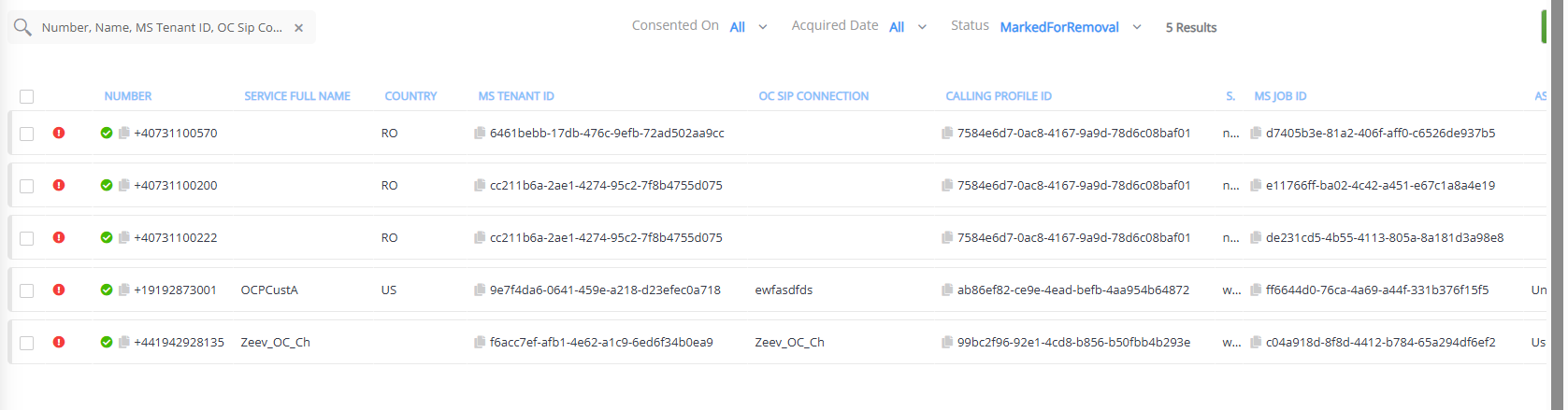
When a number is deleted by Teams admin center, the OC Number Management page displays the number with the  "Marked for Removal" icon. When you approve deletion, the number is displayed with the "Ready for Removal" icon, indicating that Live Platform is currently processing the deletion. Typically, the deletion process is almost immediate and therefore, this status stage is skipped.
|
●
|
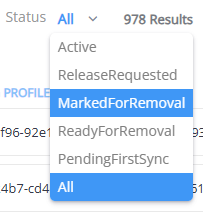
To filter the list of numbers by "Marked for Removal", from the Status drop-down list (located above the table), choose MarkedForRemoval. |
|
➢
|
To approve number deletion by Microsoft: |
When numbers are marked for removal, a message similar to the following is displayed:

|
1.
|
Set the Status filter to MarkedforRemoval to filter the page with the numbers that are marked for removal. |
|
2.
|
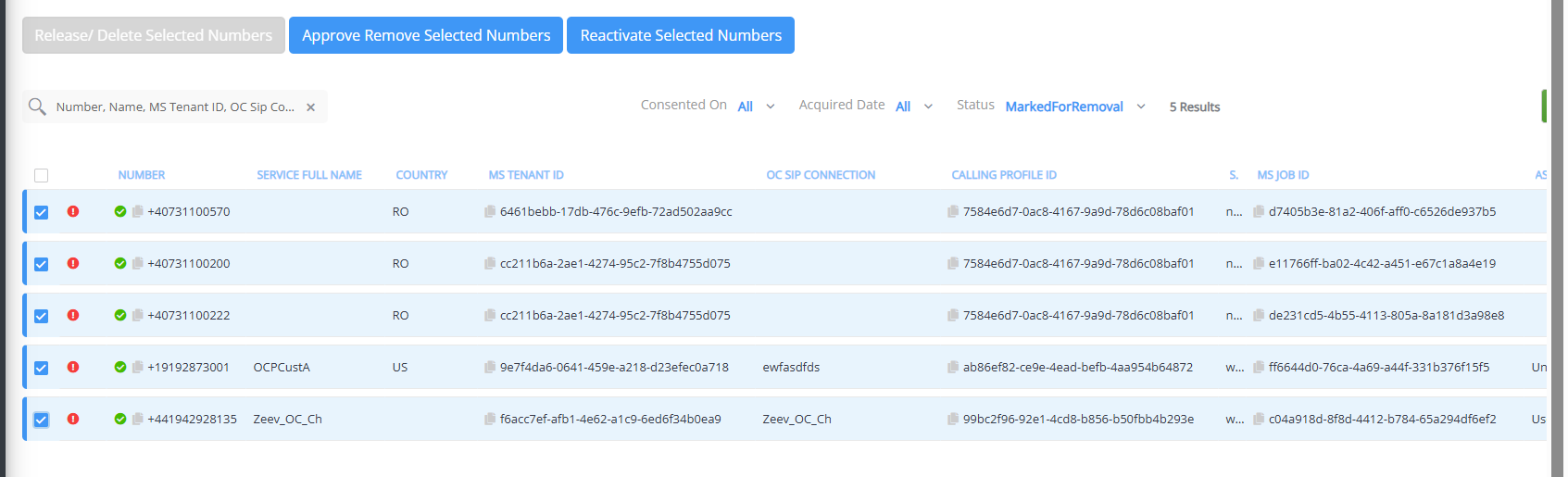
Select the check boxes of the numbers that have been released by Microsoft (displayed with the "Marked for Removal" icon) that you wish to remove from Live Platform. |
|
3.
|
Click the Approve Remove Selected Numbers button; a confirmation message box appears. |
|
4.
|
Click Approve Remove to confirm; a notification message informs you that the numbers are ready for removal and that the Teams Operator Connect service is processing the deletion. |
|
5.
|
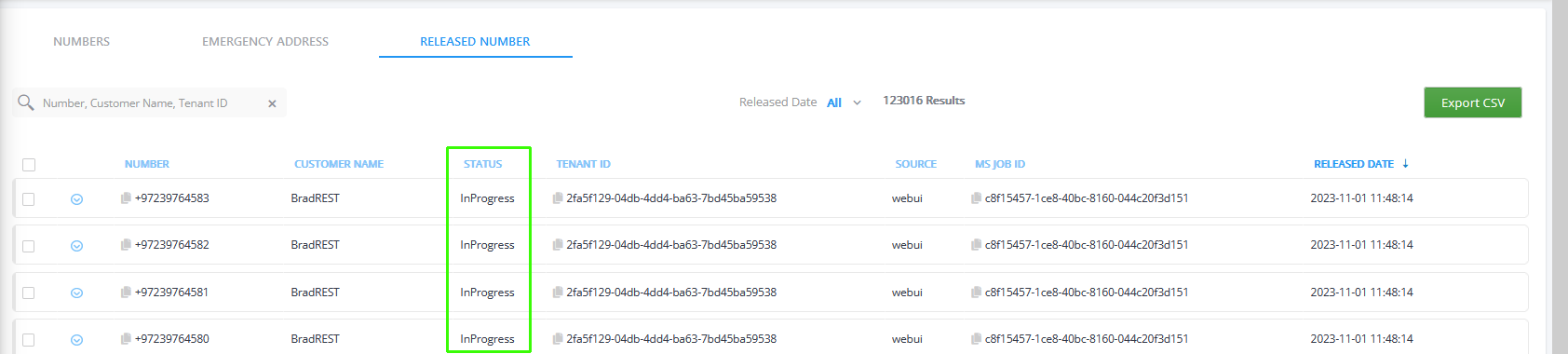
To view the deletion status ("InProgress" or "Complete") of the released numbers, select the Release Number tab. |

|
6.
|
The processing time for synchronization with the Live Platform server and Microsoft platform depends on the server load. Run the following jobs to refresh the Numbers data (see Synchronizing Operator Connect Jobs): |
|
●
|
'peering.sync-release-from-account-job' |
|
●
|
'peering.sync-upload-to-account-job' |
|
●
|
'virtual-peering.sync-upload-release-aquired-sequence' |
|
7.
|
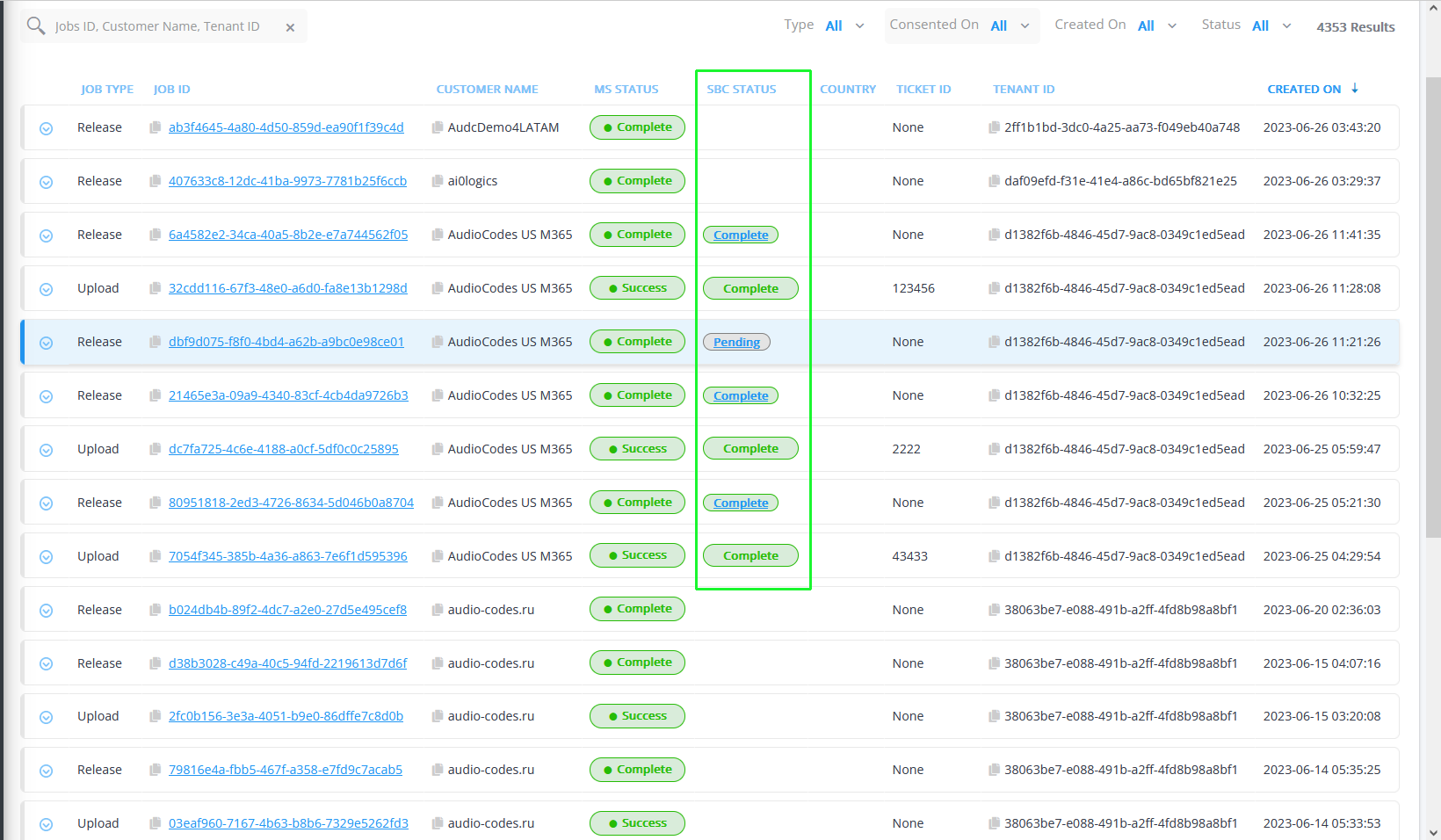
In the Multitenant portal Navigation pane, select Monitoring > Operator Connect > Job Monitor. Note the Release Job status for both Microsoft (MS Status) and SBC (SBC Status). |
|
8.
|
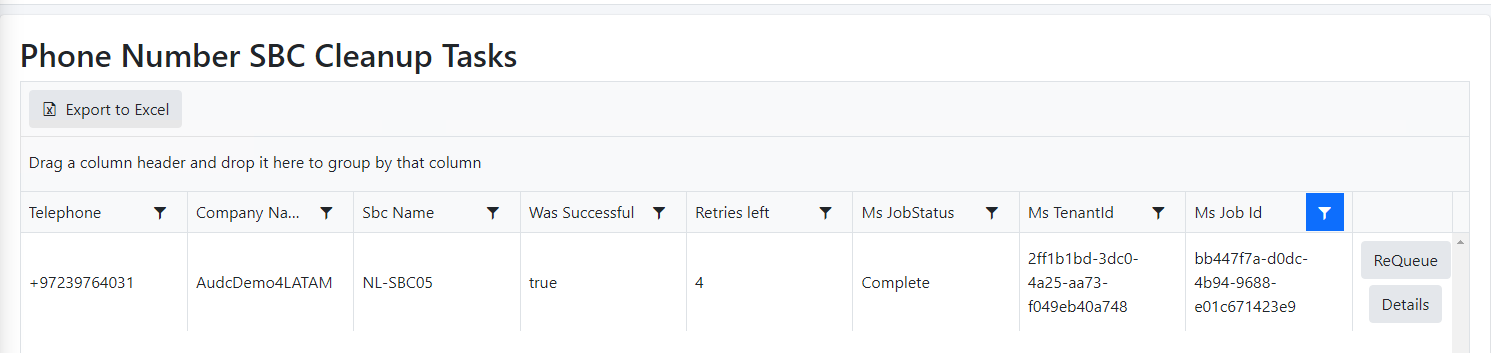
Click the relevant entry in the SBC Status column to open the Phone Number SBC Cleanup task status screen. |
The Job Monitor is only relevant for numbers that are uploaded using Live Platform. Its not relevant for numbers that were uploaded from the Operator Connect portal.