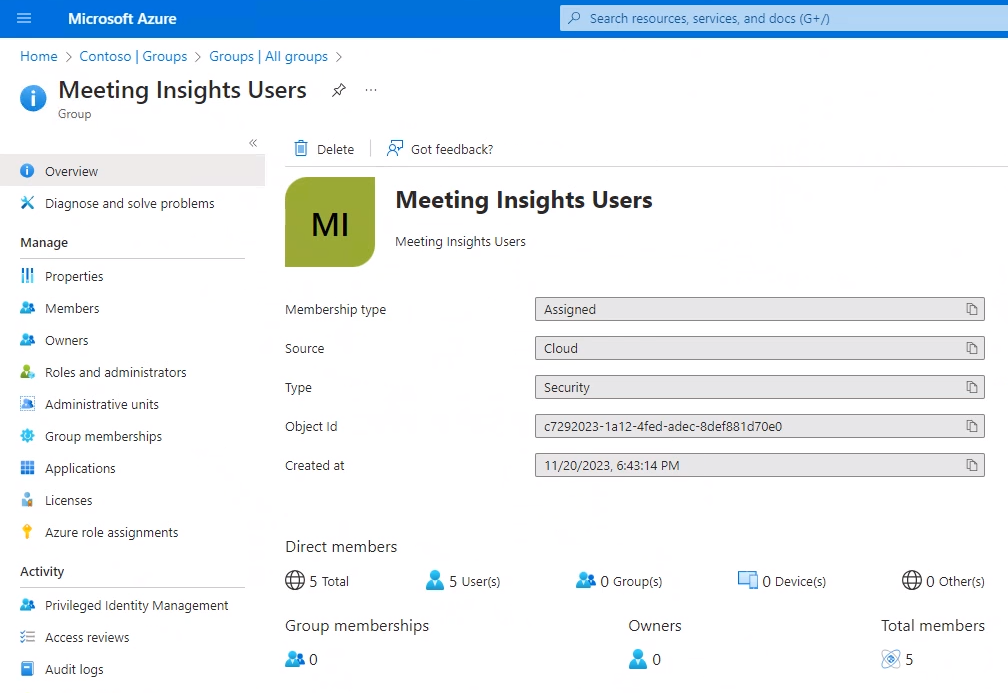
Defining a Group of Users in Microsoft Entra ID
Before assigning a license, the enterprise admin must define a group of users in Microsoft Entra ID for those users who’ll be using Meeting Insights.
|
➢
|
To define a group of users in Microsoft Entra ID : |
|
1.
|
Sign in from to Microsoft Azure portal with your admin credentials. |
|
2.
|
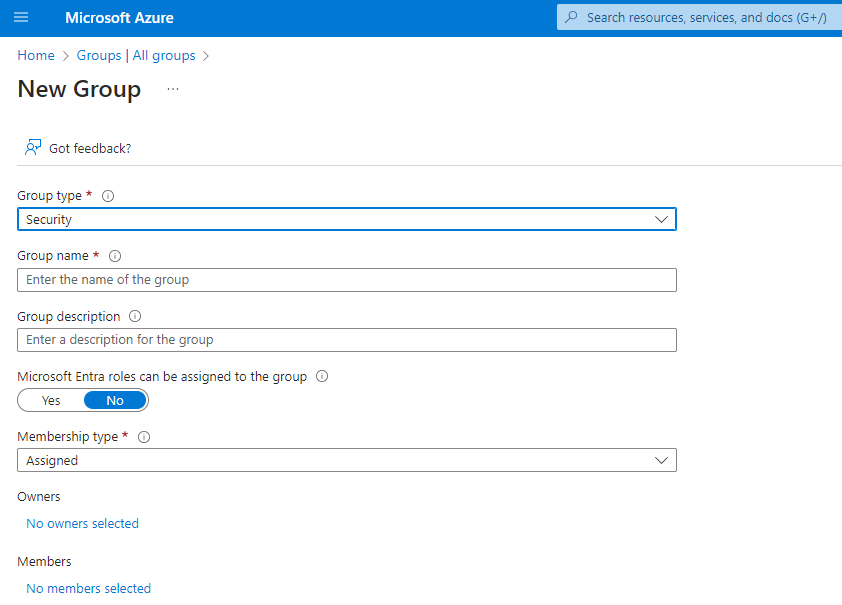
Navigate to Entra ID > Groups > All groups, and then click New group. |
|
3.
|
[Mandatory] From the 'Group type' drop-down, select Security. |
|
4.
|
[Strongly recommended] Define the group name as Meeting Insights Users. |
|
5.
|
Assign owners to the group. Note that group owners have unique permissions to manage the group.
They can add and remove members, change group settings, rename the group, update its description, and more. |
|
6.
|
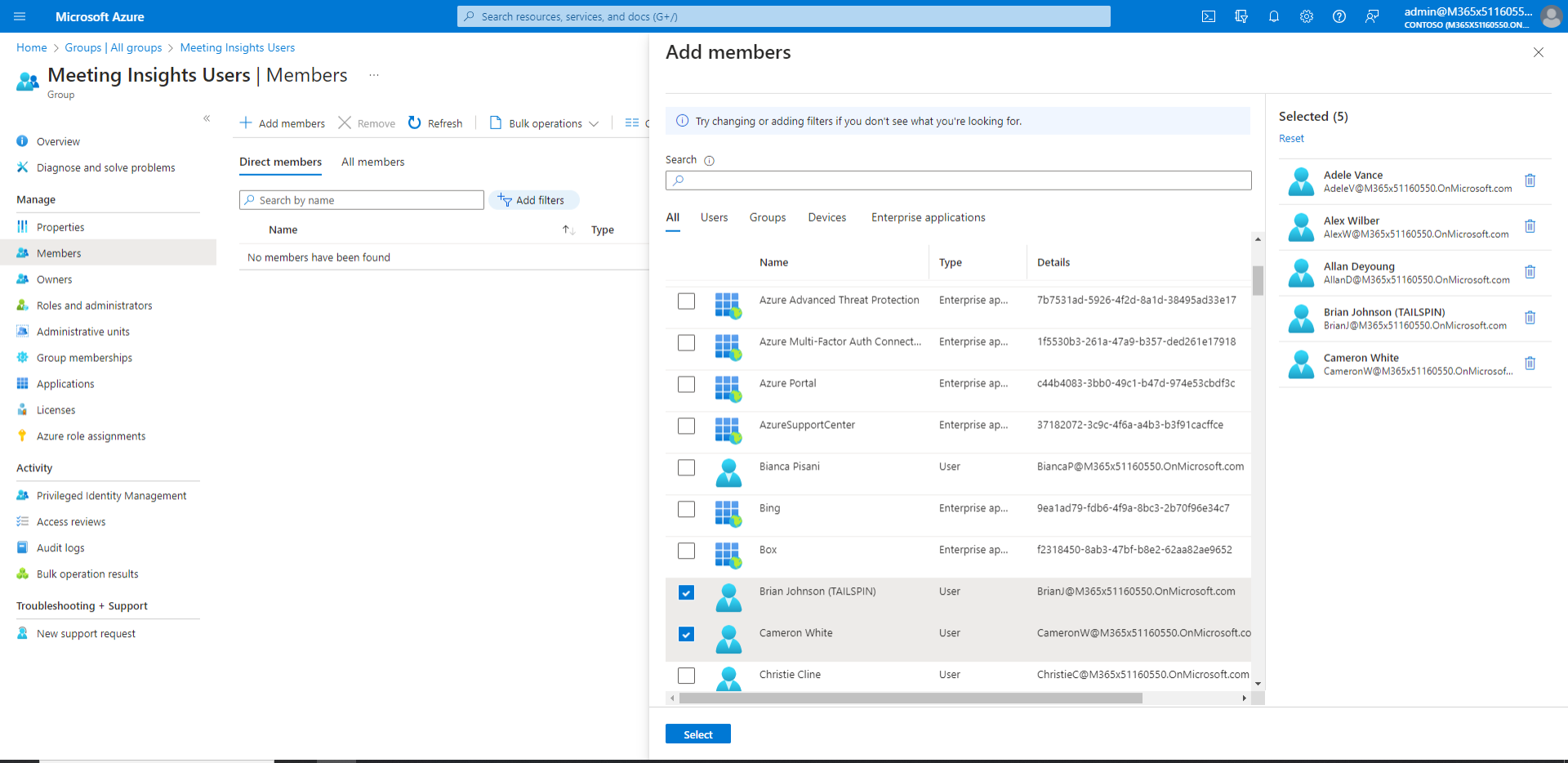
Assign members (i.e., users or groups) to the group. |
|
7.
|
View the group details in Microsoft Azure portal. |