Allow Meeting Insights to Join Webex
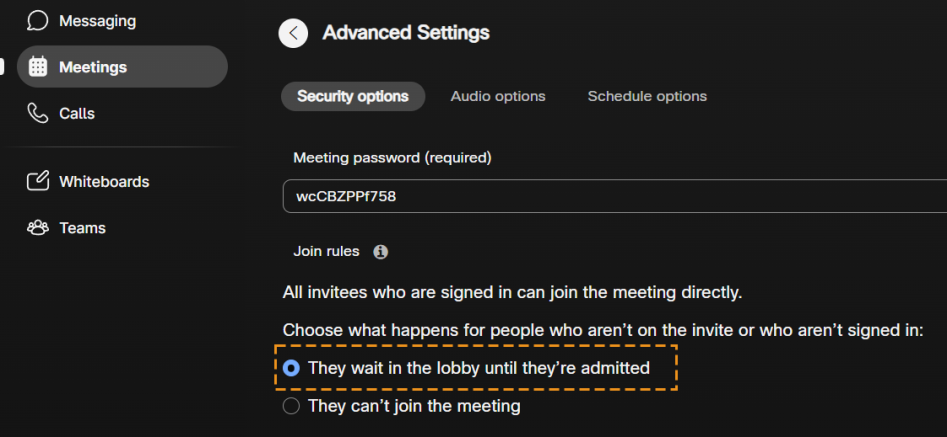
Meeting Insights can join a Webex meeting only when the host allows anonymous users to join. By default, Webex places users who aren’t invited or not signed in to Webex in the lobby until the host admits them.
| ➢ | To enable Meeting Insights to join Webex meetings: |
| 1. | In the Webex control pane, select Meetings, then Schedule, and then Advanced Settings. |
| 2. | Make sure the option They wait in the lobby until they're admitted is selected: |