Add a Recording Profile
The Quick Start wizard process created an initial Recording profile for your tenant. You can then add additional recording profiles for targeted users.
Adding a recording profile for call recording (with or without instant message recording) includes running a Microsoft Configuration script to synchronize with your M365 tenant platform. Running the script is not applicable to recording profiles that include only instant message recording.
|
➢
|
To add a recording profile: |
|
1.
|
In the Icon pane, click  , and then in the Navigation pane, select Recording Settings > Recording Profiles. , and then in the Navigation pane, select Recording Settings > Recording Profiles. |
|
3.
|
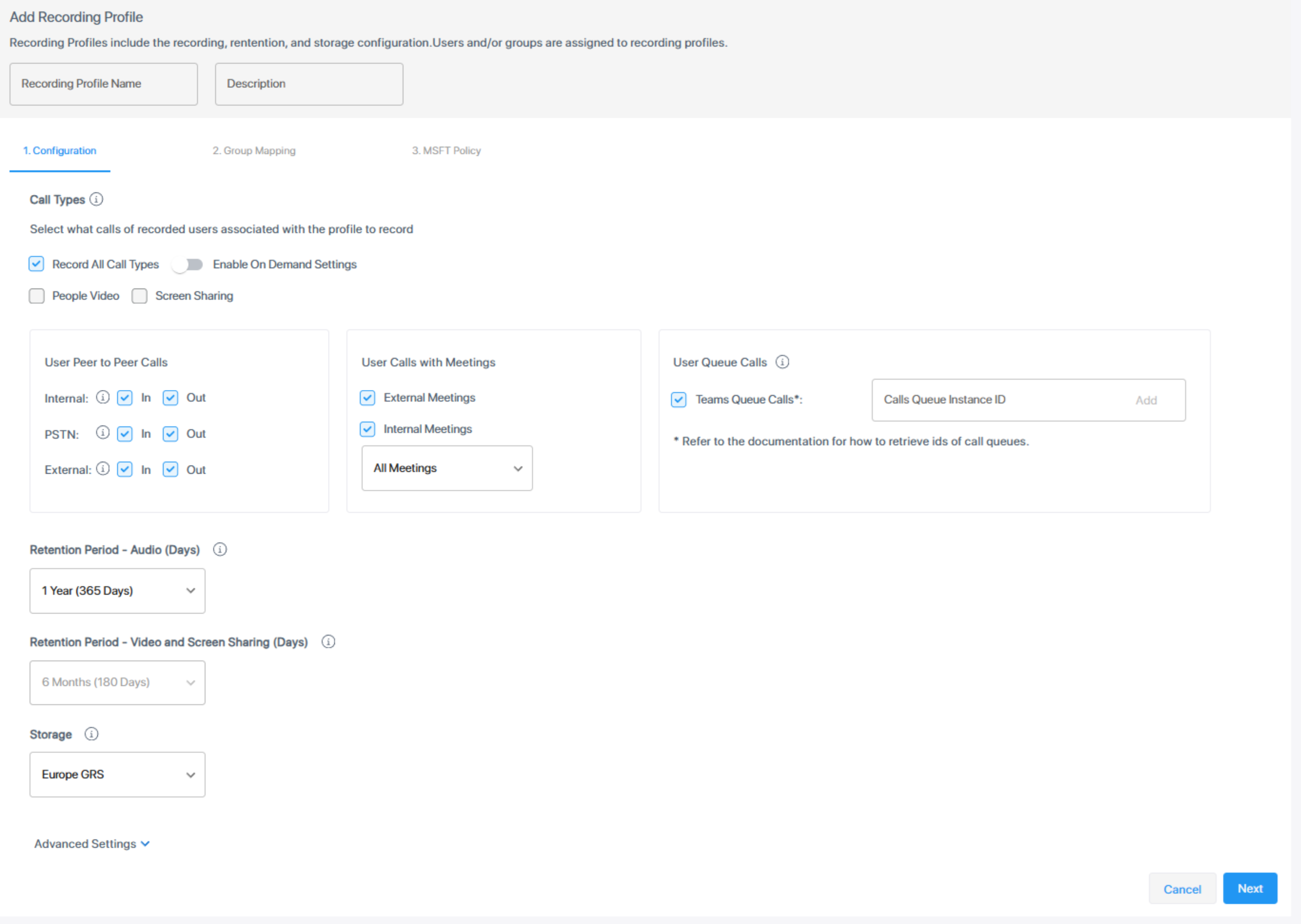
Configure the profile, then click Next. |
|
4.
|
Assign Azure groups to the profile, then click Next. |
|
5.
|
Configure MSFT policies and run the configuration script. |