Add an Analytics Profile
| ➢ | Do the following: |
| 1. | In the Icon pane, click  , and then in the Navigation pane, select Recording Settings> Analytics Profile. , and then in the Navigation pane, select Recording Settings> Analytics Profile. |
| 2. | Click the Create Profile button  . . |
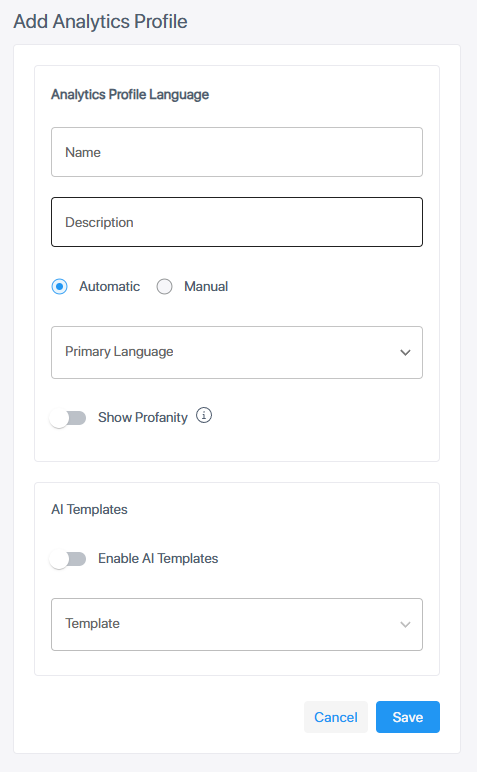
| 3. | Configure parameters according to the table below. |
|
Field |
Description |
|||||||||
|---|---|---|---|---|---|---|---|---|---|---|
| Name* | Enter a unique name for the profile. | |||||||||
| Description | Enter a description of the profile. | |||||||||
|
Automatic / Manual* |
Automatic: Automatic transcription at end of recording.
Manual: Transcription started manually.
|
|||||||||
|
Show Profanity |
Disabled by default. Enable to spell out profane language in the transcription. |
|||||||||
|
AI Templates |
Disabled by default. To generate AI summaries, switch on Enable AI Templates and then select the template you want to use. |
| 4. | Click Save. The profile is added to the list. |
Analytics profiles are assigned to Recording Profiles and/or Device Recording Profiles. These are described in Recording Profiles and Device Recording Profiles respectively.