Apply Redirect Configuration to Devices
After modifying the provisioning configuration to register via Redirect, you must apply the change to the devices you wish to migrate. To do this, regenerate their configuration files with the updated settings:
| 1. | In On-prem Device Manager, navigate to the Devices Status page. |
| 2. | Filter the list by the Model / Template, Tenant, Site, Group, or User for which you modified the provisioning order (see Modify the Provisioning Order Configuration). |
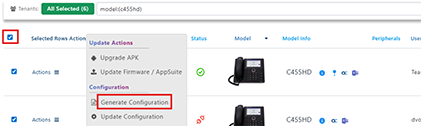
| 3. | Select all devices or those you wish to migrate, then click Selected Rows Actions > Generate Configuration. |
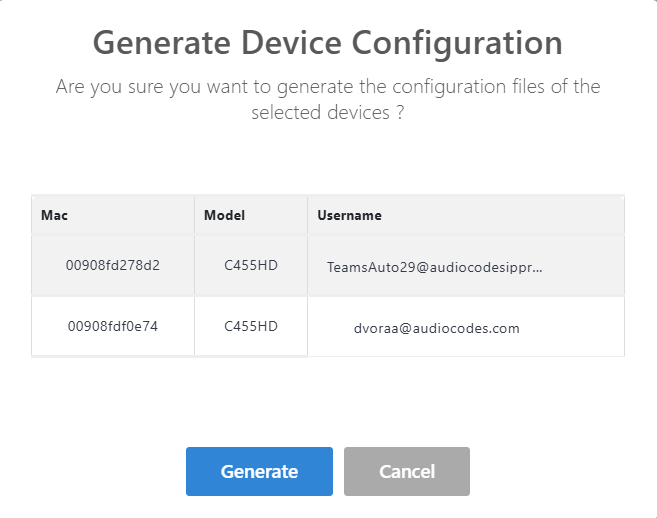
| 4. | In the Generate Device Configuration dialog, click Generate. |
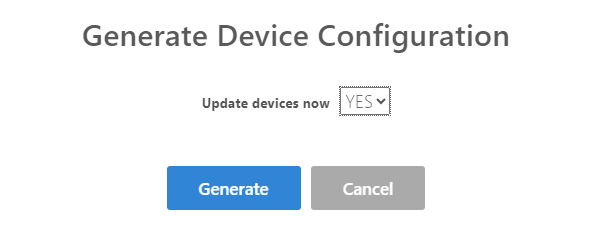
| 5. | For Update device now, select Yes, then click Generate. |
The devices have been updated with the Redirect provisioning configuration.