Delete Migrated Devices from Live Platform
After successfully adding devices to the destination service (see Add Devices to Live Platform Device Manager), you need to delete them from the Live Platform so that they can register with the new service on the next keep-alive. If you are migrating them to a different platform, this step will also permanently remove them from the source platform.
|
1.
|
In the source Live Platform Device Manager, navigate to the Devices Status page and filter the list to display the migrated devices. |
|
2.
|
Select all migrated devices. |
|
3.
|
From the Select Rows Action menu, click Delete Device. |
|
4.
|
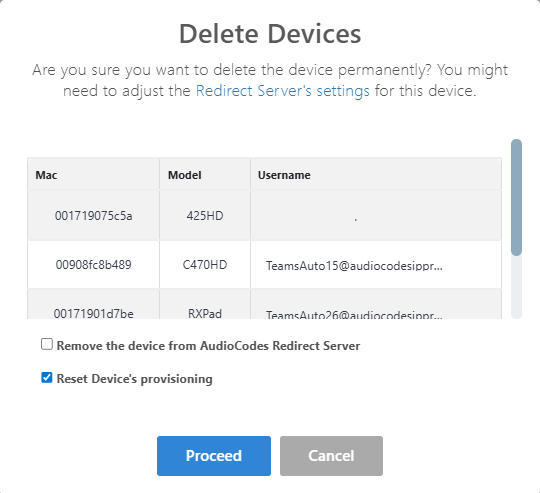
Clear the Remove the device from AudioCodes Redirect Server checkbox, select Reset Device's provisioning and click Proceed. The devices are deleted. |