Access the Device Manager
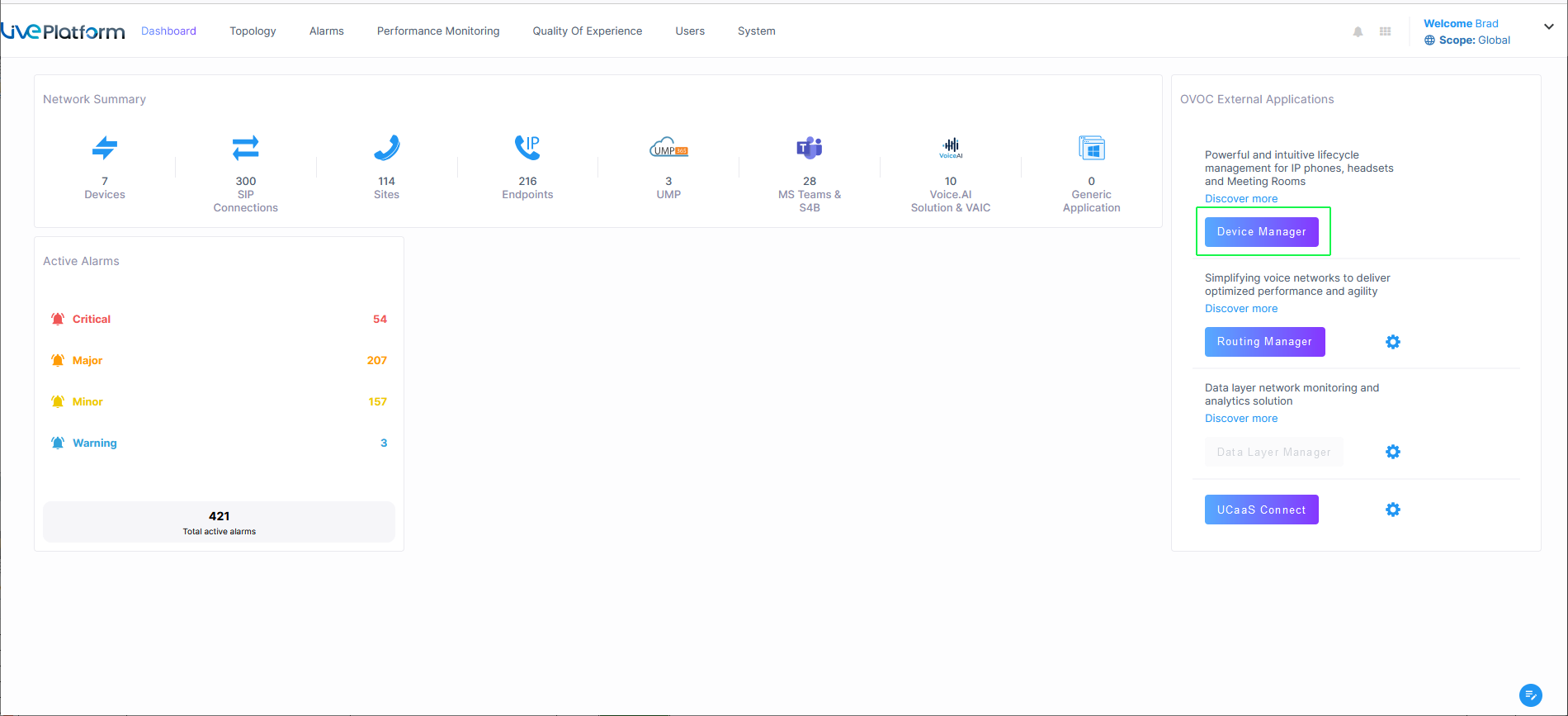
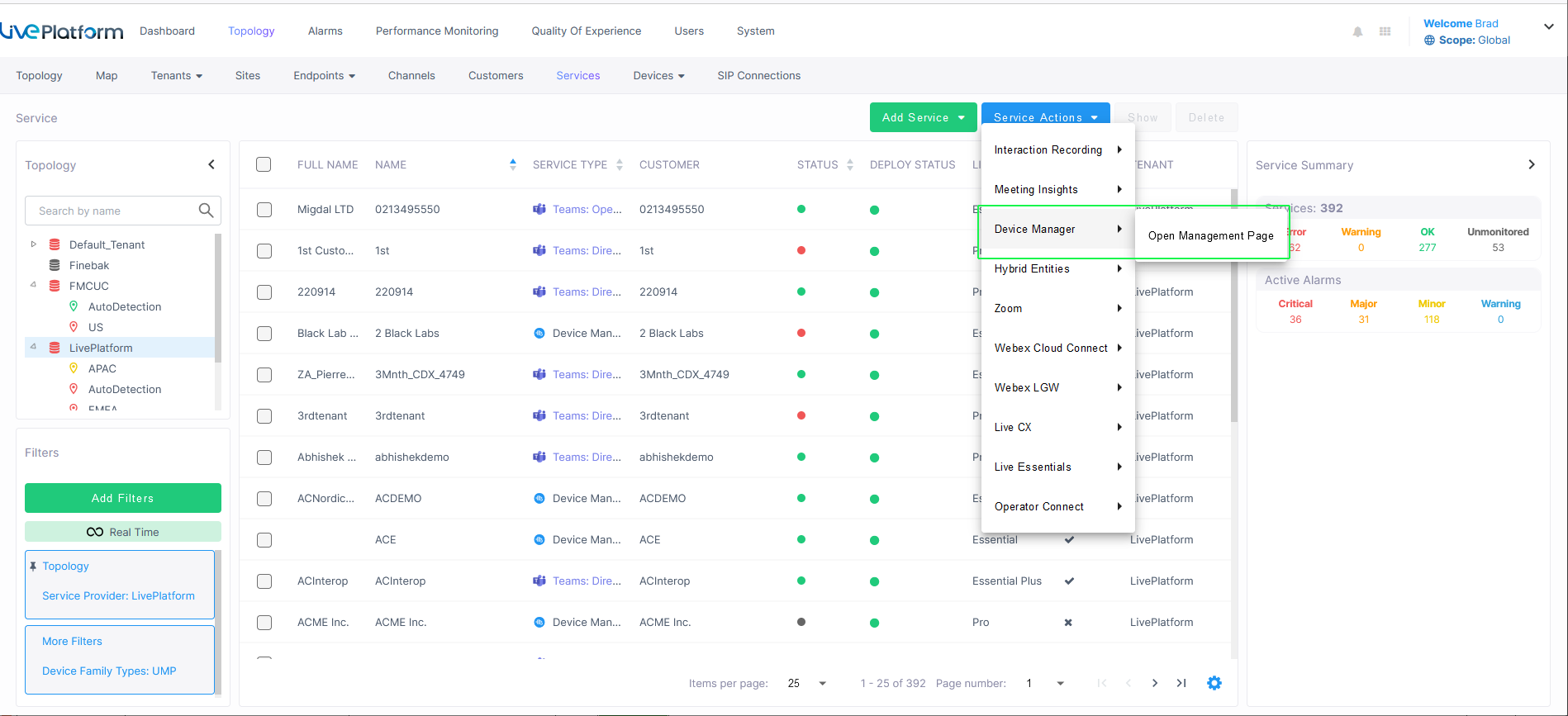
The Device Manager is accessed from the Live Platform portal Dashboard or Services page.
| ➢ | To open Device Manager: |
| 1. | In the Live Platform portal, do one of the following: |
| ● | In the Live Platform Dashboard, click the Device Manager link. |
| ● | In the Services page, from the Service Actions drop-down menu, choose Device Manager > Open Management Page. |
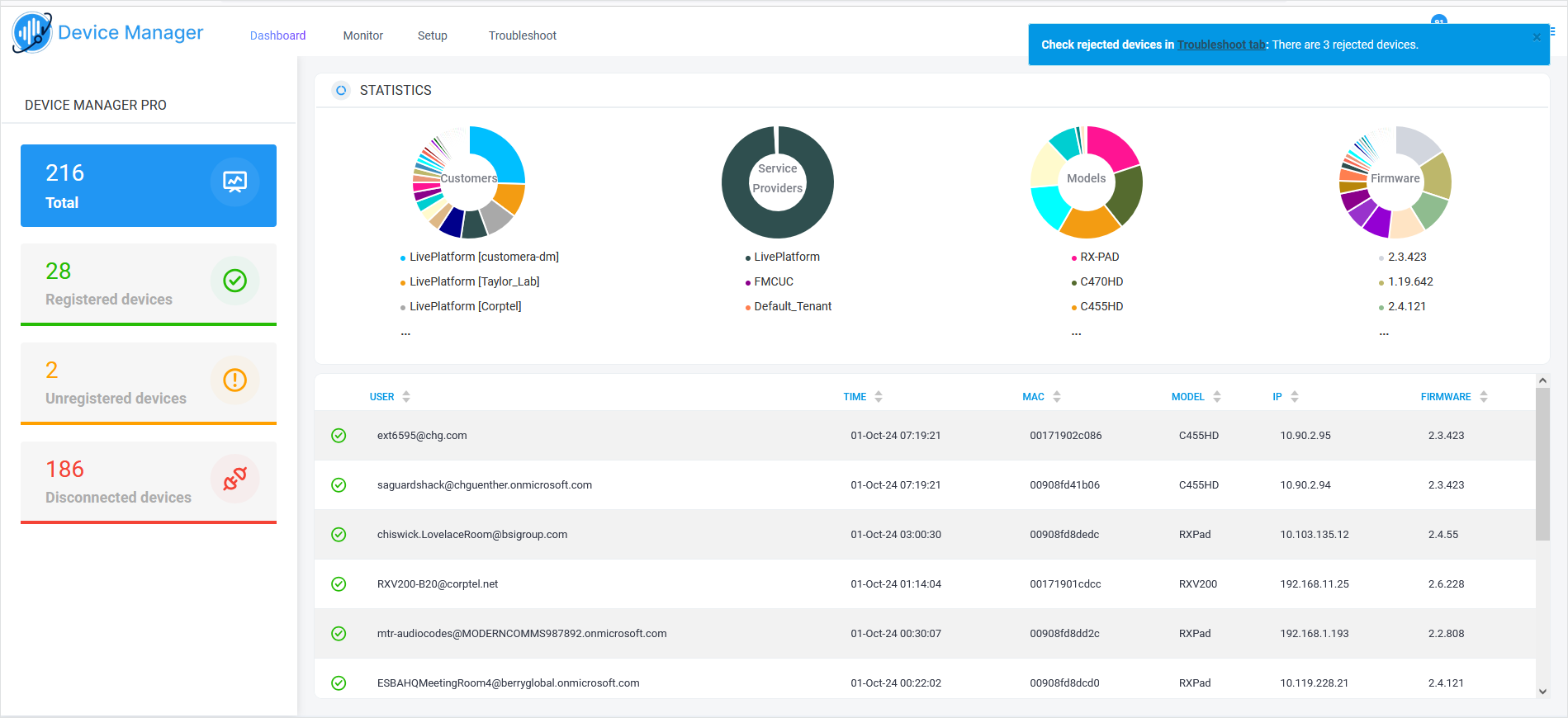
The Device Manager Dashboard page is displayed.