Copying URL of Meeting Recordings
You can copy the URL of a meeting recording to your clipboard. Once copied, you can paste it in whatever application (e.g., email) and send it to someone for viewing.
| ➢ | To copy meeting recording URL: |
| 1. | In the Navigation pane, click  All Meetings. All Meetings. |
| 2. | Click the name of the meeting recording that you want; the Player page appears. |
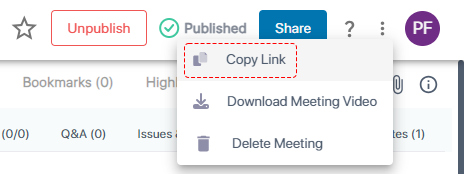
| 3. | On the toolbar, click the  icon, and then from the drop-down list, choose Copy Link: icon, and then from the drop-down list, choose Copy Link: |
| 4. | Paste the link, for example, in an email. |