Allow Meeting Insights to Join Google Meet Meetings
Meeting Insights can only join a Google Meet meeting if the host has allowed anonymous users to join.
| ➢ | To enable Meeting Insights to join Google Meet meetings: |
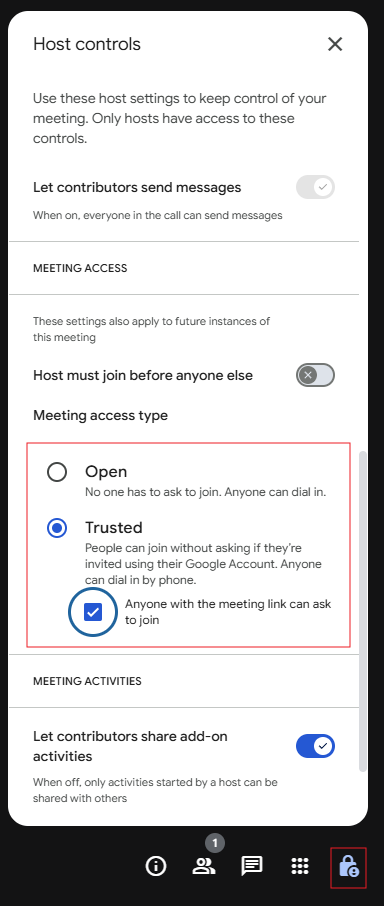
| 1. | In the Google Meet meeting, click the Host controls  icon in the lower-right corner of the screen; the Host controls dialog box appears. icon in the lower-right corner of the screen; the Host controls dialog box appears. |
| 2. | Under 'Meeting access type', select one of the following options: |
| ● | Open |
| ● | Trusted and select the check box Anyone with the meeting link can ask to join |