Stop the Recording of a Google-Meet
At any stage during the Google Meet meeting, you can stop Meeting Insights recording by removing the Mia bot from the meeting.
Meeting Insights provides a recording of the meeting up until Mia is removed from the meeting.
| ➢ | To stop Meeting Insights recording of Google Meet meeting: |
| 1. | In your Google Meet meeting, open the People panel by clicking the People bubble in the top-right corner of the window. |
| 2. | Click the ellipsis icon (three dots) of the Meeting Insights bot name, and then from the drop-down menu, choose Remove from the call: |
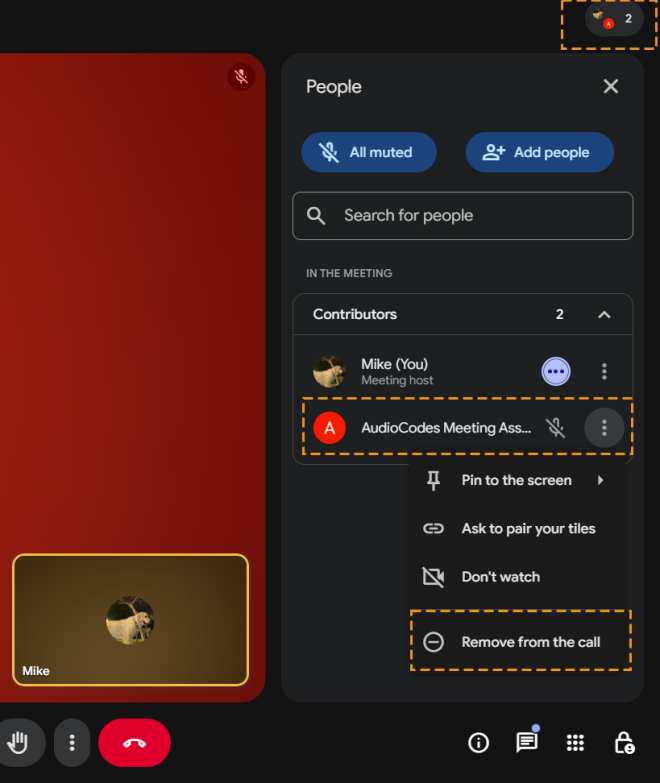
The Meeting Insights bot name is defined by your Administrator. For example, the bot name can include the first name of the participant that invited Meeting Insights bot, followed by "Meeting Assistant" (e.g., "Sue Meeting Assistant").
| 3. | In the confirmation message, click Remove; Meeting Insights bot is removed from the meeting and recording stops. |