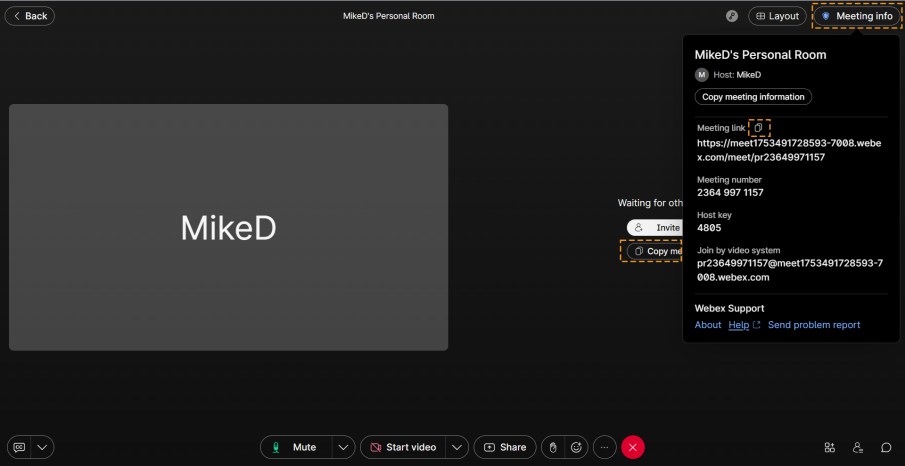
Obtain the Webex Meeting URL
Before you can add Meeting Insights ad hoc to a Webex meeting for recording, you need to obtain the URL of the Webex meeting.
The method to obtain the UR depends on the Webex platform (e.g., desktop or browser). The procedure below describes how to obtain the URL in the browser-based Webex. For other platforms, refer to the Webex documentation.
|
➢
|
To obtain the Webex meeting URL: |
|
1.
|
In the Webex meeting window, copy the link to your computer's clipboard by doing one of the following: |
|
●
|
Click the Copy meeting link button. |
|
●
|
Click the Meeting info button, located in the top-right corner, and then in the drop-down pane, click the Copy meeting link icon.
|