Onboarding Step 1 – Grant MS365 Admin Consents
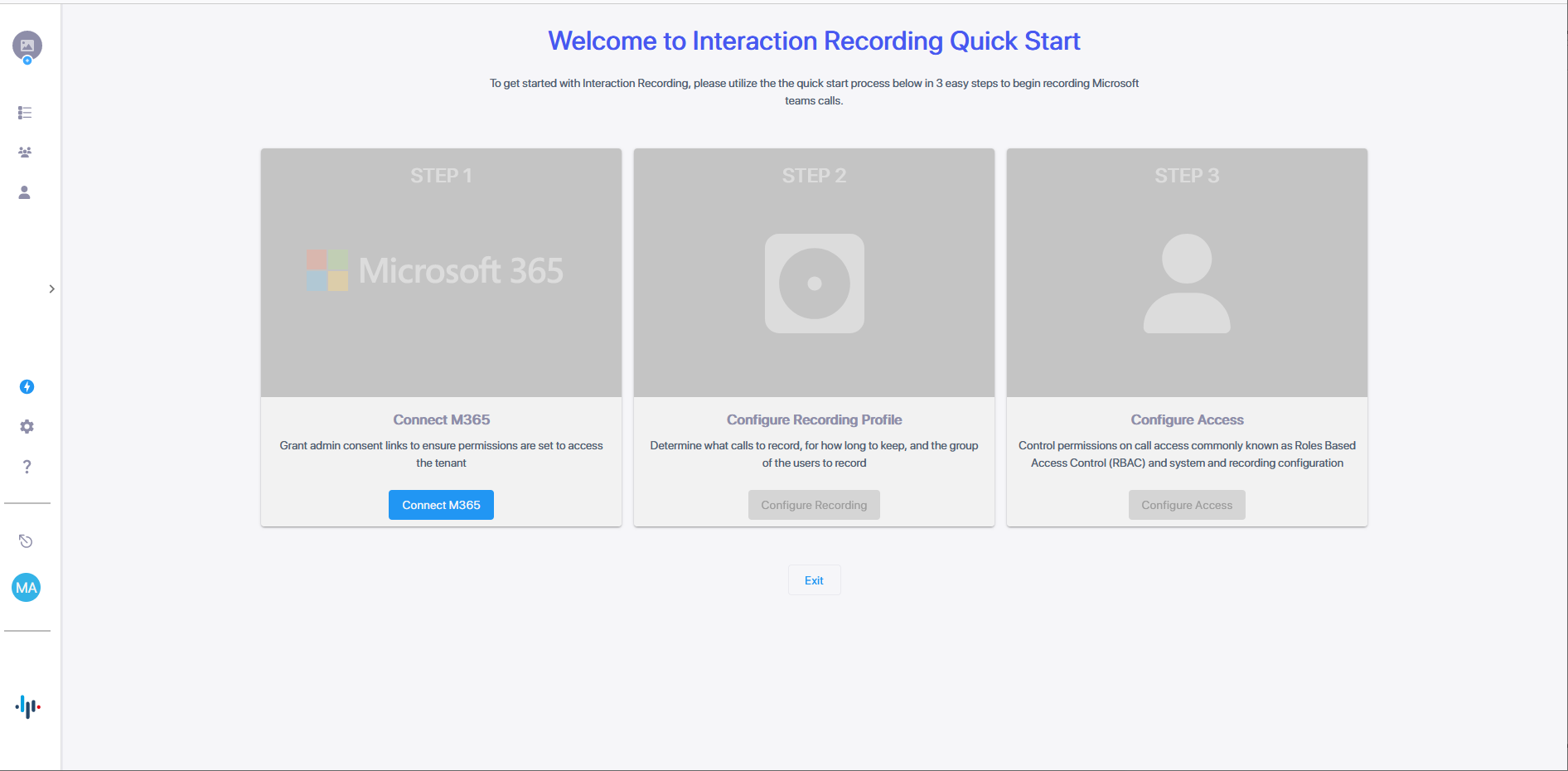
The first step in Interaction Insights onboarding is to grant the necessary admin permissions. On the onboarding wizard page, click Connect M365.
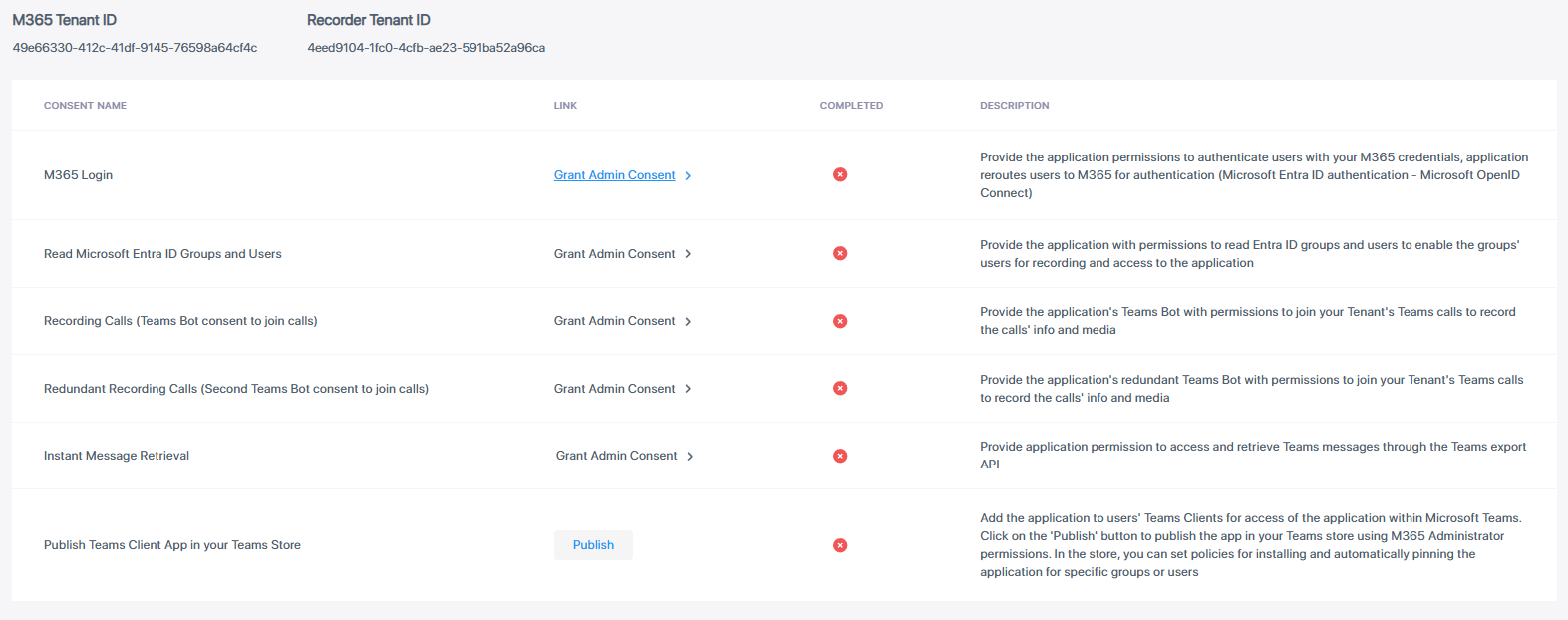
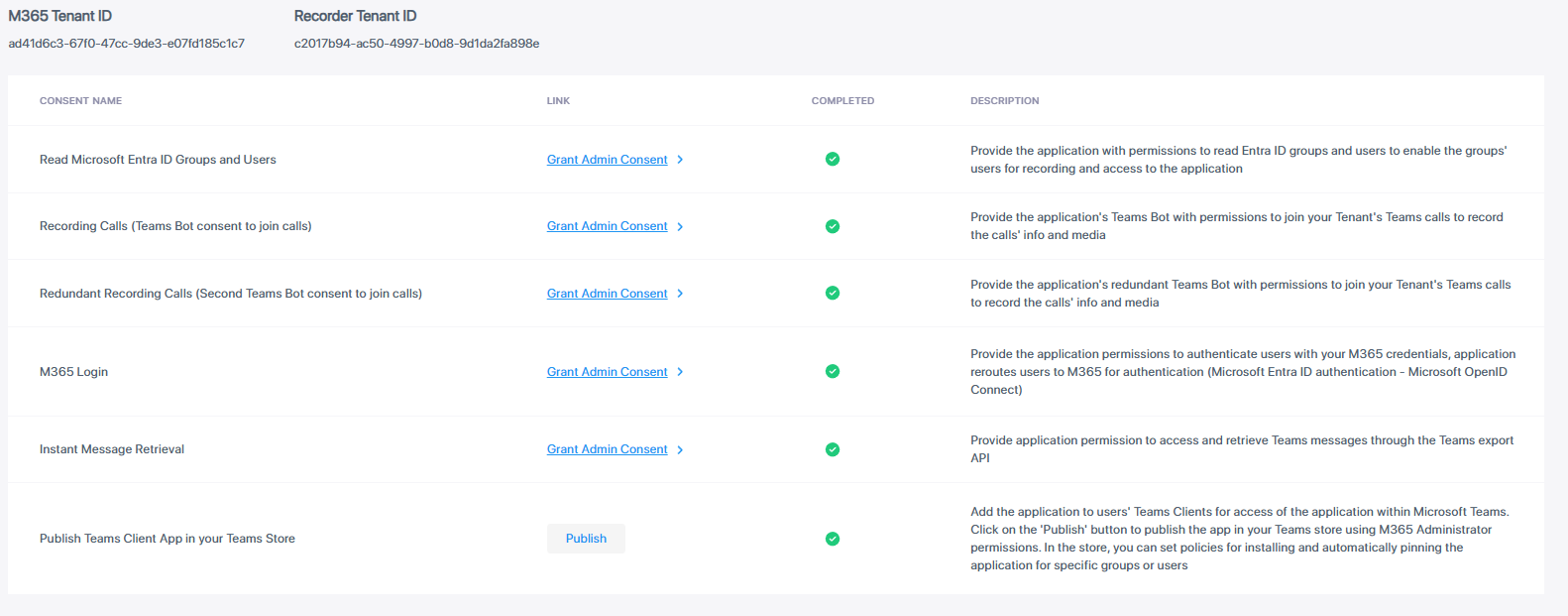
The required consents are listed, depending on the license of the recording tenant (Essential or Pro).
The table below describes the required consents and the Enterprise applications that are created on your M365 tenant.
|
Consent |
Description |
||||||||||||||||||||||||
|---|---|---|---|---|---|---|---|---|---|---|---|---|---|---|---|---|---|---|---|---|---|---|---|---|---|
|
M365 Login |
Provide the application permissions to authenticate users with your M365 tenant credentials. The application reroutes users to M365 for authentication (Azure Active Directory authentication-Microsoft OpenID Connect-Oauth 2). The permissions are required for the SmarTAP application to authenticate users utilizing your tenant Entra AD authentication, and Microsoft Open ID Connect (Oauth 2) authentication. The permissions enable Live Platform to reroute users accessing the Live Platform application either from a browser or from the Live Platform Teams application (see row below) to be authenticated according to your organizational M365 policy. The Deployment generates the Enterprise application <LivePlatformSer verName>-auth.
|
||||||||||||||||||||||||
|
Read Azure Active Directory Users and Groups |
Provide the application permissions to read AAD groups and users from your M365 tenant to enable the groups' targeted users for recording and access to the application. Deployment of Live Platform generates the Enterprise application <LivePlatformServerName>-aad.
|
||||||||||||||||||||||||
|
Recording Calls (Teams Bot consent to join calls) |
Provide the applications' Teams Bot with permissions to join your Tenant's Teams calls to record the calls' info and media. The calls-app permissions are required for the Live Platform Bot application to join your Teams’ tenant calls and to receive the media to be recorded. Deployment of Live Platform generates the Enterprise application <LivePlatformServerName>-hue.
|
||||||||||||||||||||||||
|
Redundant Recording Calls (Second Teams Bot consent to join calls) |
Provide the application's Redundant Teams Bot with permissions to join your tenant's Teams calls to record the calls' info and media. The calls-app permissions are required for the Live Platform Bot application to join your Teams’ tenant calls and to receive the media to be recorded. Deployment of Live Platform generates the Enterprise application <LivePlatformServerName>-hue-paired.
This consent is displayed only where a Pro User license has been configured for the service. |
||||||||||||||||||||||||
|
Instant Message retrieval |
Provide the application permission to access and retrieve stored instant messages on Azure.
|
||||||||||||||||||||||||
|
Publish Teams Client App in your Teams Store (Optional) |
Add the application to users Teams Clients for access of the application within Microsoft Teams. Click the publish button to access the app within your Teams store using M365 Administrator permissions. In the store, you can set policies for installing and automatically pinning the application for specific groups are users. Publishing the app makes it available for users in the tenant organization within Teams store. Each user needs to add the application from their Teams admin center in order to access it from Teams. |
| ➢ | For each consent, do the following: |
| 1. | Click the Grant Admin Consent link (or the Publish link for the optional Publish Teams Client App in your Teams Store consent). |
| 2. | Choose the Global admin account of your Live Platform tenant. |
| 3. | Click Accept to accept the requested permissions. The consent is marked completed. |