Add Applications
| ➢ | To add an application: |
| 1. | Open the API Configuration page: In the Icon pane, click  , and then in the Navigation pane, select Integration> API Configuration. , and then in the Navigation pane, select Integration> API Configuration. |
| 2. | Click the New Applications button  . . |
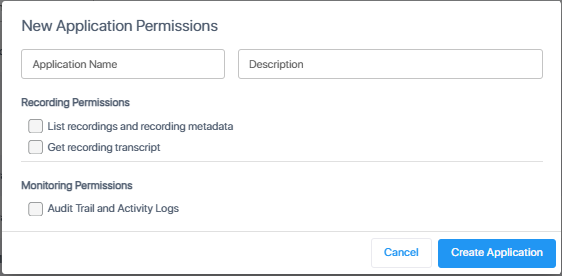
| 3. | Enter a name and an optional description for the application. |
| 4. | Select the required endpoint permissions (see Supported Endpoints for Interaction Insights Integration), then click Create Application. |
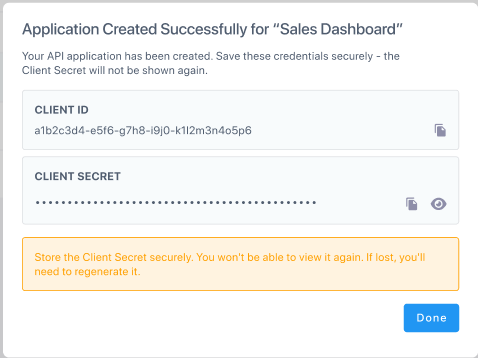
| 5. | Copy the Client ID and Client Secret to a secured location. |
It will not be possible to restore the secret once you have closed the dialog box. If the secret is lost, you need to generate a new secret (see Regenerate the Secret of an Application).
| 6. | Click Done to close the dialog. The application is added to the list. |