Manage Device Groups
Device Groups act as logical containers of devices. When a Device Group is linked to a Device Recording Profile, any calls to and/or from the devices in that group can be recorded, subject to the settings defined in the profile.
This makes device groups the mechanism that determines which devices inherit which recording behaviors.
|
➢
|
To access the Device Groups page: |
|
■
|
In the Icon pane, click  , and then in the Navigation pane, select Recording Entities > Device Groups. , and then in the Navigation pane, select Recording Entities > Device Groups. |
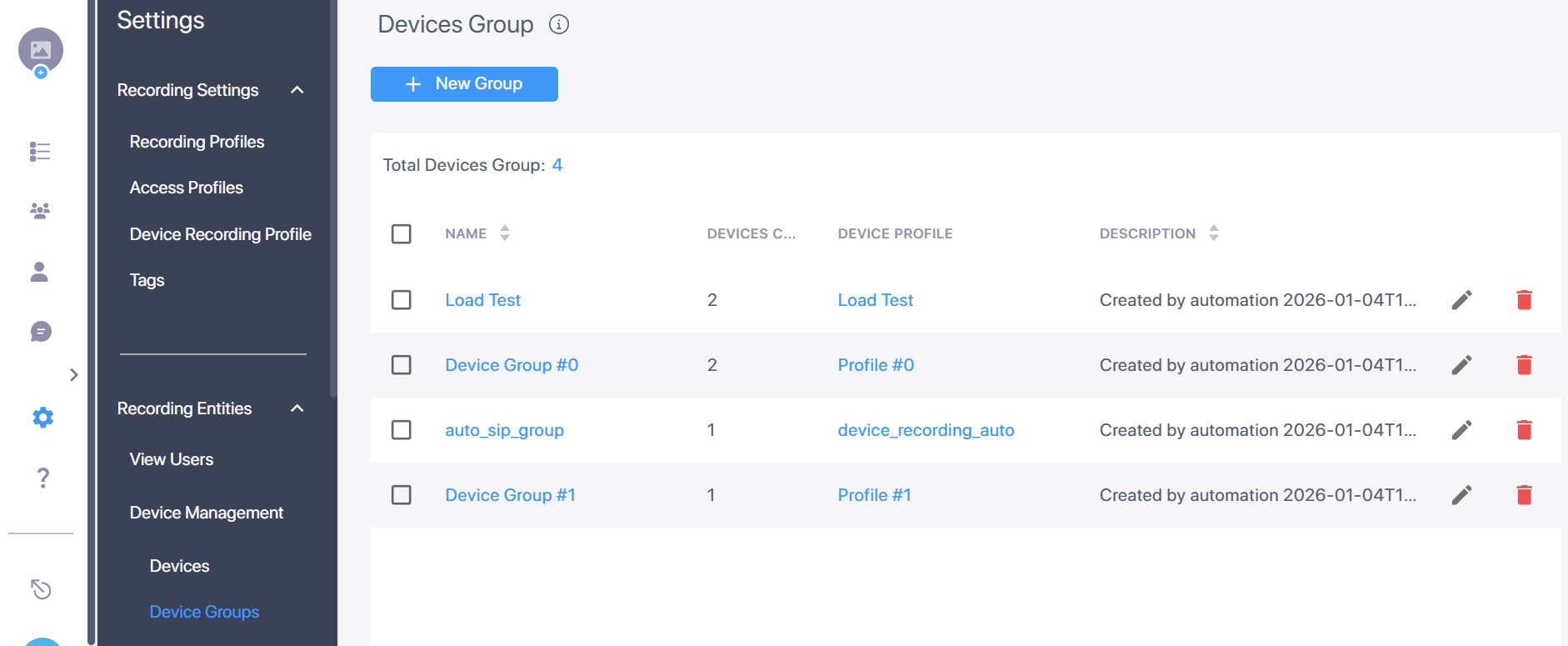
|
➢
|
To add a new device group: |
|
1.
|
Click the New Group button  . . |
|
2.
|
Enter a meaningful Name and an optional Description, then click Save. The new group is added to the Device Groups table. |
|
➢
|
To modify an existing device group: |
|
1.
|
Click the Edit icon  adjacent to the group that you wish to modify. adjacent to the group that you wish to modify. |
|
2.
|
Edit the fields you wish to modify, then click Save. |
|
➢
|
To delete a device group: |
|
■
|
Click the Delete icon  adjacent to the group that you wish to delete, then confirm the deletion. adjacent to the group that you wish to delete, then confirm the deletion. |
Device groups cannot be deleted if they are assigned devices. To delete a device group, first unassign it from all associated devices (see Modify a Device).
|
➢
|
To assign a device to a device group: |
|
➢
|
To link a device group to a device definition profile: |