Add a Device
IMPORTANT: For devices to be recorded, ask your Service Provider to add their phone numbers to your Live CX Customer Service.
| ➢ | Do the following: |
| 1. | In the Icon pane, click  , and then in the Navigation pane, select Recording Entities > Devices. , and then in the Navigation pane, select Recording Entities > Devices. |
| 2. | Click the New Device button  . . |
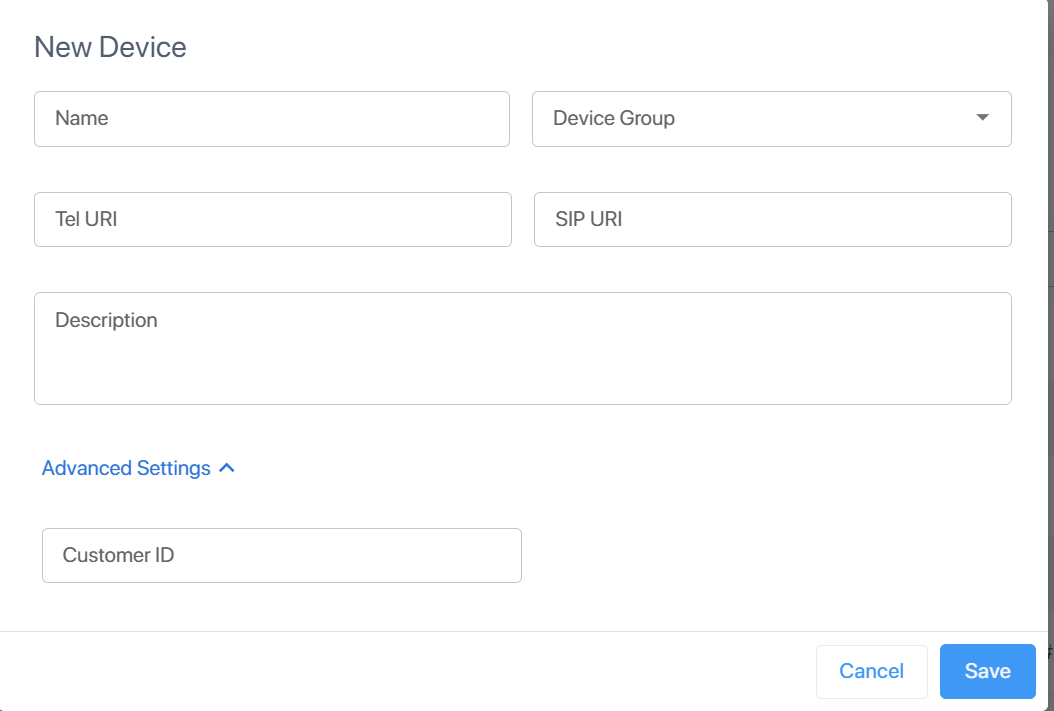
| 3. | Configure parameters according to the table below. |
|
Field |
Description |
|---|---|
| Name* | Name of the endpoint device. |
|
Device Group |
The device group to which to assign the device (see Manage Device Groups). |
|
Tel URI* |
The unique telephone number of the device, in E.164 format. Fill in this field if your SIPREC client (SBC) expects phone numbers. If you fill in this field, specifying a SIP URI is optional. |
|
SIP URI* |
The unique SIP endpoint address without the "sip:" prefix. Fill in this field if your SIPREC client (SBC) expects SIP endpoint addresses. If you fill in this field, specifying a Tel URI is optional. |
| Description | Description of the device. |
|
Advanced |
|
|
Customer ID |
[Currently not in use] |
Click Save. The device is added to the list.