Export Devices
You can export the details of selected devices to a .pdf or .csv file.
| ➢ | Do the following: |
| 1. | In the Icon pane, click  , and then in the Navigation pane, select Recording Entities> Devices. , and then in the Navigation pane, select Recording Entities> Devices. |
| 2. | Select the devices to export, then click Export. |
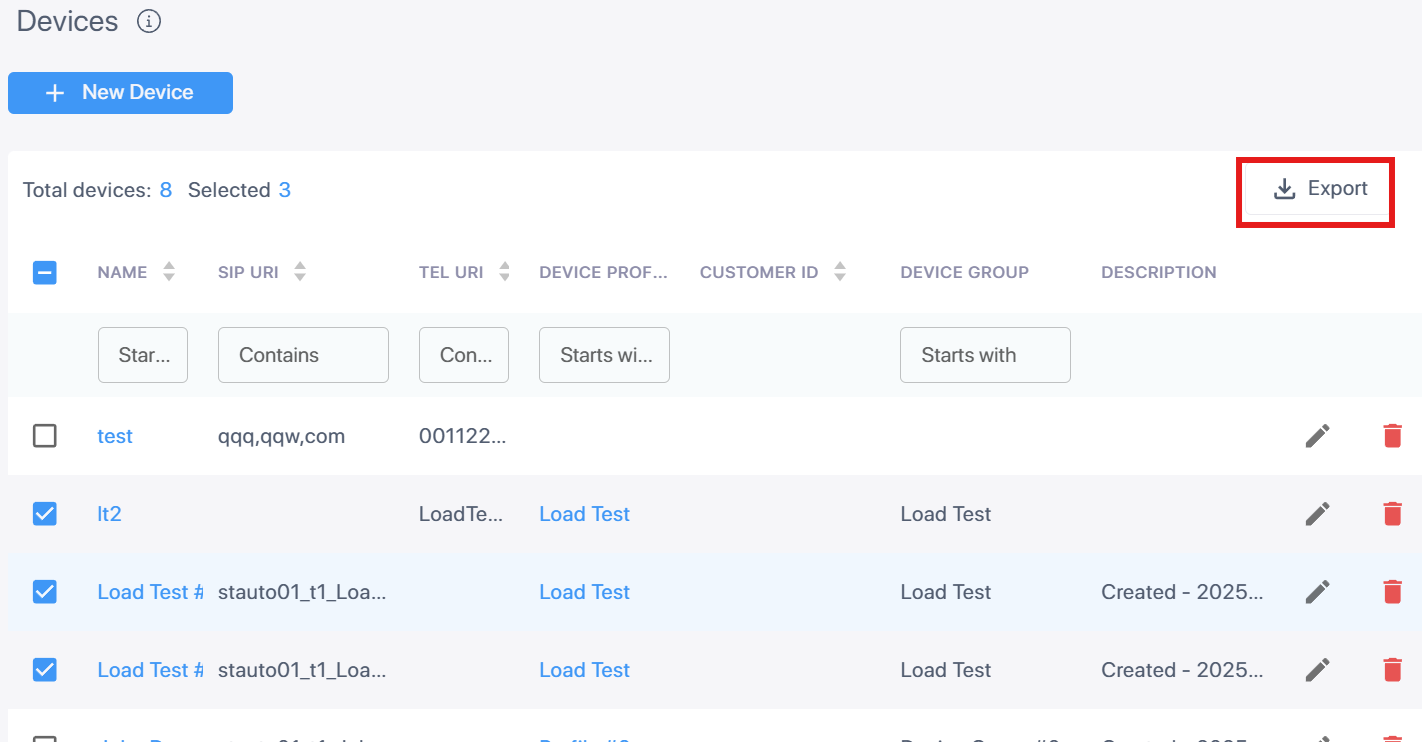
| 3. | Click Export To PDF or Export To Excel to download the file in the requested format. |