Enabling Ask Mia
Meeting Insights Ask Mia feature provides an AI agent that lets users get AI-powered answers about meetings.
Users can ask a question and Mia returns a list of relevant meetings. Users can also use the Workflow feature in chat to narrow the search. They can search for meetings, select the ones they want, and then ask Mia a question. Mia applies the question only to the selected meetings. Users can also use view their previous conversations with Mia.
Once you've enabled the Ask Mia feature, you can then enable it for specific User Profiles.
Before you can enable the Ask Mia feature, you must enable the Smart Search feature (see Enabling Smart Search).
| ➢ | To enable Ask Mia: |
| 1. | In the Admin Settings menu pane, expand AI Settings, and then click AI Insights; the AI Insights page appears. |
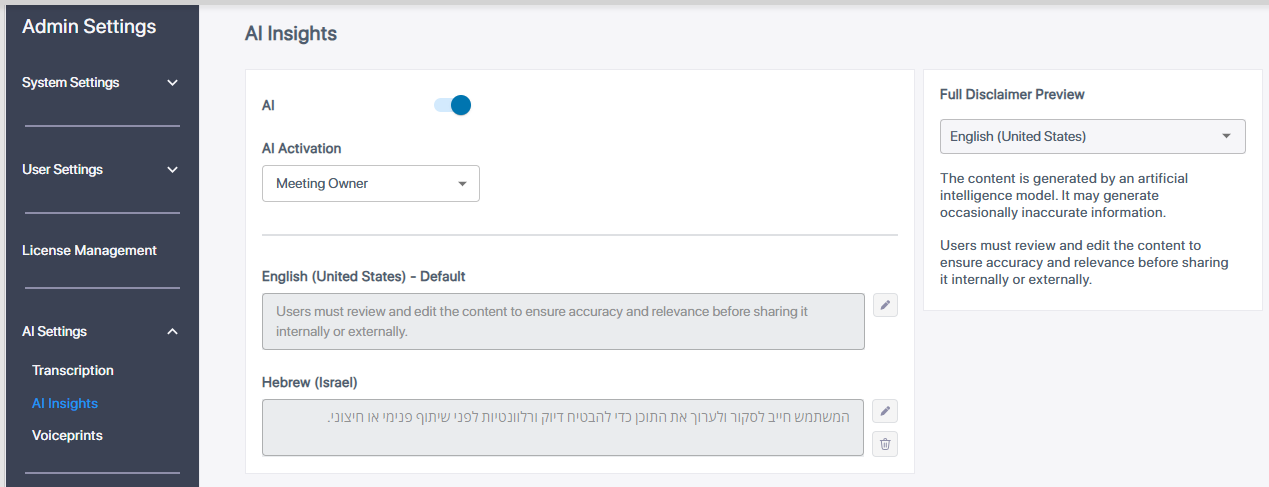
| 2. | Click the Ask Mia toggle button to turn it on. |