Configuring AI Enhancements
You can use Meeting Insights AI Enhancements feature to improve the accuracy of AI-powered transcription. This is done by providing Meeting Insights with additional instructions (prompts) to guide and help the speech-to-text service. For example, you can specify your organization's industry (such as medical devices) and include any special terminology used in your organization.
You type prompts manually and/or you can prepare prompts in a file and import them.
|
➢
|
To configure AI enhancements: |
|
1.
|
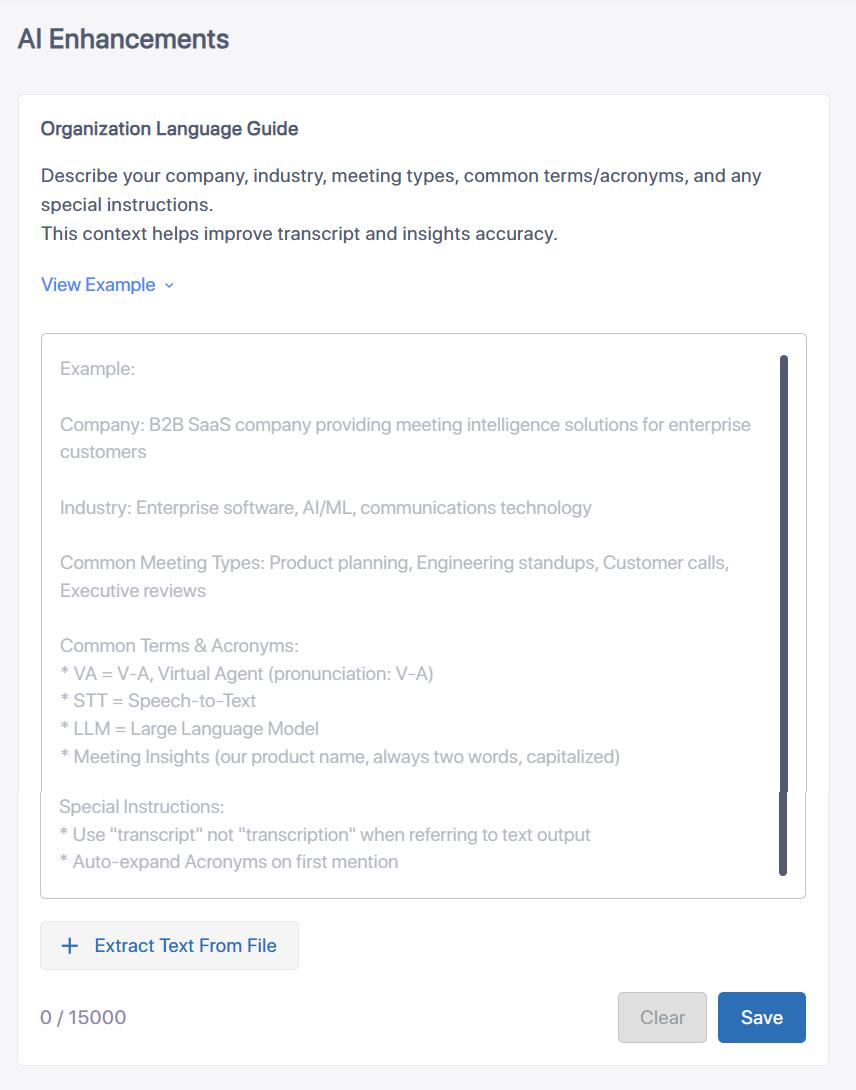
In the Admin Settings menu pane, expand AI Settings, and then click Enhancements; the AI Enhancements page appears: |
|
2.
|
To view an example of a prompt for enhancing transcription, click View Example. To hide the example, click Hide Example. |
|
3.
|
To write your own prompt, click in the text box, and then type your instructions. |
|
4.
|
To import prompts from a file, click the Extract Text From File button, and then browse to and select the file; the contents of the file are added to the text box. |
|
●
|
You can extract text from the following file types: |
|
✔
|
Text-based files (.txt) |
|
●
|
The prompt can contain up to 15,000 characters. |