Viewing and Naming Library Templates for AI-Powered Summaries
You can view a list of all the available templates in the Templates library that can be used for AI-powered summaries. You can also rename the templates to control how they appear to users.
The templates in the library are pre-built by AudioCodes and designed for use by most organizations. Templates are typically assigned to sectors (e.g., "Sales" and "HR"), which are logical groups to help you find and select the appropriate template(s) for users of a specific User Profile. To enable AI-powered summaries and to select templates for a User Profile, see Enabling Template-based AI-Powered Summaries.
|
●
|
The template 'Name' is only for the administrator, but it's displayed to end users if you don't configure a 'Custom Name'. |
|
●
|
The 'Custom Name' must be unique. |
|
➢
|
To view library templates or change name: |
|
1.
|
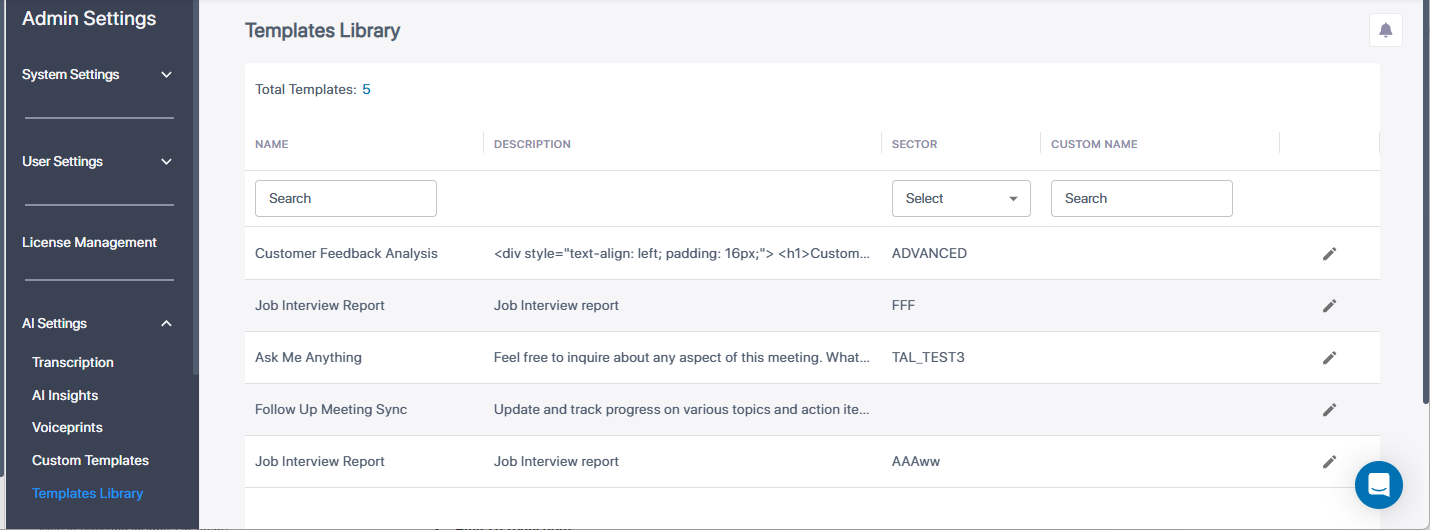
In the Admin Settings menu pane, expand AI Settings, and then click Templates Library; a list displays all the library templates: |
|
2.
|
To view the layout of the template, hover your mouse over |
|
3.
|
To configure a name for the template: |
|
a.
|
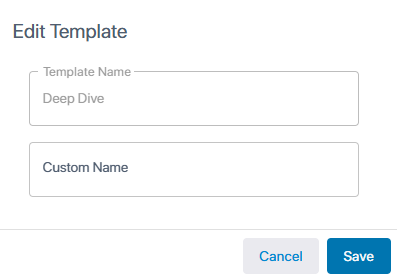
Click the  icon corresponding to the required template; the following dialog box appears: icon corresponding to the required template; the following dialog box appears: |
|
b.
|
In the 'Custom Name' field, type a name for the template. |