Enabling Smart Search
You can enable the Smart Search feature, which is a powerful AI-based search engine that lets users find meeting recordings by using natural language queries and semantic understanding.
Unlike the basic search functionality, which matches exact terms in meeting recording metadata (such as titles and participants), Smart Search searches across the full content of meeting recordings, such as transcriptions, insights, and recaps (e.g., decisions and action items). For example, a user can search for "all meetings in the last month with Bob and Alice where Copilot integration was discussed".
When Smart Search is enabled,  Smart Search appears in the meeting recordings list view (as shown below) and allows users to run free‑form text queries across all meeting content.

When Smart Search is disabled, users can only use the basic search functionality, which searches only the titles and metadata of meeting recordings that are listed in the meeting recordings list view.
Smart Search is a global setting that applies to all users (User Profiles).
| ➢ | To enable Smart Search: |
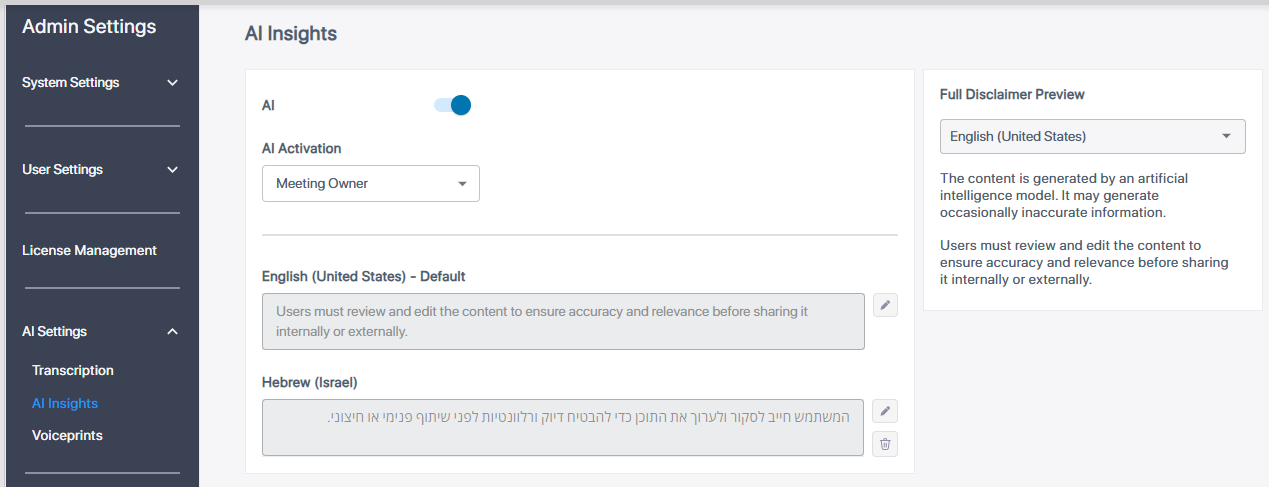
| 1. | In the Admin Settings menu pane, expand AI Settings, and then click AI Insights; the AI Insights page appears: |
| 2. | Click the Smart Search toggle button to turn it on. |