Obtain the Google Meet URL
Before you can add Meeting Insights ad hoc to a Google Meet meeting for recording, you need to obtain the URL of the Google Meet meeting.
| ➢ | To obtain the Google Meet meeting URL: |
| 1. | In the Google Meet meeting, click the Meeting details  icon ("i" inside a circle) in the lower-right corner of the screen; the Meeting details dialog box appears. icon ("i" inside a circle) in the lower-right corner of the screen; the Meeting details dialog box appears. |
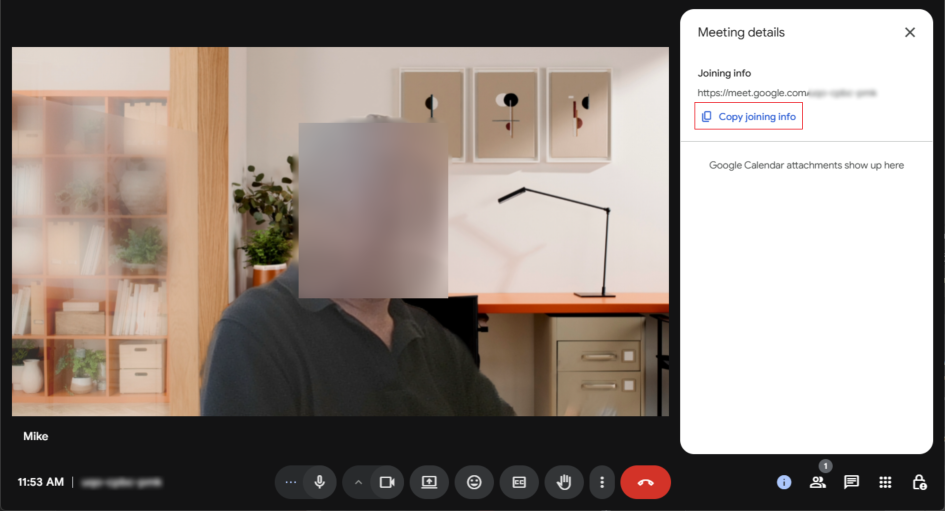
| 2. | Click the Copy joining info icon; the URL is copied to your clipboard. |
| 3. | Paste the link in Meeting Insights, as described in Paste the Google Meet URL into Meeting Insights. |