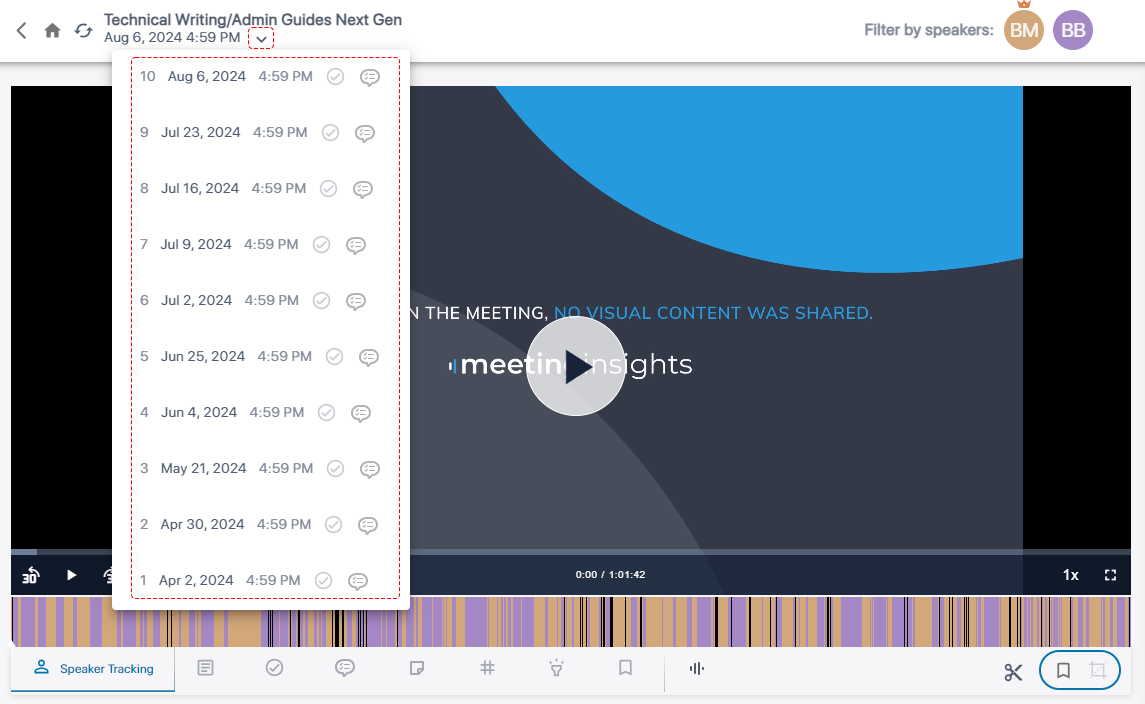
View Meeting Recordings of Recurring Meetings
You can view the meeting recordings of meetings that have been scheduled through Microsoft Calendar as recurring meetings.
|
➢
|
To view all meeting recordings of a recurring meeting: |
|
1.
|
In the Navigation pane, go to any meeting recording list view that contains the recording you want. |
|
2.
|
Meeting recordings of recurring meetings are displayed with the  icon. Click the meeting recording name; the Player page opens. icon. Click the meeting recording name; the Player page opens. |
|
3.
|
Click the down-pointing arrow located above the video player, and then from the drop-down list, select the required meeting recording. The meetings are numbered sequentially, where 1 is the first meeting in the series. |