Number Metadata
The Number Metadata page lets you monitor Operator Connect Company Lead information and loaded numbers. This page includes a list of emergency addresses that are defined in managed customer Teams admin centers and a list of released numbers for all customers.
| ➢ | Do the following: |
| 1. | In the Multitenant portal Navigation pane, click Number Metadata. The list of emergency addresses is displayed. |
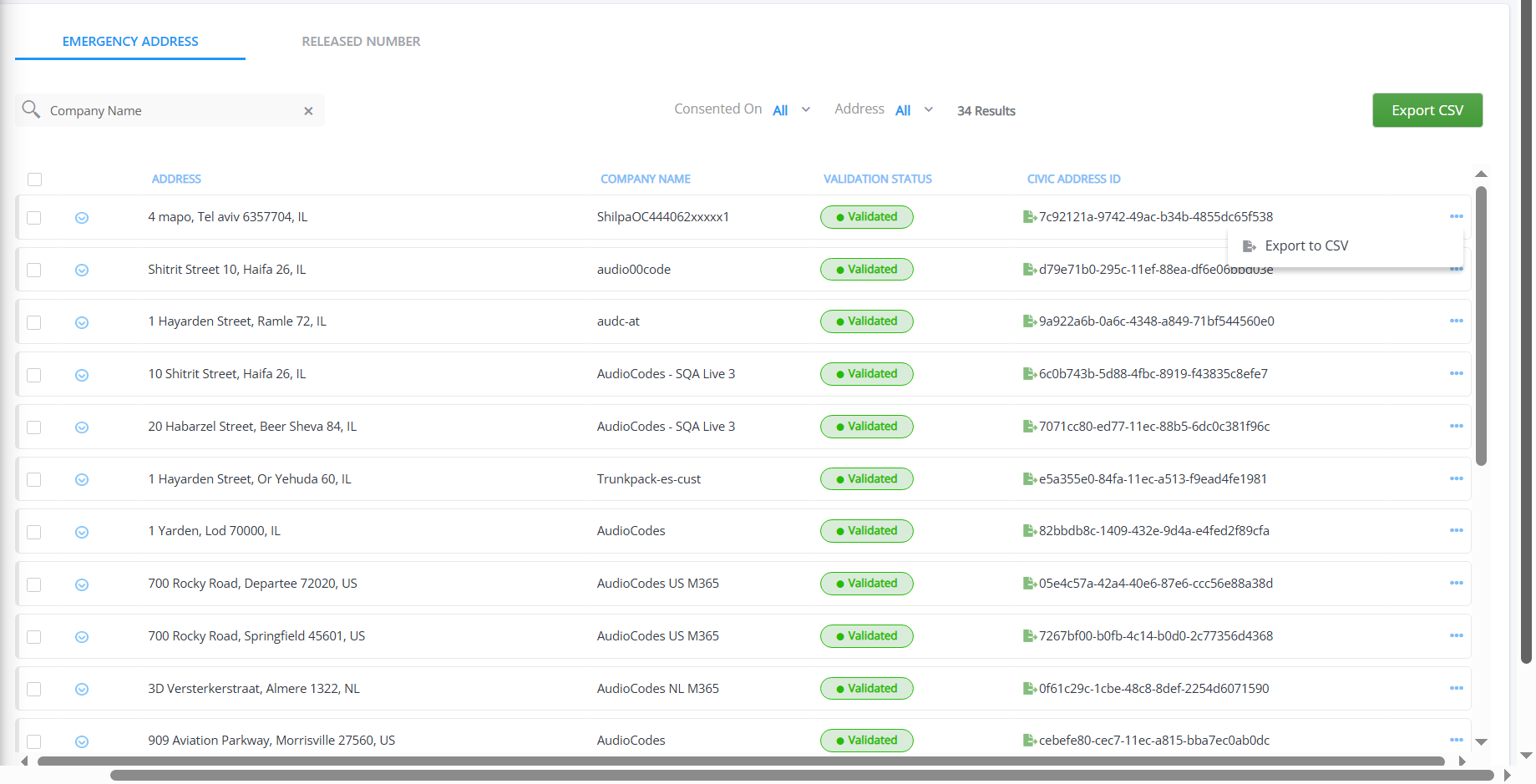
The table below describes the parameters in this page.
|
Parameter |
Description |
||||||||||||
|---|---|---|---|---|---|---|---|---|---|---|---|---|---|
|
Company Name |
Enter text to search for company name. |
||||||||||||
|
Consented On filter |
From the drop-down, select the time range to filter the date and time when the customer tenant (or an admin on behalf of the tenant) consented to share emergency address data with their Operator Connect carrier.
|
||||||||||||
|
Address filter |
From the drop-down, select the time range when the emergency address was added:
|
||||||||||||
|
Address |
Emergency address configured in the customer tenant admin center. |
||||||||||||
|
Company Name |
Company name of the customer tenant. |
||||||||||||
|
Validation Status |
Indicates the validation status of the customer lead. |
||||||||||||
|
Civic Address Id |
Unique Id string for the address that is defined in the customer Teams admin center. |
||||||||||||
|
Export to CSV |
|
 to export an individual entry to a CSV file.
  to export all phone records to a CSV file.
| 2. | Click the Released Numbers tab to open the list of Released numbers. |
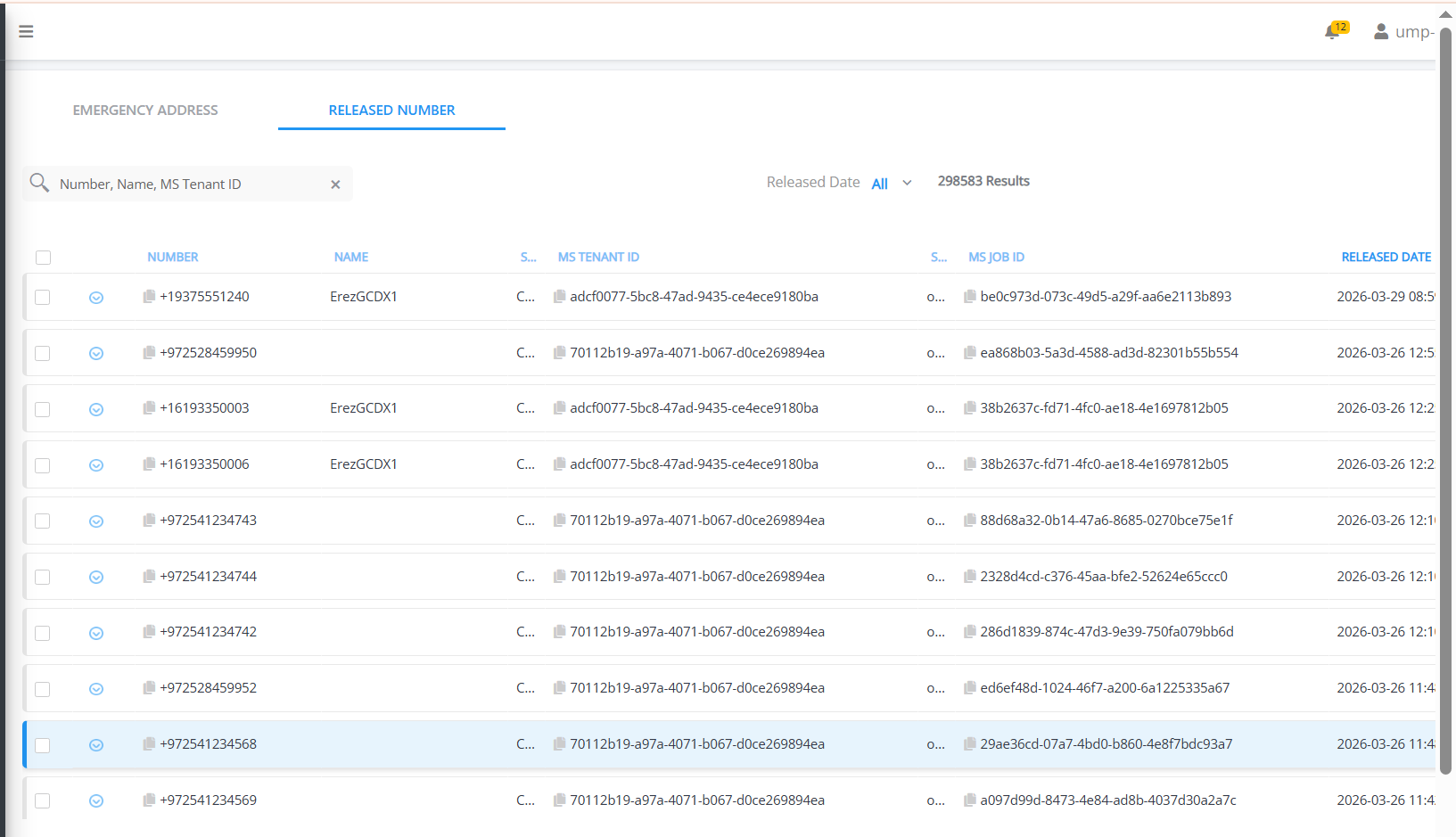
The table below describes the parameters in this page.
|
Action |
Description |
||||||||||||
|---|---|---|---|---|---|---|---|---|---|---|---|---|---|
|
Company Name |
Enter text to search for company name. |
||||||||||||
|
Released Date Filter |
From the drop-down, select the time range when the number was released from Live Platform:
|
||||||||||||
|
Details |
Click the down arrow adjacent to the entry to view Details summary for the number.
|
||||||||||||
|
Number |
The DID entry. |
||||||||||||
|
Name |
The name of the customer tenant configured on Microsoft Entra ID. |
||||||||||||
|
MS Tenant ID |
Tenant ID of the Customer tenant operator. |
||||||||||||
|
Source |
OC Sync |
||||||||||||
|
MS Job ID |
The MS Job ID (Microsoft Job Identifier) is a system‑generated identifier that Microsoft assigns to the number release operation. |
||||||||||||
|
Released Date |
Date and time indicating when the number was released in the following format: YYYY-MM-DD HH:MM:SS |
