Make a Meeting Recording Public
When you publish a meeting recording, only its participants can view it in their Meeting Insights account. However, you can also share the meeting recording with everyone in your organization that has access to Meeting Insights, even if they weren't participants.
Only the Owner, Co-owner, or users assigned editing privileges of the meeting recording can make it public.
|
➢
|
To make meeting recording public: |
|
1.
|
In the Navigation pane, go to any meeting recording list view that contains the recording you want. |
|
2.
|
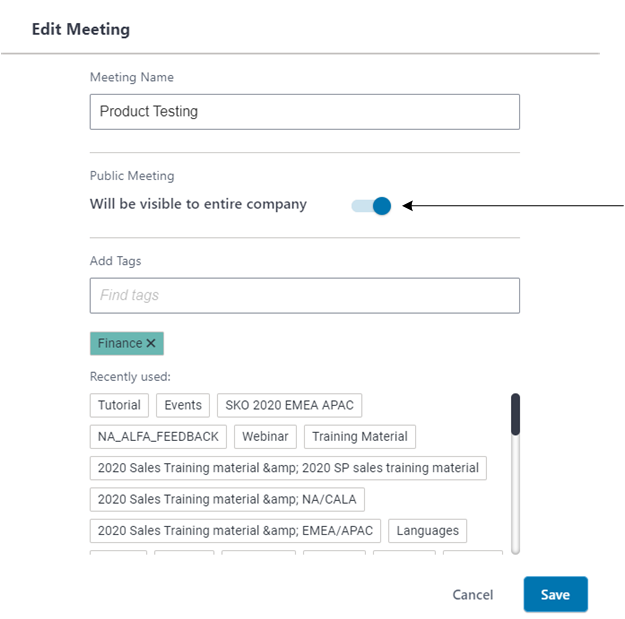
Click the ellipsis  (three dots) button of the meeting recording, and then from the drop-down menu, choose Edit Meeting; the following dialog box appears. (three dots) button of the meeting recording, and then from the drop-down menu, choose Edit Meeting; the following dialog box appears. |
|
3.
|
Under Public Meeting , click the toggle switch to turn on visibility to the entire company: |