Extend Retention Period of a Meeting Recording
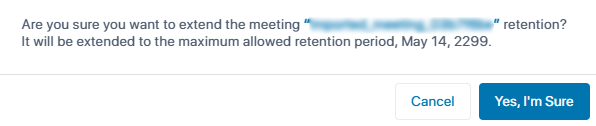
You can extend the retention period of a meeting recording to the maximum allowed retention period. This overrides the retention period of meeting recordings defined by your organization's Meeting Insights administrator.
|
●
|
This feature is available only if enabled for you by your organization's Meeting Insights administrator. |
|
●
|
You can only extend the retention period of meeting recordings where you are the Owner. |
|
➢
|
To extend retention period of meeting recording: |
|
1.
|
In the Navigation pane, click  All meetings. |
|
2.
|
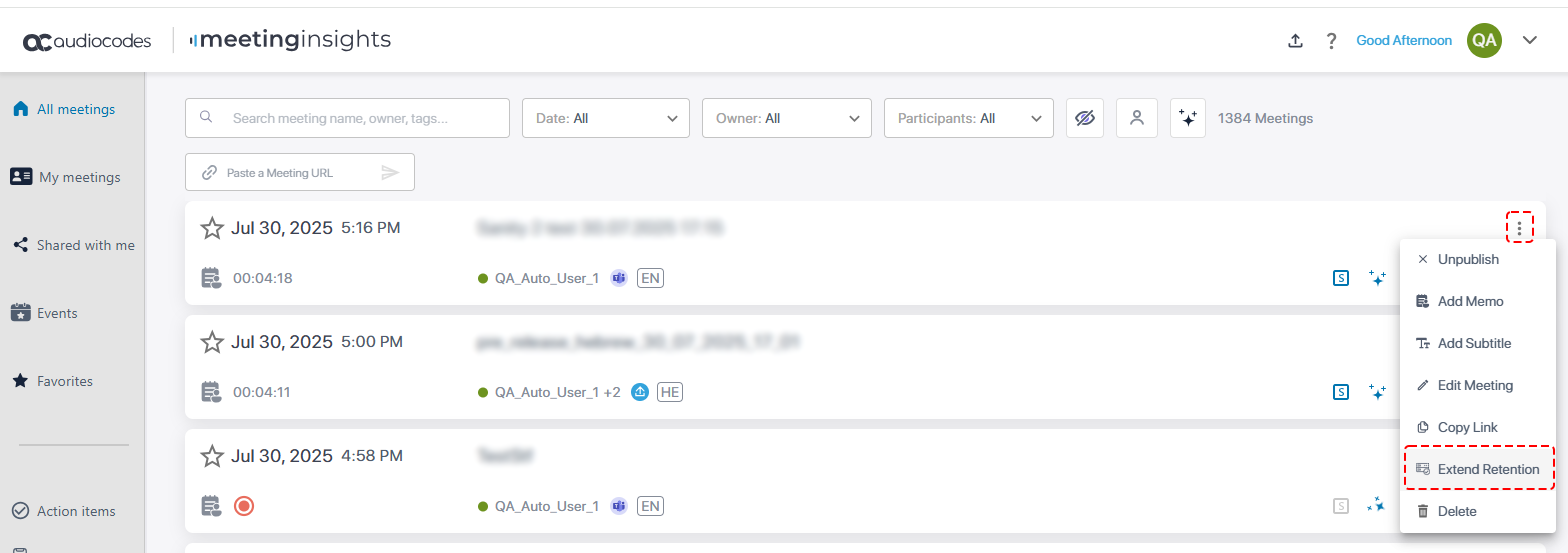
Click the ellipsis icon of the meeting recording whose retention period you want to extend; a drop-down menu appears. |
|
3.
|
From the drop-down menu, choose Extend Retention: |
The following confirmation message box appears: