Download an Attached File
If a meeting recording includes an attached file, for example, a presentation (i.e., PowerPoint) or Word document, you can download it to your computer.
You can only download files of published meeting recordings.
|
1.
|
In the Navigation pane, go to any meeting recording list view that contains the recording you want. |
|
2.
|
Do one of the following: |
|
●
|
Meeting Recording List View:
|
|
i.
|
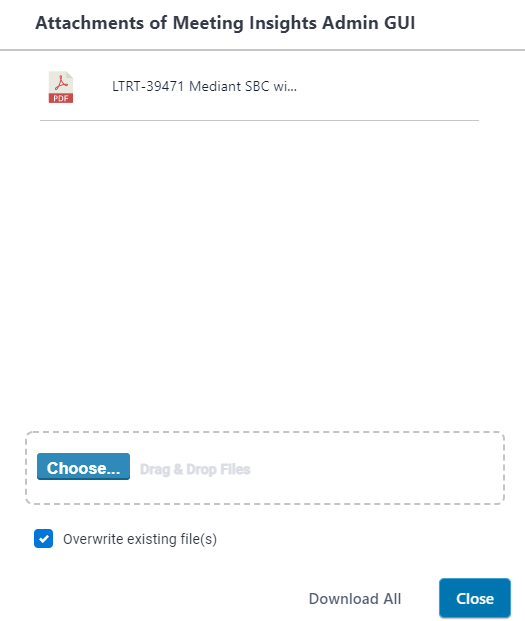
Click the  icon of the meeting recording; the following appears, showing the attached file: icon of the meeting recording; the following appears, showing the attached file: |
|
ii.
|
Click Download All; the file is downloaded to your computer. |
|
i.
|
Click the meeting recording name; the Player page appears. |
|
ii.
|
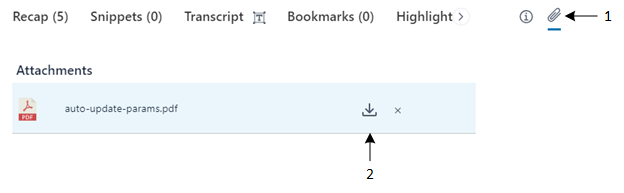
Click (#1 in figure); the Attachments group appears, listing the attached files: |
|
iii.
|
Click  (#2 in figure); the file is downloaded to your computer. (#2 in figure); the file is downloaded to your computer. |
 Related Topics: