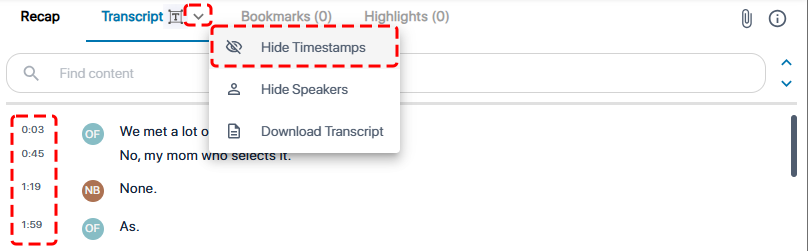
Show or Hide Timestamps in the Transcription
By default, each transcription line displays the time (timestamp) in the meeting recording at which it was spoken. To avoid clutter, you can hide the timestamps.
| ➢ | To hide or show timestamps in transcription: |
| 1. | In the Navigation pane, go to any meeting recording list view that contains the recording you want. |
| 2. | Click the meeting recording name; the Player page appears. |
| 3. | Select the Transcript tab. |
| 4. | Click the arrow on the Transcript tab, and then from the drop-down menu, choose Hide Timestamps to hide timestamps or Show Timestamps to display them: |