Show or Hide Speakers in the Transcription
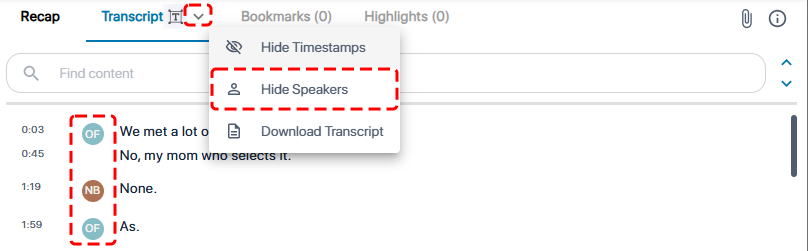
By default, the transcription shows who spoke each transcribed line of text. To avoid clutter, you can hide the speakers profile avatars.
|
➢
|
To hide or show speakers in transcription: |
|
1.
|
In the Navigation pane, click  All meetings. All meetings. |
|
2.
|
Click the meeting recording name; the Player page appears. |
|
3.
|
Select the Transcript tab. |
|
4.
|
Click the arrow on the Transcript tab, and then from the drop-down menu, choose Hide Speakers to hide speakers or Show Speakers to display them: |